
IVR Meaning: Interactive Voice Response Explained
Learn the IVR meaning in plain English: how phone menus work, common business uses, and the limits that frustrate callers.

 Reviewed by Nikita Podelenko, Founder & Engineer of SkipCalls
Table of contents
- What IVR Means in Plain English
- Key Terms Behind Every IVR Menu
- How an IVR Call Moves From Ring to Result
- Common Business Uses of IVR by Trade
- Which Calls Suit an IVR and Which Need a Person
- Limits, Friction Points and Common Misconceptions
- IVR, Auto-Attendant and AI Receptionist Compared
- Map Your Call Flow Before You Choose a System
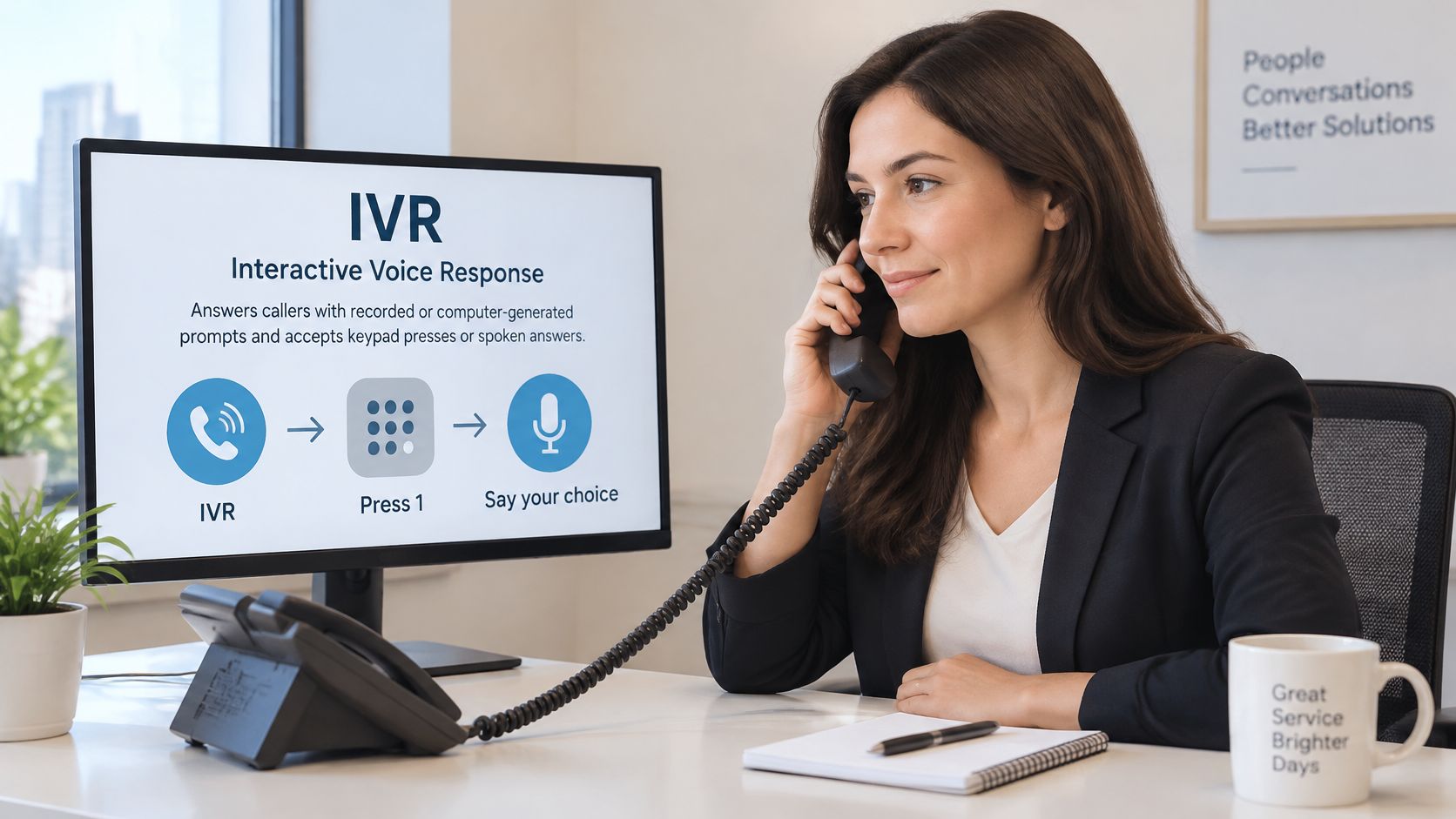
IVR (Interactive Voice Response) is a phone system that uses recorded or computer-generated prompts and keypad or spoken input to give callers information or route them to the right person. That's the definition, but it doesn't answer the question that costs local businesses work. If a menu can answer every call, why do some callers hang up and dial a competitor instead? IVR meaning matters less as a label than as a call-by-call decision. Some calls suit a short menu. Others need a person fast, with no maze in between.
What IVR Means in Plain English
IVR stands for Interactive Voice Response. In plain terms, the phone system answers first, asks a question, listens for the reply, and sends the call where it belongs. The article on IVR in public health research describes it as a telephone system that lets computers interact with callers through spoken prompts, voice responses, and keypad tones, especially Dual-Tone Multi-Frequency (DTMF) input.
The term doesn't by itself mean artificial intelligence. A traditional IVR can run entirely on prerecorded prompts and keypad selections. Newer systems may add speech recognition and natural-language understanding, so callers can answer in their own words instead of picking a number.
The idea rests on two older capabilities. Bell Labs demonstrated the Voder in 1939, an early machine capable of generating synthetic speech. In 1962, the Bell System unveiled DTMF tone dialing at the Seattle World's Fair, enabling telephones to transmit distinct combinations of audio frequencies when users pressed keypad buttons. Machine speech plus reliable tone recognition made automated phone menus practical.
A Plain Example
Say a plumbing company's line says, "Press 1 for emergencies, press 2 to book an estimate." Press 1 rings the on-call phone. Press 2 starts the estimate request and captures basic details. The caller hears all of this before any person picks up.
An owner doesn't need to understand the technology underneath to judge that menu. The test is simple. Can a caller understand the choices, pick one quickly, and reach the right result without guessing?
Key Terms Behind Every IVR Menu
A vendor quote for a phone system reads like alphabet soup. Every term on it answers one of two questions: what did the system hear, and what did it do next.
| Term | Plain meaning | Where you see it |
|---|---|---|
| IVR | Phone system that uses voice and keypad input to handle calls | Greeting such as "press 1 for service" |
| DTMF (dual-tone multi-frequency) | The tones a keypad sends when a caller presses a button | PIN entry, account numbers, menu choices |
| Speech recognition | Converts spoken words into text the system can read | "Say the city or service you need" |
| Natural-language understanding | Works out what a caller means from free speech | "Tell me why you are calling" |
| Synthesized speech (text-to-speech) | Computer-generated voice that reads prompts | Greetings, confirmations, read-back of details |
| Prerecorded prompt | A recorded message the business made in advance | Hours, address, closing message |
| Barge-in | Caller speaks over a prompt and the system stops to listen | Callers who already know their choice |
| No-input and no-match | Silence or an unclear answer that triggers a retry | "Sorry, I did not catch that" |
| Transfer or escalation | Passing the call to a person, queue or on-call phone | "Press 0 to reach the office" |
| Containment rate | Share of calls finished without reaching a person | Vendor reports and dashboards |
Two of these cause the most confusion when owners compare quotes. Speech recognition only turns words into text. Natural-language understanding decides what those words mean, such as whether "my sink is leaking under the cabinet" is an emergency or a routine repair. A system can have the first without the second, which is why some menus force keypad presses even though they technically "accept speech."
Containment rate needs a second question before you trust it. When a vendor quotes the figure, ask what counted as a finished call and whether the caller's problem was solved. A caller who hung up in frustration halfway through the menu should not count as handled.
You can hear every term on this list by dialing your own business line twice, once from a cell phone and once from a landline. Interrupt the greeting to test barge-in. Stay silent to trigger no-input. Mumble an answer to see how no-match retries work. Then press the option that should reach a person and time how long transfer takes.
These menus usually sit inside a larger phone setup, so it helps to understand how PBX phone systems work before comparing vendors. Newer tools use the same vocabulary under friendlier labels. A service such as the SkipCalls call classification solution captures message details and sends the business a summary and transcript after each call.
Whatever the label on the box, these terms describe one job: sorting each caller by purpose and moving the call to the right result.
How an IVR Call Moves From Ring to Result
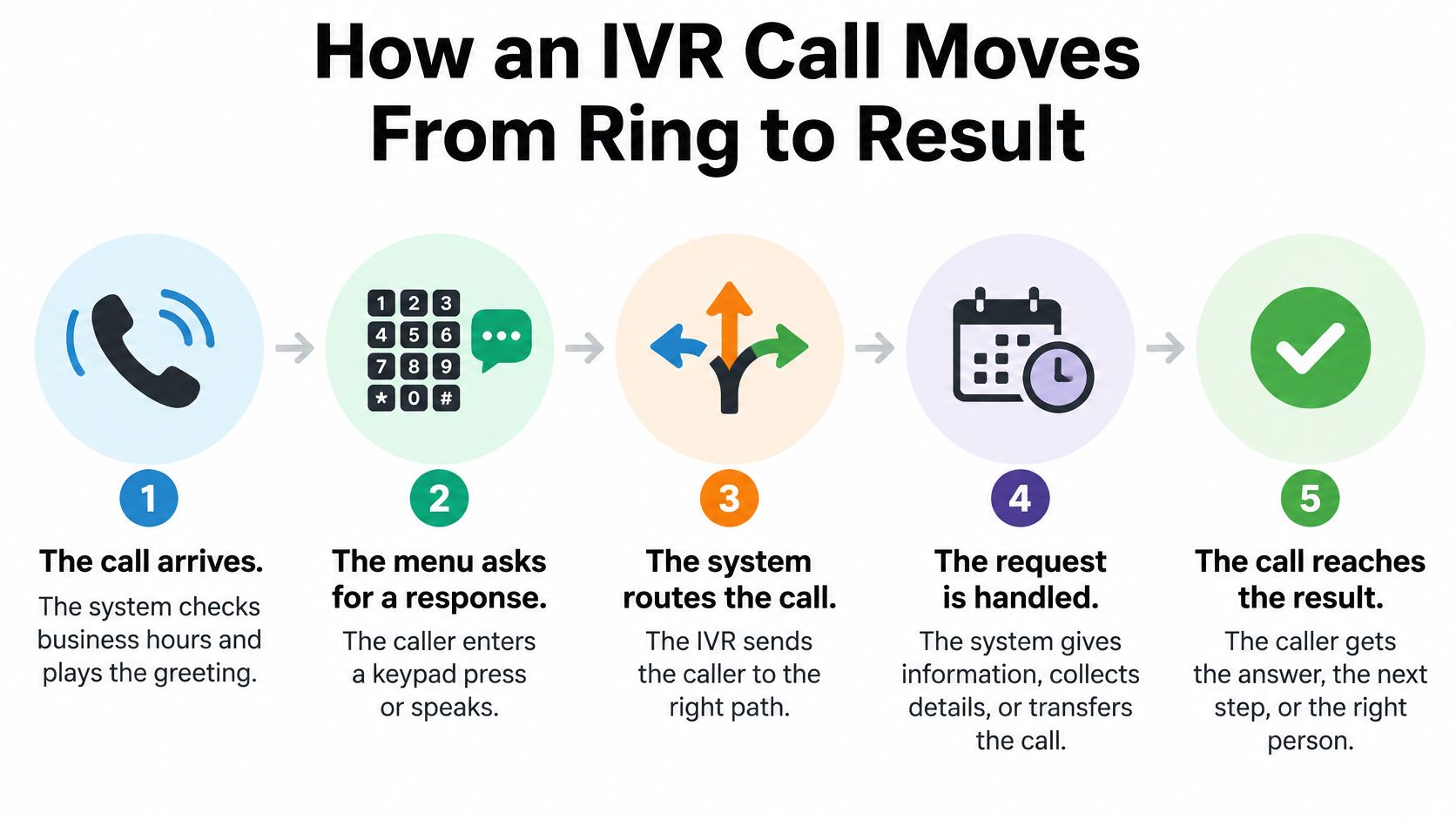
A customer dials a plumbing shop at 7:30 on a Tuesday night. Nobody is at the desk, yet the call still ends with a booked emergency visit. The path that call took runs through seven steps, and each step answers one question: does the menu handle this caller, or does a person take over?
- The call arrives. The system checks business hours and plays the greeting.
- The menu asks. The caller gets a question that takes a keypad press or a spoken answer.
- The system waits. It pauses a few seconds, and silence triggers a repeat of the prompt.
- The answer is checked. A valid digit or matched phrase moves the caller on, and an invalid answer triggers a retry.
- Details are collected. The system captures name, address, service type, urgency, or preferred time.
- The call is routed. It goes to a person, a queue, voicemail, or a callback request.
- Failure has a fallback. After repeated failures, the call goes to an operator or a message box.
The W3C VoiceXML 3.0 specification models IVR as a modular dialog system supporting spoken and DTMF input, mixed-initiative conversations, recording, media playback, and telephony integration. In plain terms, every step above works like a checkpoint with its own list of allowed answers: greeting, intent collection, routing, appointment capture, escalation. The call can only move forward when the checkpoint accepts what the caller gave it.
A Sample Greeting
Thanks for calling [business name]. For an emergency, press 1 now. For an estimate, press 2. For hours, press 3. To speak with someone, press 0.
That script works because every choice leads somewhere useful. Routing like this starts with getting calls to the right system in the first place, which is covered in the call forwarding guide.
Practical rule: Every menu needs a way out, and every step needs a recovery path for silence, unclear answers, and failed transfers.
You can check your own line the same way a caller would. Dial it once from a cell phone and once from a landline, then press nothing, give an unclear answer, and ask for a person. Whatever happens on those test calls is exactly what your customers hear.
A caller trapped in a loop won't keep pressing buttons. That caller hangs up and calls the next business on the search results page.
Common Business Uses of IVR by Trade
| Business | Typical IVR job | Sample first menu |
|---|---|---|
| Plumbing, HVAC or electrical | Separate emergencies from estimate requests | "Press 1 for an emergency, press 2 for an estimate" |
| Roofing or remodeling | Capture project type and address for an estimate | "Press 1 for a roof repair, press 2 for a new project" |
| Law firm | Route by practice area and set a callback | "Press 1 for family law, press 2 for a callback" |
| Real estate office | Separate buyer and seller leads from listing questions | "Press 1 to buy, press 2 to sell, press 3 for listings" |
| Auto repair shop | Split appointments from job status checks | "Press 1 to book, press 2 for your car's status" |
| Salon or spa | Handle booking, hours and service questions | "Press 1 to book, press 2 for hours and services" |
| Insurance agency | Separate new quotes from existing-claim calls | "Press 1 for a new quote, press 2 for an open claim" |
The shared pattern is easier than the table looks. Each good IVR use does one of two things. It sends the caller to the right person quickly, or it collects the details the office needs so someone can call back with an answer.
Supplier callbacks fit the second job well. SkipCalls captures message details from supplier callbacks, such as parts questions, and the business gets the transcript. Nobody has to catch that call live for the information to land in the right hands.
Keep the First Menu Short
Keep the first menu to three choices or fewer. A salon that gets many questions about hours can move hours to option 2 so booking calls aren't stuck behind a longer menu. After two weeks, count which option callers press most and check whether the order still matches. Put the most common reason first, and cut any option almost nobody picks.
Which Calls Suit an IVR and Which Need a Person
Use an IVR for predictable, low-risk calls. Give an immediate human or owner escalation path for urgent, unclear, or high-value calls. The Capacity glossary entry on interactive voice response notes that long menus, unclear wording, repeated speech-recognition failures, and forced self-service can increase abandonment, and that callers may lose information when transferred and be required to repeat themselves.
| Call type | IVR fit | Why |
|---|---|---|
| Store hours, service area or address | Strong fit | Fixed answers with no judgment needed |
| Booking or rescheduling a standard visit | Good fit | Needs a short fixed set of questions and calendar rules |
| Price question for custom work | Partial fit | Capture details, then a person gives the quote |
| Emergency such as a gas smell or flooding | Poor fit | Needs an immediate human or on-call escalation |
| Billing dispute or complaint | Poor fit | Emotional and needs a person with authority to decide |
| Existing client with an unclear problem | Poor fit | Needs context and judgment that menus cannot give |
| Robocall or spam | Not an IVR job | Filtering by the phone network happens before the menu plays |
A high containment rate isn't automatically a win. Check whether the caller was satisfied and whether the problem was resolved. For a plumber or law firm, a caller who gives up on the menu may be a high-value lead lost, not a routine transaction saved.
Two safety notes apply. A gas smell or flooding call should never wait in a menu, so the greeting should tell the caller to leave the area and call 911 or the gas utility first. Medical practices shouldn't use an automated line to collect health information, which is why purpose-built services such as medical virtual assistants exist for that setting. Calls that arrive overnight need the same clear sorting, which is the point of after-hours call answering.
Test the line directly. Call it from a cell phone and a landline, count the presses, and time how long it takes to reach a person. If the path is long or loops back to the start, the menu needs work.
Limits, Friction Points and Common Misconceptions
Friction That Loses Callers
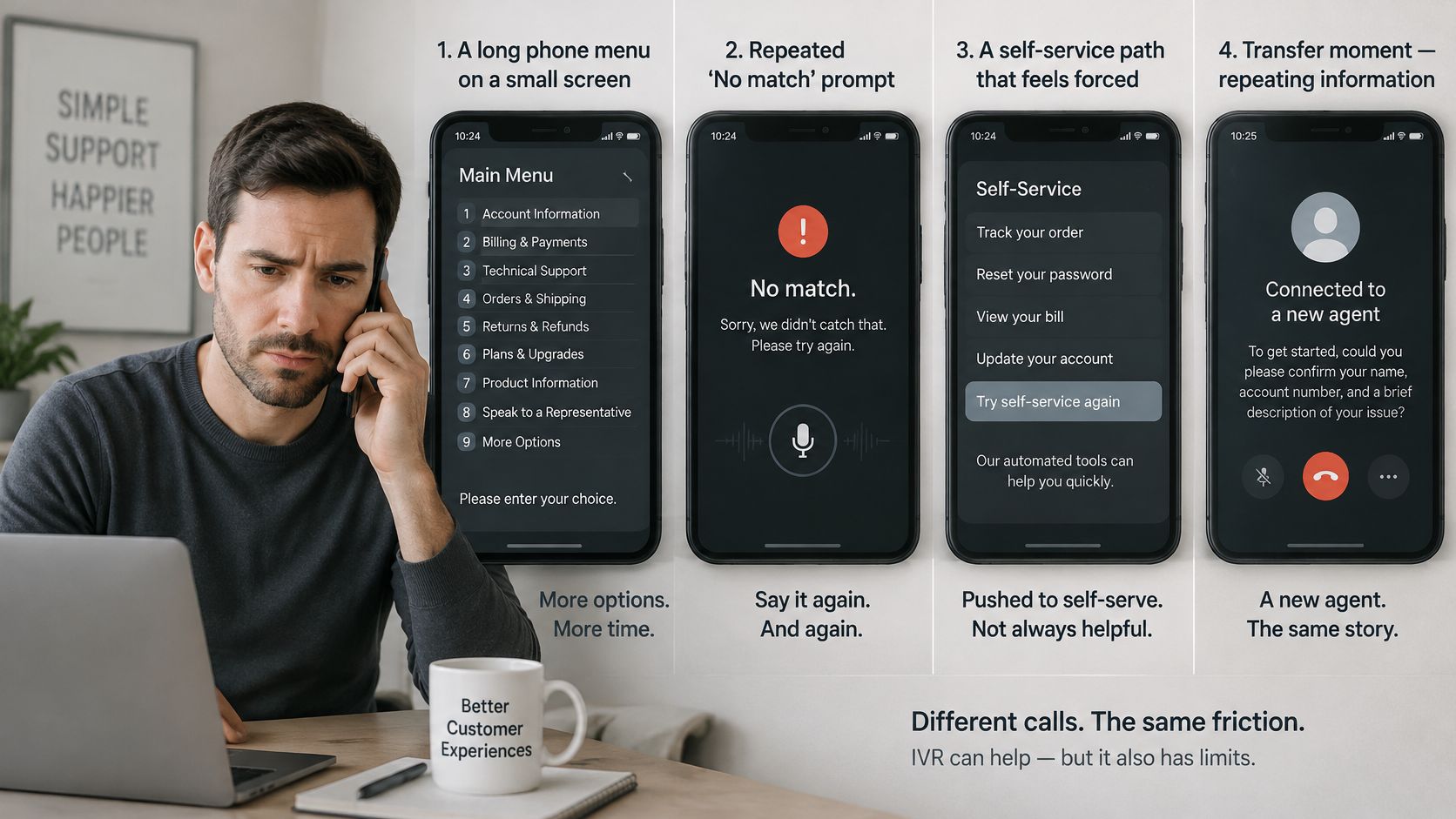
Long menus, repeated "sorry, I did not catch that" prompts, and forced self-service push callers out. So does a transfer where the caller must repeat everything to the person who finally answers. A caller pressing through four levels to reach someone is a lead the business may lose.
Keypad entry can fail too. RFC 4733 defines the RTP payload format named "telephone-event" for DTMF digits, because audible in-band tones can be distorted by codecs, packet loss, echo cancellation, or speech processing. The fallback is plain. A PIN or account number prompt needs a voice option or a callback path when presses don't register.
The Spam Misconception
An IVR doesn't stop spam. Caller-ID checks and blocking happen in the phone network before the call reaches the business, and spoofing can make a call look local or official. The Congressional Research Service report on robocalls says people in the United States collectively received 4.2 billion robocalls in April 2026, and unwanted calls were the Federal Communications Commission's top consumer complaint category, with approximately 135,000 complaints in 2023.
Handling Unclear Requests
When a request is unclear, SkipCalls captures it and sends the business a summary and transcript so the business can confirm without guessing. That beats a menu that forces the caller into the wrong category just to end the call.
A menu should never trap a caller with no way to reach a person, hide the option to speak to someone, or ask for details nobody will use.
IVR, Auto-Attendant and AI Receptionist Compared
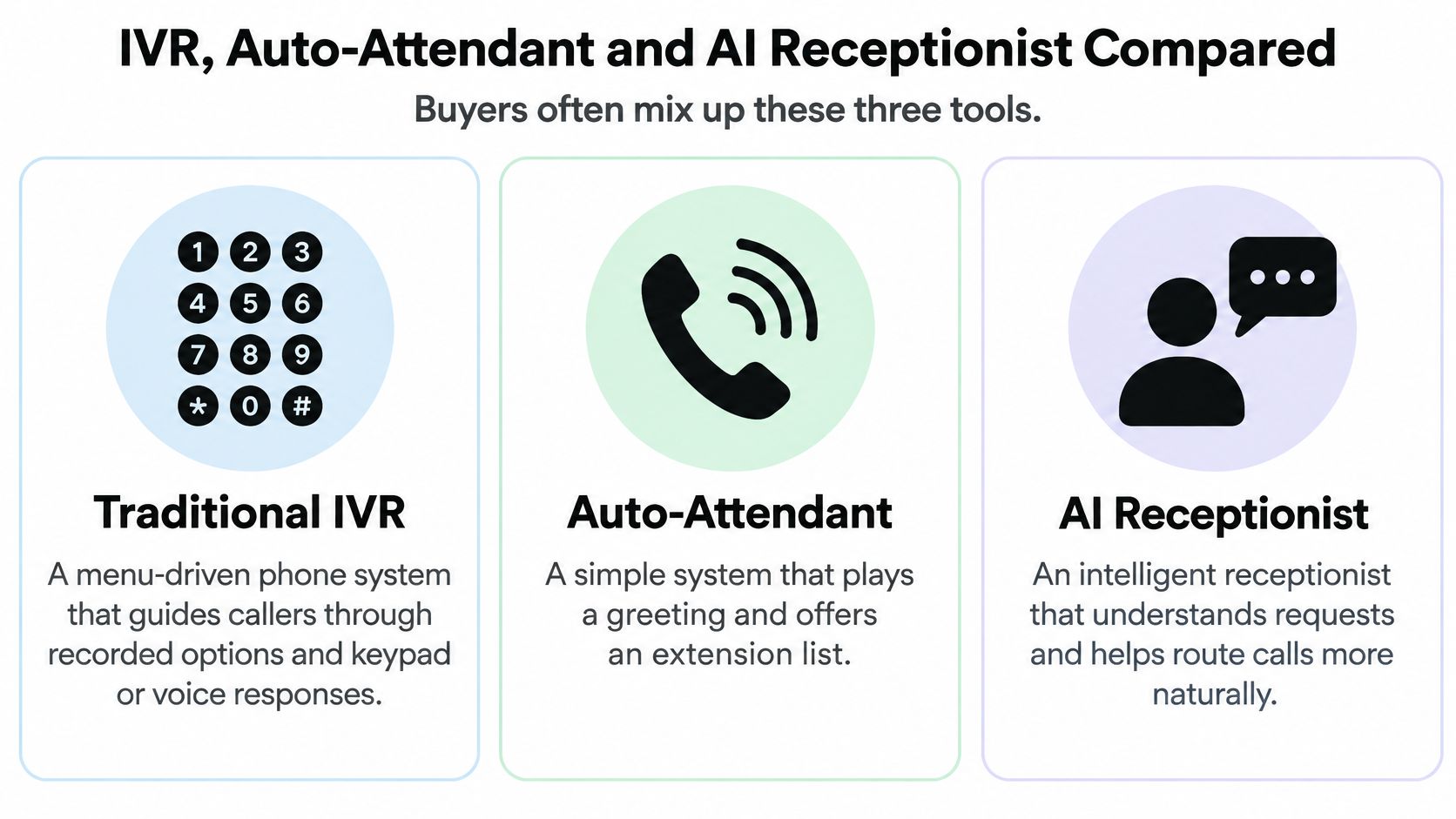
A salon phone line that plays "press 1 for hours, press 2 for the front desk" runs an auto-attendant: a recorded greeting plus an extension list. A plumbing line that asks the caller to key in an account number and pick a department runs a traditional IVR, a menu that collects input and then routes or answers. An AI receptionist drops the numbered choices and holds a conversation instead.
Buyers mix up the three because vendors sell all of them under the label "IVR." The comparison below lines them up by what each one does with a call.
| Task | Traditional IVR menu | AI receptionist (SkipCalls) |
|---|---|---|
| Greeting and menu | Fixed prompts the business records | Greeting, questions and transfer rules set by the business |
| Caller input | Keypad presses and short spoken choices | Natural conversation on the existing business number |
| Captured details | Only what the menu asks for | Caller details captured and written up |
| Answering questions | Pre-recorded answers for set topics | Answers from the business's own information |
| Booking appointments | Usually needs a separate scheduling step | Books appointments |
| Urgent calls | Transfer to a set extension or voicemail | Transfers urgent calls to the owner or team |
| After the call | Usually a recorded message or a call log, with no automatic summary of the conversation | Summary and full transcript sent to the business |
The last row carries more weight than it looks. If the system only leaves a recording or a log line, someone on the team still has to listen back, pull out the details and write the follow-up. A system that writes the call up turns each conversation into a finished record, so the owner can read the summary and call back with context instead of starting cold.
SkipCalls is an example of the third column. It answers forwarded calls 24/7 on the business's existing number, takes natural conversation instead of only keypad presses, captures caller details, answers questions from the business's own information, books appointments, and transfers urgent calls to the owner or team. After each call, the business receives a summary with action items and the full transcript.
Control stays with the business. The business controls the greeting, the questions the AI asks, its answers, its transfer rules and what it may or may not promise, and can change them at any time. That ongoing control is the practical difference behind AI receptionist software compared with a menu recorded once and left untouched for a year.
The right category depends on the job the phone must do, not on the word the vendor uses. Fixed answers suit a menu. Open-ended requests suit a conversation.
Map Your Call Flow Before You Choose a System
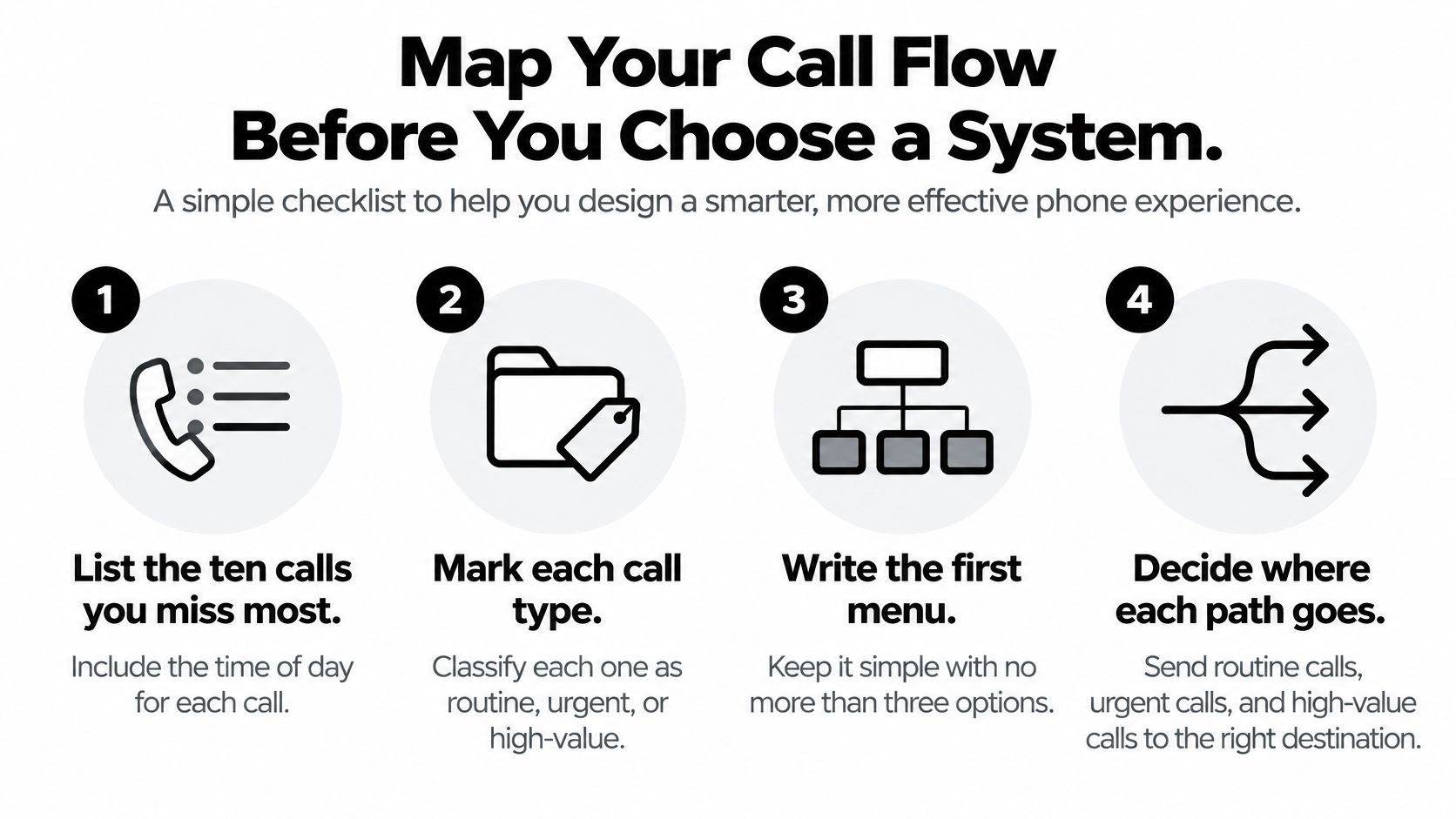
A call flow map fits on one page: every call type your phone gets, what should happen to it, and who owns it when things go wrong. A salon owner who lists new bookings, reschedules, price questions and supplier calls can then decide line by line whether each suits a menu, a person, or a callback. That sorting is what you are choosing when you pick a system, so it pays to sort before you shop.
- List missed calls. Write down the ten calls missed most often, with the time of day. A plumber who misses calls at 7 a.m. and 6 p.m. needs coverage in those hours before any menu will help.
- Mark each call. Label it routine, urgent, or high-value, so the map shows which calls a menu can handle and which reach a person.
- Write the first menu. Use no more than three choices, and give every choice a clear name.
- Set the urgent path. Assign a person, on-call phone, or callback for every urgent call.
- Write the questions. Note what the system must ask for each routine call and which answers to capture.
- Add verification. The Federal Register enforcement document records that one robocaller placed 21,582,771 spoofed calls over a three-month period, so caller ID alone can't verify who is calling. Add a verification step before any account change or urgent action.
- Test both ways. Dial your own line from a cell phone and a landline, then run the full flow, including a wrong answer and a caller who says nothing.
Law offices mapping intake can also look at how to structure calls to qualify potential clients before an attorney returns the call. Owners who have finished the map and know which calls need a person can set up SkipCalls to answer forwarded calls, capture caller details, book appointments, and send a summary and transcript of every call.


