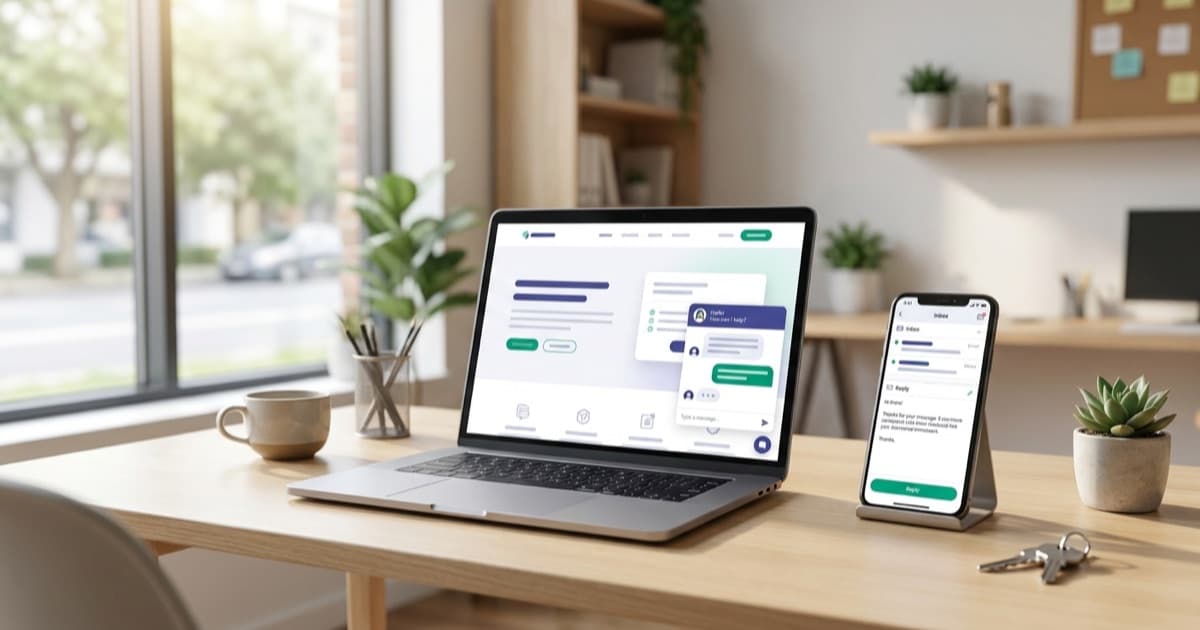
Your AI Receptionist Now Answers Website Chats and Emails Too
SkipCalls now handles website chat and inbound email, not just phone calls. Meet the Web Chat Widget and Email Receptionist — one AI across every channel.
For a while now, SkipCalls has done one thing really well: answer your phone when you can't. Someone calls, you're on a ladder or under a sink, and instead of dumping them into voicemail, your AI receptionist picks up, sounds like your business, and books the job.
But here's the thing. Your customers don't only call anymore.
Some of them land on your website at 11pm and want to ask a quick question before they commit. Others fire off an email with a photo of the leak and expect an answer by morning. If nobody's there to respond, they do exactly what they'd do with a missed call: they move on to the next name on Google.
So we extended your receptionist to those channels too. Say hello to two new features: the Web Chat Widget and the Email Receptionist.
What's new in one sentence
The same AI that answers your phone can now answer chats on your website and reply to your inbound emails — using the same knowledge about your business, in one shared inbox.
That's it. Same brain, more doors it can answer at.
The Web Chat Widget: an AI receptionist for your website
A website chat widget is that little chat bubble you see in the corner of a lot of business sites. A visitor clicks it, types a question, and gets an answer without picking up the phone.
The difference here is that yours isn't a dumb "leave your email and we'll get back to you" form. It's your actual AI receptionist. It already knows your hours, your service area, your pricing, and the questions customers always ask — so it answers in real time, in a way that sounds like your business.
Why this matters for you
- You capture the late-night, "just browsing" leads. Plenty of people won't call, but they'll happily type a question at midnight. If they get a real answer, they stick around. If they hit a contact form, they leave.
- It qualifies before you ever get involved. By the time a conversation reaches you, the AI has already gathered the name, the email or phone, and what they actually want.
- Nobody falls through the cracks. Every chat lands in your Messages inbox right next to your texts, so you can jump in whenever you want.
- Replies still reach people who wandered off. If you answer a chat after the visitor has closed the tab, they get your reply by email or text — the conversation doesn't just die.
How to set it up
You turn it on for your agent, choose how it looks — the color, the greeting, where the bubble sits on the page, your business name on the header — and then paste a short snippet onto your website. That's the whole job. No developer, no plugins to wrestle with. If you can add a Google Analytics tag, you can add this.
Once it's live, you can decide whether visitors have to leave a name, email, or phone before they start chatting. The Web Chat Widget is available on the Growth plan and up.
The Email Receptionist: stop letting emails pile up
The second feature does the same trick for your inbox.
Your agent gets its own SkipCalls email address. You forward your business email to it, and from then on the AI reads the messages that come in and writes back — answering questions, handling booking requests, and following up — all on its own if you want it to.
An AI email responder that actually understands the message (not a canned auto-reply) is a big deal when your inbox is the place good leads go to die.
Why this matters for you
- Customers get an answer fast, even at 2am. Speed wins jobs. An email that gets a thoughtful reply in minutes beats a competitor who takes two days.
- It ignores the junk. Newsletters, receipts, "you've been selected" spam, automated notifications — the AI filters those out and only replies to real people who actually expect an answer.
- It reads attachments. Someone emails a photo of the broken water heater? The AI can look at it and factor that into the reply.
- You stay in control. Let it reply automatically, have it draft a response for you to approve, or keep it manual. Your call, per agent.
- Replies thread properly. Your customer sees a normal, back-and-forth email conversation in Gmail or Outlook — not a robotic one-off.
How to set it up
In your agent's settings, open the Email Receptionist tab, generate your email address, and pick how you want it to reply — automatic, draft, or manual. Then set your existing business inbox to forward mail to that address. Done. Like the chat widget, it's on the Growth plan and up, and every email conversation shows up in that same shared Messages inbox.
Real ways businesses will use this
Salons and spas. A client scrolls your site on Sunday night wondering if you do balayage and what it runs. The chat answers and nudges them toward booking. On Monday, three emailed appointment requests are already answered before you've had coffee.
Plumbers and home services. A homeowner emails a photo of a leaking valve at 6am. Your Email Receptionist reads it, replies with next steps, and gets them on the schedule. Meanwhile the after-hours visitors who won't call get caught by the website chat instead of vanishing.
Clinics and practices. New-patient questions and appointment requests come in through chat and email constantly. The AI handles the routine "are you open Saturday / do you take walk-ins / how do I book" load so your front desk isn't drowning. (SkipCalls is not HIPAA compliant, so keep it to general questions and scheduling — not medical records.)
Agencies and service firms. Prospects who'd never fill out a stiff contact form will happily start a chat. And inbound email inquiries get an instant, on-brand reply, so a hot lead doesn't cool off while you're in a meeting.
One AI brain across phone, web, and email
Here's the part that ties it together. This isn't three different bots you have to train separately.
It's one receptionist. The same agent that answers your phone is the one chatting on your website and writing your emails. Teach it something once — a new price, a policy, a service you added — and it knows that everywhere. Connect your calendar once, and it can help schedule across every channel.
And no matter where a conversation starts — a call, a text, a website chat, an email — it all lands in the same place. One inbox. One history per customer. No more checking four apps to figure out who you already talked to.
That's the whole idea behind SkipCalls: capture every lead, on whatever channel it shows up on, without hiring anyone.
Ready to answer everywhere?
If you're already on SkipCalls, upgrade to Growth to switch on the Web Chat Widget and Email Receptionist and start catching the leads your voicemail and inbox have been quietly losing.
New here? Try SkipCalls free for 7 days and give your business an AI receptionist that answers the phone, your website, and your email — all at once. Take a look at how it works or see the plans to get started.