

10 Attorney Calendar Software Options for Law Firms
Compare 10 attorney calendar software options by legal features, integrations, pricing transparency, and fit for solo, small, and midsize firms.
A lawyer's day rarely stays inside one calendar. A court appearance competes with a filing deadline, a client meeting, internal tasks, a consultation, and time that still needs to be recorded for billing. If those dates sit across personal calendars, matter records, Outlook, Google Calendar, and a spreadsheet, conflicts are easy to miss and responsibility becomes unclear.
The best attorney calendar software choice depends less on the longest feature list than on five practical questions: Are deadlines tied to matters? Can the system calculate court rules accurately? Does synchronization behave predictably? Can the firm see billing impact? Is pricing clear enough to budget? Your existing Microsoft 365 or Google workflow matters just as much.
The options below cover three different categories. Full practice-management platforms connect calendars with cases, tasks, documents, billing, and client work. Specialized tools such as LawToolBox and CalendarRules focus on rules-based deadline calculation. Scheduling support such as SkipCalls handles voice and text, books appointments, keeps your existing phone number, and connects with CRM and calendar integrations. Legal calendaring has moved from an on-premises practice-management feature toward cloud products over many years, as the American Bar Association explains. The right purchase starts with the operational problem, not the product category.
1. Clio Manage
A firm handling court dates, internal tasks, intake appointments, and billable work across separate calendars can lose the connection between an event and the matter behind it. Clio Manage addresses that problem by placing scheduling within a cloud practice-management system. Its calendar connects firms, users, and matters, so teams can associate court dates and tasks with the relevant case instead of maintaining isolated appointment lists. Permissions and sharing controls help define who can view or manage each schedule.
Where Clio fits best
Clio suits firms that want matter-linked scheduling alongside tasks, statutes of limitation, court dates, intake, and mobile timekeeping. Clio Grow also supports intake and scheduling workflows. Its integration directory covers billing, documents, communications, and other connected systems, giving firms more options than a lightweight shared calendar.
Two-way synchronization with Google Calendar and Microsoft 365 supports attorneys who already work in those environments. Private and busy states help limit the exposure of confidential appointment details. The calendar's current interface also matters for daily adoption, particularly when attorneys and staff must update events from different devices.
The trade-off is implementation and pricing clarity. Some pricing details and advanced capabilities require a sales conversation, so the advertised plan may not match the configuration a firm needs. Sync settings may also require user-level troubleshooting. Before migration, test shared calendars with real matter events, including private appointments, permission changes, and mobile edits.
Clio is a stronger fit for firms ready to standardize scheduling around matters and connect it with broader practice operations. Smaller firms seeking only shared availability may find it heavier to configure. Firms assessing intake scheduling can also review this Google Calendar integration for legal workflows.
2. MyCase
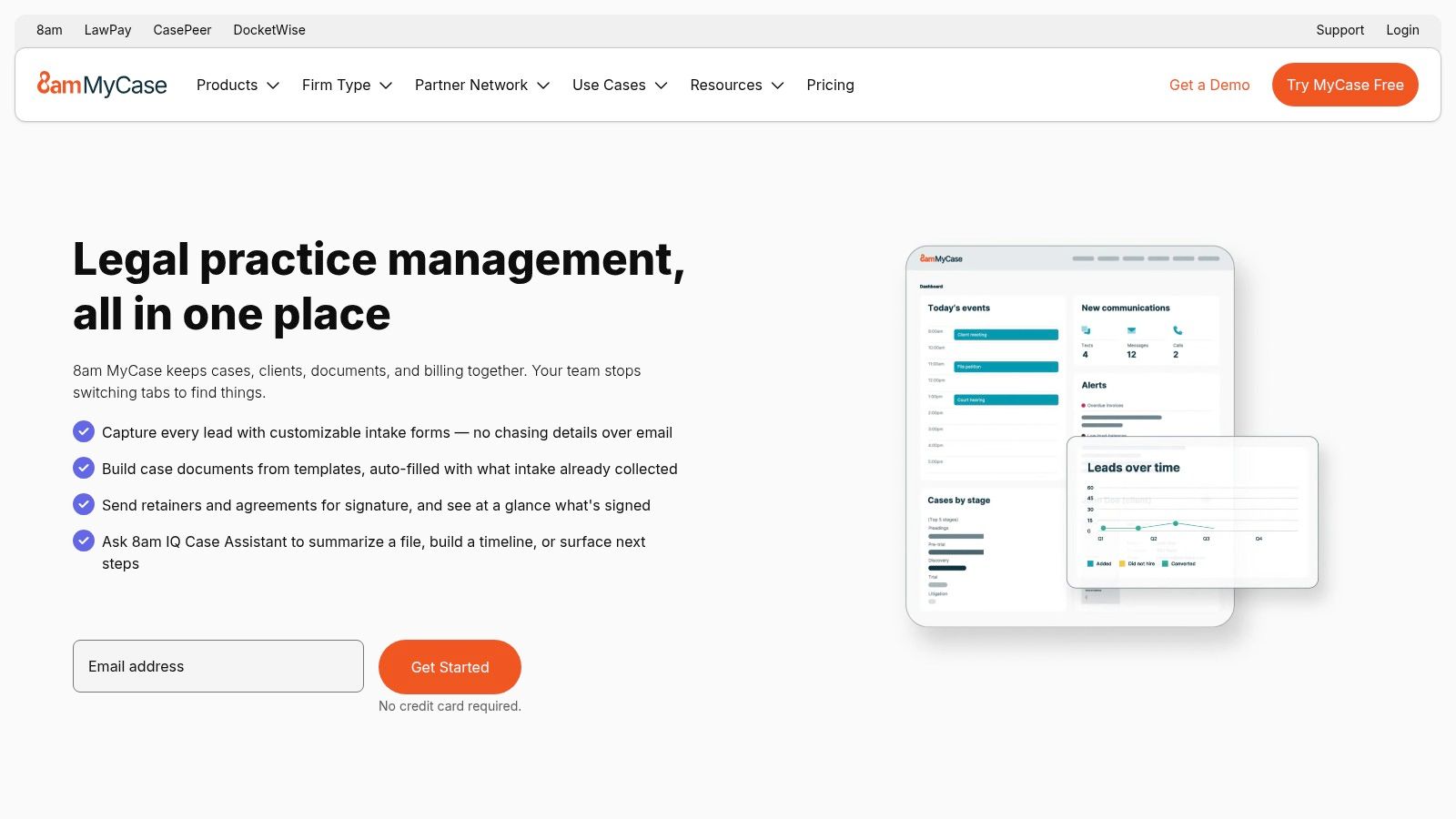
MyCase solves a common small-firm problem, the need to connect the calendar with the financial and administrative record of each case. Its centralized legal calendar is designed around matters, with court dates, filing deadlines, statutes of limitation, tasks, and client meetings in the same operational context. That structure is more useful than a generic appointment calendar because the firm can ask not only what is happening today, but which case and responsibility sit behind each event.
MyCase also combines calendaring with time tracking, billing, and LawPay payments. For firms that still move from a calendar entry to a separate billing worksheet, that connection can reduce manual re-entry. It also makes the calendar relevant to financial review. A meeting or task should be visible as work that may need recording, not merely as a block of occupied time.
What to test before rollout
MyCase supports two-way synchronization with Outlook and Google. The system creates dedicated MyCase calendars, however, so attorneys may need training to understand where an event is created, which calendar owns it, and how edits flow back to the user's normal view. That isn't a reason to reject the platform, but it is a reason to test the workflow with attorneys, assistants, and paralegals rather than relying on an administrator's setup.
Practical rule: A calendar sync is only useful if every user understands which system is authoritative.
MyCase is generally easy for small firms to adopt, but larger teams may question the value-to-cost balance once more users, features, and configurations are included. Review the complete quote rather than judging the platform by its core calendar. Firms that need a separate intake response layer can also consider a virtual receptionist for lawyers alongside the case-management calendar.
3. PracticePanther
PracticePanther fits firms that want calendar events, tasks, matters, mobile access, payments, and email synchronization in one cloud system. Its daily agenda email sent at 6am gives attorneys a calendar and task summary before the workday starts, reducing the need to open the dashboard just to review immediate obligations. The timing and contents are described in PracticePanther's product documentation.
The platform syncs with Outlook and Gmail calendars, so firms can retain familiar scheduling habits while keeping matter context in PracticePanther. Mobile access supports attorneys working between court, client offices, and the firm. PantherPayments places payment activity closer to the related matter, which can help firms review operational and financial activity in one workflow.
The main trade-off is court-rule automation. PracticePanther can suit a small or midsize firm that needs quick adoption, clear core workflows, and a daily view of appointments and tasks. Court-rules-driven deadlines are available through a LawToolBox add-on, so the firm must assess the combined setup, support responsibilities, and cost rather than treating deadline calculation as a built-in calendar feature.
That distinction should guide testing. If the operational problem is missed internal work, unclear daily priorities, or scattered client meetings, PracticePanther addresses those needs directly. If the firm handles deadlines across jurisdictions, test the LawToolBox connection with a live matter and representative rules before signing.
For consultation scheduling, firms can connect a booking workflow through Calendly integration options. Keep booking availability aligned with matter calendars to avoid conflicts. Small firms can usually start with the core workflow, while larger or less-prepared teams should confirm permissions, integrations, deadline ownership, and staff training before rollout.
4. Rocket Matter
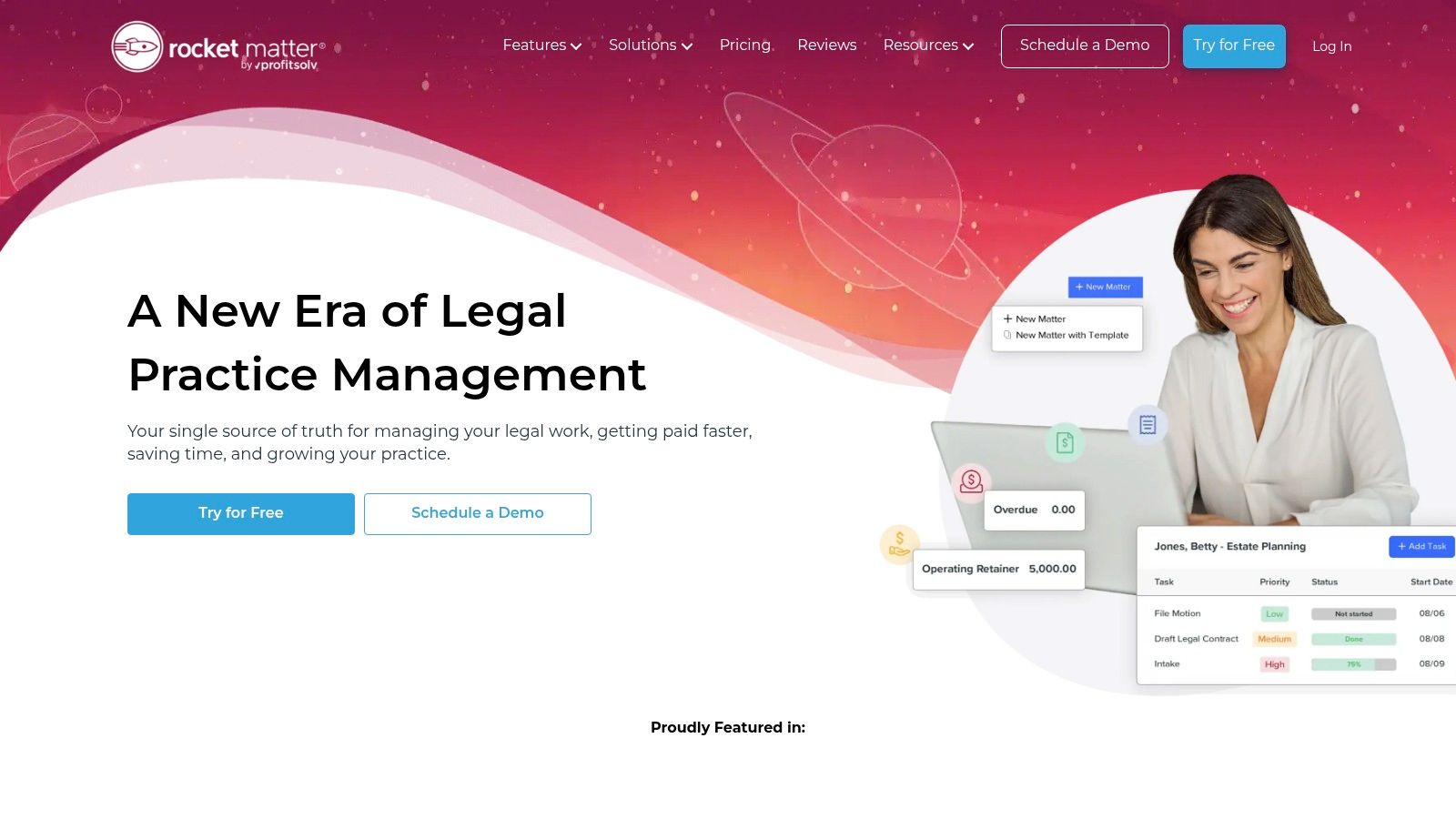
Rocket Matter is well suited to teams that want the calendar and task list viewed together. Instead of forcing users to switch between events and work assignments, its combined calendar and task view puts both on the same planning surface. That helps a paralegal see that a hearing, a filing task, and an attorney review are connected parts of one matter rather than unrelated entries.
The platform supports two-way synchronization with Office 365 and Google Calendar, along with iCal and WebCal support. Matter calendars include sharing controls, and mobile apps for iOS and Android support attorneys who need access away from the desktop. Those are practical strengths for small teams that need shared visibility without building a complicated calendar architecture.
A strong coordination tool, not a rules specialist
Rocket Matter's value is clearest when the operational problem is coordination. A firm can organize events, tasks, matter calendars, and team availability in a cleaner workflow, with competitive entry positioning for smaller teams. It isn't the strongest choice if the purchase is primarily about native court-rule calculations. Court-rule calculations or advanced deadline tools may require add-ons, so ask exactly which capability is included in the proposed configuration.
The firm should also test whether the combined calendar and task view matches its working habits. Some teams want every task visible beside appointments. Others want a clean attorney calendar and a separate project view. Configure both during the demo, then test a matter handoff from one attorney to another.
A calendar that shows a deadline without its preparatory task still leaves the firm with an execution problem.
Rocket Matter can also sit beside a structured law firm client intake workflow, provided the intake process passes the right meeting details and matter information into the firm's controlled systems.
5. CARET Legal
CARET Legal is a matter-centric practice-management suite for firms that need more than a shared appointment schedule. Firm and user calendars stay tied to matters, while calendar overviews give managers a broader view of workloads, appearances, meetings, and internal obligations. That design is especially relevant for mid-sized teams where the calendar must support delegation and oversight.
The platform can place Zoom links in calendar events, which is useful for firms handling remote consultations, client conferences, and hybrid meetings. It also supports rules-based date calculation through a LawToolBox integration. The result is a flexible architecture, but it also means the firm needs to distinguish between what CARET Legal provides directly and what depends on an add-on.
Evaluate the combined system
CARET Legal makes sense when matter organization and team scheduling are central requirements. It can accommodate common legal add-ons and provides support resources for firms that need help configuring the environment. The calendar should be assessed alongside permissions, event creation, remote-meeting behavior, and the way calculated deadlines attach to matters.
Public pricing isn't always posted, so buyers typically need to contact sales. That makes a detailed requirements document important. Ask for separate line items for the core platform, LawToolBox functionality, support, implementation, additional users, and any integration fees. A quote that looks reasonable at the platform level can change once the firm adds the deadline and collaboration features it needs.
CARET Legal is less appropriate for a firm seeking only a lightweight shared calendar. Its strengths appear when the firm wants the calendar to participate in broader matter management. Its rules-based capability also deserves a live test with the firm's jurisdictions and event types, rather than a generic demonstration.
6. CosmoLex
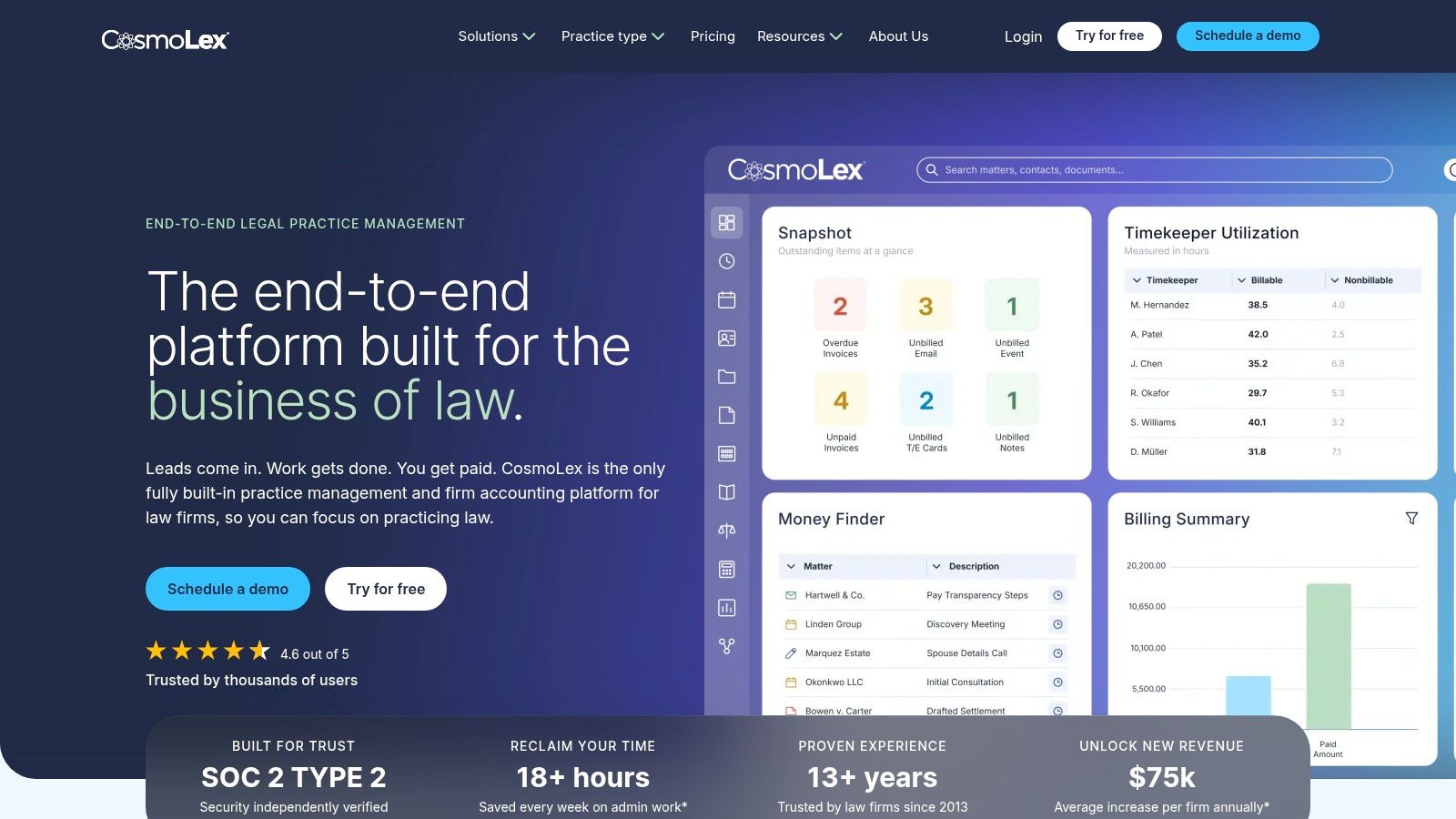
CosmoLex approaches attorney calendaring from the financial side of practice management. Its calendar connects matters, tasks, and billing inside an end-to-end system with built-in accounting. That can reduce the number of places where a firm records work, especially when the same meeting or task needs to be associated with a client account and an unbilled activity.
The Money Finder feature is designed to identify unbilled meetings and tasks. For billing-heavy practices, that is a more concrete benefit than a calendar that merely displays availability. It gives the firm a way to review whether scheduled work became recorded work, although the firm's billing policies and user discipline still determine the final result.
When one system is worth the trade-off
CosmoLex fits firms that want to reduce tool sprawl between calendaring, matter management, and accounting. Team-sharing and client-access controls help separate internal schedules from information that can be shared externally. The product roadmap also emphasizes AI enhancements across calendar and task workflows, but buyers should ask which capabilities are available now and which remain planned.
Pricing can change and isn't always prominent on the site. Many buyers go through sales, and bundles or add-ons may require a detailed discussion. Request a configuration that shows the calendar, accounting, payments, reporting, and user access you expect to run. Don't compare a bundled legal accounting system with a calendar-only product using the same criteria.
CosmoLex isn't the natural choice for a firm that only needs court-rule calculations. It is stronger when the question is, “Did the work scheduled for this matter reach the billing and accounting workflow?” Test that path from event creation through time capture, invoice preparation, and manager review.
7. Smokeball
Smokeball is aimed at small and mid-sized firms that need structure around matters, documents, calendar events, and time capture. Its central calendar ties events to matters and works closely with Outlook, which suits firms where attorneys already spend much of the day in Microsoft's ecosystem.
The platform's calendar reporting gives firm leaders a way to review events across the practice rather than relying on individual calendars. That reporting becomes more useful when paired with Smokeball's document automation, templates, workflow tools, and AutoTime feature. A scheduled event can sit within a larger process that includes preparing documents, completing tasks, and capturing time.
The operational advantage
Smokeball is a good candidate for a firm whose calendar problem is really a workflow consistency problem. Small teams often don't need a standalone rules engine first. They need repeatable matter steps, reliable Outlook behavior, reporting, and a way to stop routine work from disappearing between appointments.
The trade-off is quote-based pricing. Firms generally need to contact sales, and some users find contracts and seat changes cumbersome. Ask how the agreement handles adding users, removing users, changing roles, and expanding document or automation capabilities. Those terms can matter more than the initial calendar demonstration.
Use a demo to compare a simple client meeting with a litigation matter. Check whether both appear in the right reports, whether Outlook changes return correctly, and whether AutoTime distinguishes scheduled work from billable work. Smokeball is strongest when the firm wants the calendar to reinforce a broader operating method, not when it wants a narrow deadline calculator.

8. LawToolBox
A firm can have reliable meetings and tasks in Outlook yet still miss a filing deadline because the date was calculated manually. LawToolBox targets that narrower operational problem by calculating court-rule deadlines and placing them where attorneys already work. It operates within Microsoft 365, including Outlook, Teams, and SharePoint, for firms built around that environment.
The platform calculates deadlines for courts across the United States and syncs them to calendars. Its Outlook and Teams add-ins keep data in the firm's Microsoft 365 tenant, which can reduce the need for a separate calendar interface and security model. Firms can also add the service to a Microsoft invoice for centralized enterprise billing.
The right choice for an Outlook-first firm
LawToolBox fits firms that need rule-based deadline calculation while keeping their existing practice-management platform. Its published pricing information lists transparent per-user pricing bands, annual and monthly options, and available volume discounts, which gives procurement teams a clearer comparison with quoted practice suites. Confirm the applicable tier and any integration charges before signing.
The trade-off is the Microsoft dependency. A firm split between Google Workspace, Outlook, and several case systems may face more configuration and user education. Some document-management integrations can add fees, and the service typically involves a minimum one-year commitment.
Human review remains part of the process. Court rules, local procedures, and filing practices can differ from a default workflow. Assign responsibility for checking triggering events, jurisdiction settings, generated dates, and exceptions. Larger firms should verify governance and integration readiness first. Smaller Outlook-centered firms can adopt it more directly, provided they have an owner for rule maintenance and final review.
9. CalendarRules
CalendarRules is best understood as a rules layer that sits on top of an existing calendar, docketing platform, or case-management system. The company states it maintains a U.S. court-rules library of 1,500 to 2,000 or more jurisdictional rule sets, supported by ongoing attorney-led monitoring and updates.
That makes it useful for firms that already have a practice-management platform but find its deadline calculations too limited. CalendarRules can push calculated deadlines into calendars or connected practice systems, and it integrates with many docketing and case-management tools. It also supports high-volume deadline calculations and monitoring, which matters for firms handling litigation across many jurisdictions.
Layering instead of replacing
CalendarRules' main value is fit. A firm does not need to replace its current matter and billing system to add deeper rules coverage. The provider's long-standing focus on court rules can sit alongside a calendar that already handles meetings, tasks, permissions, and reporting.
The trade-off is implementation effort. Pricing is not published and requires a quote. The firm still has to confirm that its practice system is supported, map how events and matter data move between systems, and decide who reviews exceptions. A connector can work technically and still create confusion if staff do not know which platform owns the deadline.
Start with a representative set of matters, jurisdictions, triggering events, and exceptions. Compare generated dates with the applicable rule text and the firm's existing review process. CalendarRules makes sense when deadline depth is the gap. It is probably more than a small practice needs if the main requirement is shared availability and simple reminders.
10. MerusCase
MerusCase is designed for small and mid-sized firms that want matter-linked scheduling without a large collection of add-ons. Its firm-wide calendar supports color codes and custom appointment types, while customizable views keep the schedule connected to the relevant matters. That gives teams a practical way to distinguish hearings, client meetings, internal work, and other event types.
The built-in date calculator helps users project deadlines and work with calendar dates. It isn't the same as a full rules engine, so firms should treat it as a calculation aid and verify dates against the applicable rules and procedures. ICS invitations and per-user calendar synchronization preferences also give administrators more control over how events leave or enter the system.
A practical option for core coordination
MerusCase is appealing when the firm wants clear calendar views, firm-wide visibility, and quick adoption potential. It can provide a useful center for matter appointments without requiring the firm to rebuild every adjacent process. The date tools are particularly relevant for teams that currently calculate dates separately and need a more organized place to record them.
Documentation references an older interface, so a live demonstration is important. Verify the current user experience, mobile behavior, synchronization settings, permissions, invitation handling, and integrations before making a decision. Pricing isn't publicly posted and typically requires sales outreach, which also means the firm should ask for all user, support, and integration costs in writing.
MerusCase works best when the firm knows its boundary. Choose it for matter-linked scheduling and core case coordination. If the primary risk is automated court-rule calculation across multiple jurisdictions, compare it with LawToolBox or CalendarRules rather than assuming a date calculator provides the same protection.
Top 10 Attorney Calendar Software Comparison
| Product | Core features | Target audience | Unique selling points | Integrations & rules support | Pricing visibility |
|---|---|---|---|---|---|
| Clio Manage | Cloud practice management; matter-based calendar; two-way Google/M365 sync; mobile apps | Small to mid-size law firms | Mature legal calendar, strong ecosystem, Clio Grow intake/scheduler | 300+ integrations; calendar sync; rules via partners/add-ons | Sales contact for many plans; free trial available |
| MyCase | Matter-linked calendar, two-way sync, built-in billing & payments | Small firms and solo lawyers | Simple adoption, integrated billing (LawPay) and case workflows | Outlook/Google sync (dedicated MyCase calendars); limited native rules | Public pricing available; mid-market positioning |
| PracticePanther | Case management with daily agenda emails, calendar sync, integrated payments | Small firms and fast-moving teams | Clear pricing, helpful daily agenda email for team visibility | Outlook/Gmail sync; rules-based calendaring via LawToolBox add-on | Transparent pricing published |
| Rocket Matter | Combined calendar + task view, two-way sync, mobile apps | Small teams seeking clean UX | Unified calendar/tasks view, competitive entry pricing | Google/Office 365 sync; iCal/WebCal; rules often via add-ons | Public pricing; competitive entry-level plans |
| CARET Legal (Zola Suite) | Matter-centric calendars, team scheduling, Zoom in events | Mid-sized teams and growing firms | Matter-first design with common legal add-ons support | Calendar overviews; LawToolBox add-on for rules; Zoom integration | Pricing often via sales (not always public) |
| CosmoLex | Practice management + built-in accounting; calendar tied to billing/tasks | Firms wanting all-in-one PM + accounting | Single system with accounting, "Money Finder" for unbilled time | Calendar sync across matters/tasks; integrations vary; roadmap for AI | Pricing typically via sales; bundle/add-on variations |
| Smokeball | Matter calendar, Outlook integration, document automation, AutoTime | SMB/small firms needing automation & reporting | Strong document automation, AutoTime, good support reputation | Deep Outlook integration; calendar reporting; integrations vary | Quote-based pricing; sales contact required |
| LawToolBox | Rules-driven deadline calculator embedded in M365 | Firms standardized on Microsoft 365/Outlook | Extensive court-rule calculations inside Outlook/Teams | Direct Outlook/Teams add-ins; syncs deadlines to calendars; DMS add-ons possible | Transparent per-user pricing bands; annual/monthly options |
| CalendarRules | Jurisdictional rules library that pushes deadlines to calendars/systems | Firms needing best-in-class court rules coverage | Very deep U.S. rules library; attorney-led updates and monitoring | Pushes deadlines into calendars/practice systems; many integrations | Pricing by quote; requires vendor discussion |
| MerusCase | Shared firm calendar, date calculator, customizable views, sync prefs | Small to mid-size firms seeking simple matter scheduling | Customizable calendar views and built-in date calculator | ICS invites and calendar sync; basic integrations | Pricing not publicly posted; typically via sales |
Match the Platform to Your Firm's Workflow
The best attorney calendar software is the one that matches the firm's operating problem. A platform can have excellent reminders and still be a poor choice if deadlines aren't attached to matters. It can have strong matter management and still fall short if the firm expects native court-rule calculations. Start by deciding whether the firm needs to calculate deadlines, coordinate work, expose billing, or book client time.
Choose a full practice-management calendar when matters, tasks, billing, documents, and client work need to live in one system. Clio Manage and MyCase are sensible candidates for firms seeking broad cloud practice management. PracticePanther and Rocket Matter suit teams that prioritize straightforward adoption, agenda visibility, or calendar and task coordination. CARET Legal, CosmoLex, and Smokeball are stronger when the calendar must participate in a wider matter, accounting, reporting, or workflow environment. MerusCase is a practical option for firms that want core matter-linked coordination without heavy add-on complexity.
Choose LawToolBox or CalendarRules when court-rule calculations are the priority. LawToolBox is particularly appropriate for firms centered on Outlook, Teams, SharePoint, and Microsoft 365. CalendarRules is more flexible for firms that want to layer rules coverage onto an existing practice-management or docketing system. Neither option removes the need for a responsible attorney or staff member to verify triggering events, jurisdiction data, generated dates, and exceptions. More automation can create a false sense of safety if governance is weak.
Synchronization deserves its own evaluation. A two-way connection may create dedicated calendars, respect private and busy states, or depend on user-level settings. Test a new event, an edited event, a deleted event, a private event, an invitation, a recurring meeting, and a matter deadline. Run those tests in both Google and Microsoft workflows if the firm uses both. Business phone systems can also connect calls with CRMs and calendars, allowing call events, appointments, and customer records to flow into existing tools instead of being re-entered manually, as described in this business phone and CRM integration overview.
Before signing, test:
- Permissions: Confirm that attorneys, paralegals, assistants, and clients see only the information appropriate to their role.
- Deadline creation: Enter real triggering events and compare calculated dates with the firm's verification process.
- Mobile access: Check whether users can view, create, edit, and assign events from the devices they use.
- Reporting: Verify that managers can review calendar activity, tasks, workload, and billable work without exporting everything manually.
- Add-on costs: Price rules engines, payments, document tools, scheduling, support, integrations, and extra users as one configuration.
- Contract terms: Ask about annual commitments, seat changes, renewal terms, implementation, and cancellation.
- Export and invitations: Confirm how the firm exports records and how external attendees receive invitations.
Client-facing booking needs separate governance. A booking page may reduce back-and-forth, but intake still needs to protect confidentiality and avoid placing a conflicted inquiry directly into an attorney's calendar. A controlled workflow can capture basic contact information, route the inquiry for review, and then expose appropriate availability. Appointment systems commonly combine booking pages, calendar synchronization, and text or email reminders, while business phone platforms can retain an existing number through porting, as outlined in this business scheduling and messaging guidance.
SkipCalls can complement a legal calendar when a firm needs a simple way to handle voice and text, qualify or capture leads, book appointments, retain its current phone number, and connect CRM and calendar workflows. It isn't a replacement for matter management or court-rule docketing. It can instead handle the front door, including customer support, lead qualification, appointment booking, and other call-driven workflows, while the legal calendar remains the system of record for matters and deadlines. Firms comparing intake staffing models may also review a law firm virtual assistant as an alternative or complement.
For a solo or small firm with a light litigation docket, prioritize easy adoption, mobile access, matter links, and reliable shared visibility. For a growing firm, add billing, reporting, permissions, and integration testing to the decision. For a litigation-heavy or multi-jurisdiction practice, put rules coverage, governance, auditability, and exception handling ahead of interface polish. Run a real trial or demo using the firm's own calendars and representative matters, then choose the platform that solves the failure your team experiences.
SkipCalls offers an AI receptionist that answers business calls and texts, captures caller details, and books appointments into connected calendar workflows, including legal consultations. Visit SkipCalls to see how it can support attorney scheduling without replacing your existing matter-management platform.

