Google Voice for Business: Plans, Setup and Real Limits
Google Voice for Business explained: plan prices per user, setup steps, network needs, and where it falls short for small service businesses.

 Reviewed by Nikita Podelenko, Founder & Engineer of SkipCalls
Table of contents
- Google Voice for Business Plans and Monthly Prices
- What Your Team Size Adds to the Monthly Bill
- What Google Voice Handles on a Normal Workday
- Network Requirements That Keep Calls Clear
- How to Set Up Google Voice for Your Business
- Where Google Voice Stops and a Receptionist Starts
- Which Small Businesses Google Voice Suits
- Confirm Call Coverage Before You Switch Your Number
The phone rings while a contractor is under a sink, a salon owner is with a client, or an office manager is already handling another call. The business needs a reliable number, but it also needs someone to answer, collect the right details, and help the caller take the next step.
Google Voice for business handles the phone-system side of that problem. Whether it covers the whole job depends on the team's licensing needs, call routing, and answering coverage. A low-looking monthly price doesn't settle those questions.
Google Voice for Business Plans and Monthly Prices
Google Voice for business is a paid add-on to Google Workspace, billed per license, not a single flat-price phone service for the office. The published monthly prices are $10 per user for Starter, $20 for Standard, and $30 for Premier, according to Google's business Voice pricing.
Google Voice for Business plans compared
| Plan | Price per user per month | User limit | Google's stated audience |
|---|---|---|---|
| Starter | $10 | Up to 10 users | Small businesses and entrepreneurs |
| Standard | $20 | Unlimited | Organizations that need routing features |
| Premier | $30 | Unlimited | Multinational organizations that need reporting |
These are Voice license prices before taxes and other Workspace charges. At the published rates, Starter's highest base license bill is $100 monthly, and the plans span a threefold price range per license.
Choose the work before choosing the plan
Starter suits a small operation with straightforward calling needs. Standard adds routing tools such as ring groups and multi-level auto attendants, plus desk-phone support. Premier targets more involved administration, including advanced reporting and automatic call recording.
The important distinction is user capacity versus feature access. A small company may need Standard because of its call flow, even when it doesn't need more users. Buying the entry plan just because the company is small can leave the office without the routing setup it expected.
A sensible selection process is:
- Count calling users. Identify the people who need their own access, rather than counting handsets or published numbers.
- Check capacity. Confirm that the selected plan accommodates the intended team.
- Match features to work. Separate necessary routing tools from reporting features the business won't use.
Owners comparing phone infrastructure with an answering layer can also compare answering costs with SkipCalls. Those budgets solve different problems: access to a phone system versus handling the conversation.
The useful starting note is simple: the required user count and the least complex plan that supports the actual call flow.
What Your Team Size Adds to the Monthly Bill
The advertised seat price isn't the team's monthly bill. Every dispatcher, office worker, or field employee who needs calling access may require a license, even when customers recognize only the main office number.
Google's Voice billing documentation describes license-based billing, including six Starter users at $60 monthly and 25 Standard users at $500 monthly. Applying the published license rates produces these totals, before Workspace charges.
Monthly license totals by team size
| Licensed users | Starter | Standard |
|---|---|---|
| 1 user | $10 | $20 |
| 5 users | $50 | $100 |
| 6 users | $60 | $120 |
| 10 users | $100 | $200 |
| 25 users | Not offered (Starter stops at 10) | $500 |
At Premier's list price, the corresponding monthly totals are $30, $150, $180, $300, and $750. These calculations count licenses, not calls handled or jobs booked.
A shared number doesn't settle licensing
Consider an owner and two field technicians using a main office number. Only the owner places outbound business calls, but the technicians are expected to answer when the office is busy.
The question isn't merely whether the technicians make calls. It's how they'll receive calls, whether they need Voice access, and whether the planned shared-answering arrangement requires licensed users. That configuration should be confirmed before the budget assumes an owner-only seat.
Ring groups and multi-level auto attendants are common reasons a small team moves beyond basic calling. Their value comes from assigning responsibility and routing callers, not from reducing the number of people who need access.
Budget rule: Count the people participating in the call flow before multiplying the advertised price.
A useful seat worksheet records each employee's role, whether that person answers or places calls, and the access required. Someone who only receives a message from the dispatcher shouldn't automatically be counted the same way as someone actively answering the business line.
The final calculation should show Voice licenses and Workspace charges separately. That prevents an existing software subscription from disappearing from the total just because it's billed elsewhere.
What Google Voice Handles on a Normal Workday
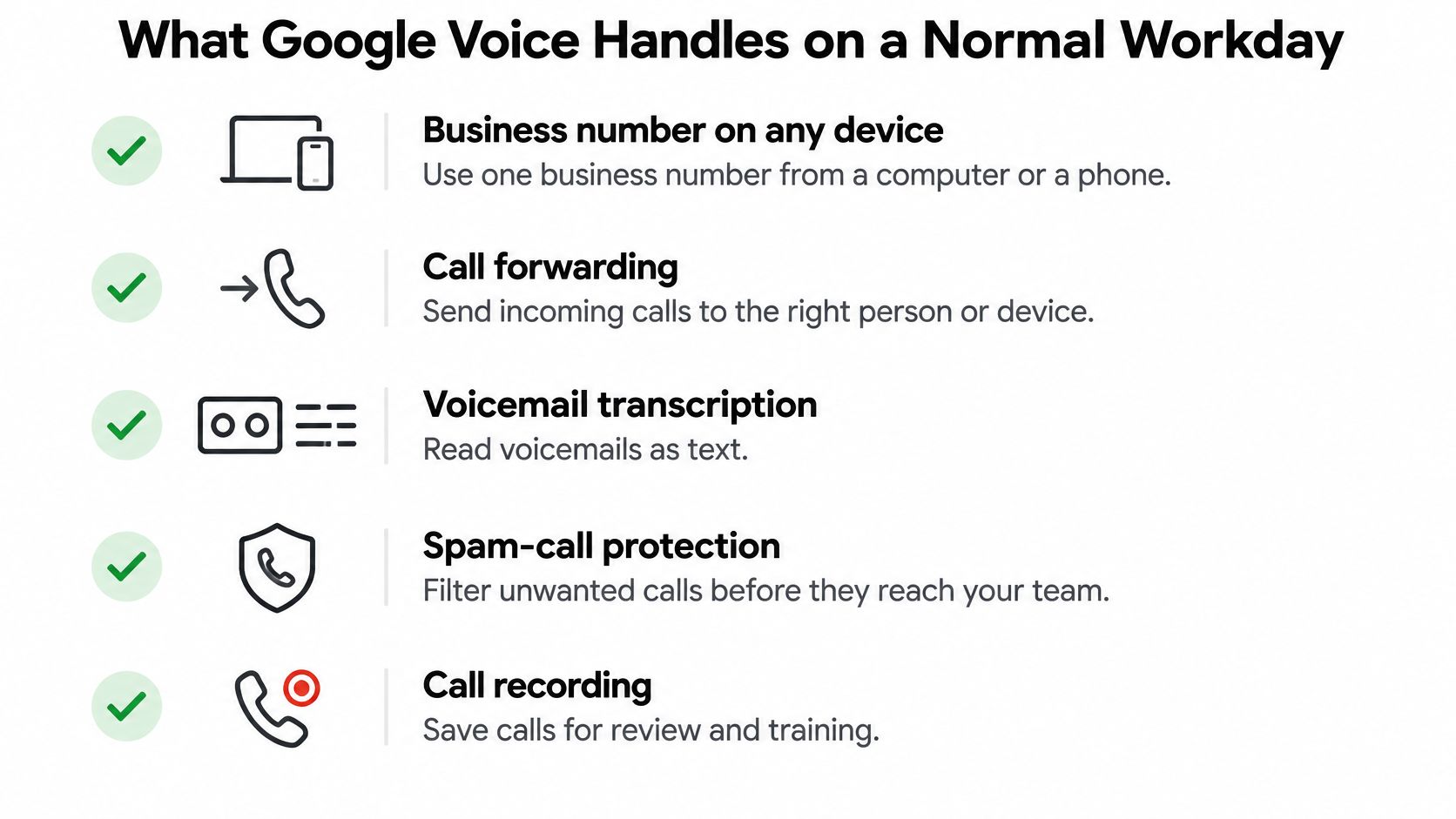
A business owner can use Google Voice to keep work calls connected to the business rather than a particular employee's personal number. Google's feature documentation lists business numbers usable from computers and mobile devices, call forwarding, voicemail transcription, spam-call protection, call transfers, and integration with Google Calendar and Google Meet.
That combination supports ordinary office work: taking calls at a desk, transferring a customer, or reading a message between appointments.
Moving calls through the business
Administrators can assign numbers, manage number porting and billing, and configure supported routing features. Ring groups help distribute calls to designated staff. Multi-level auto attendants let callers choose the appropriate person or department.
For example, a roofing company could design coverage around the office and crew leads, with voicemail available when nobody answers. The administrator should test the intended ringing sequence rather than assume every forwarding arrangement behaves the same way.
A caller might need an estimate, an update on scheduled work, or help reaching the person managing a current project. Routing those requests correctly can reduce unnecessary transfers, but an employee still needs to own each destination.
Number ownership also matters. Google states that business phone numbers remain with the organization when employees leave. A departing estimator therefore doesn't have to take the customer-facing number along, which helps preserve continuity on signs, estimates, and repeat customers' contact lists.
Keeping records without confusing them with service
Premier adds tools for organizations that need more structured call records:
- Automatic call recording and transcription support later review.
- AI-generated notes provide another way to review conversations.
- BigQuery reporting supports advanced analysis.
- Google Vault integration supports discovery and retention workflows.
The recording feature shown in the infographic shouldn't be read as a promise that every plan includes automatic recording. Plan selection still controls access to specific capabilities.
The practical feature checklist should name who answers, who receives voicemail, whether calls need recording, and who will use reporting. An insurance agency may care about consistent handoffs, while a contractor may mainly need the office to reach the right crew lead.
Google Voice's documented tools primarily support communication and administration. Reading a voicemail or reviewing call notes helps staff follow up, but it doesn't establish that an appointment was booked or that a caller's request was resolved.
Network Requirements That Keep Calls Clear
Voice bandwidth by simultaneous calls
The following calculations use Google's connectivity requirements: 32 Kbps minimum per simultaneous voice participant, with more than 50 Kbps recommended for good quality, including signaling and media overhead.
| Simultaneous calls | Minimum (32 Kbps each) | Practical target (above 50 Kbps each) |
|---|---|---|
| 5 | 160 Kbps | Above 250 Kbps |
| 10 | 320 Kbps | Above 500 Kbps |
| 20 | 640 Kbps | Above 1,000 Kbps |
| 30 | 960 Kbps | Above 1,500 Kbps |
These are voice-only planning figures, before ordinary office traffic and redundancy. The calculation assumes a voice participant at the site for each listed call; a network administrator should count actual simultaneous participants.
Why a fast speed test isn't enough
A connection can perform well on a speed test and still produce broken conversations during cloud backups or large uploads. A saturated upload link, aggressive firewall inspection, or unsuitable quality-of-service settings can cause packet loss and delay.
For background on internet-based calling, RDE Technologies' explanation of VoIP phone service for businesses helps distinguish phone service from the network carrying it.
Google's required outbound firewall allowances include:
- UDP ports 19302 to 19309 for required Voice connectivity.
- UDP ports 26500 to 26501 for required Voice connectivity.
- TCP port 443, with Google Voice media ranges allowlisted where restrictive network policies require it.
The network-planning process should start with the busiest plausible calling period, not the average afternoon. IT can multiply the maximum simultaneous participant count by the minimum and recommended bandwidth allowances, then add capacity for normal business traffic.
Quality-of-service settings should be checked alongside firewall rules. Buying a faster connection won't necessarily correct a configuration that interferes with voice traffic.
A practical acceptance test is a conversation during a heavy upload period. Staff should listen for missing words, delayed responses, and dropouts while IT checks the connection under load.
How to Set Up Google Voice for Your Business
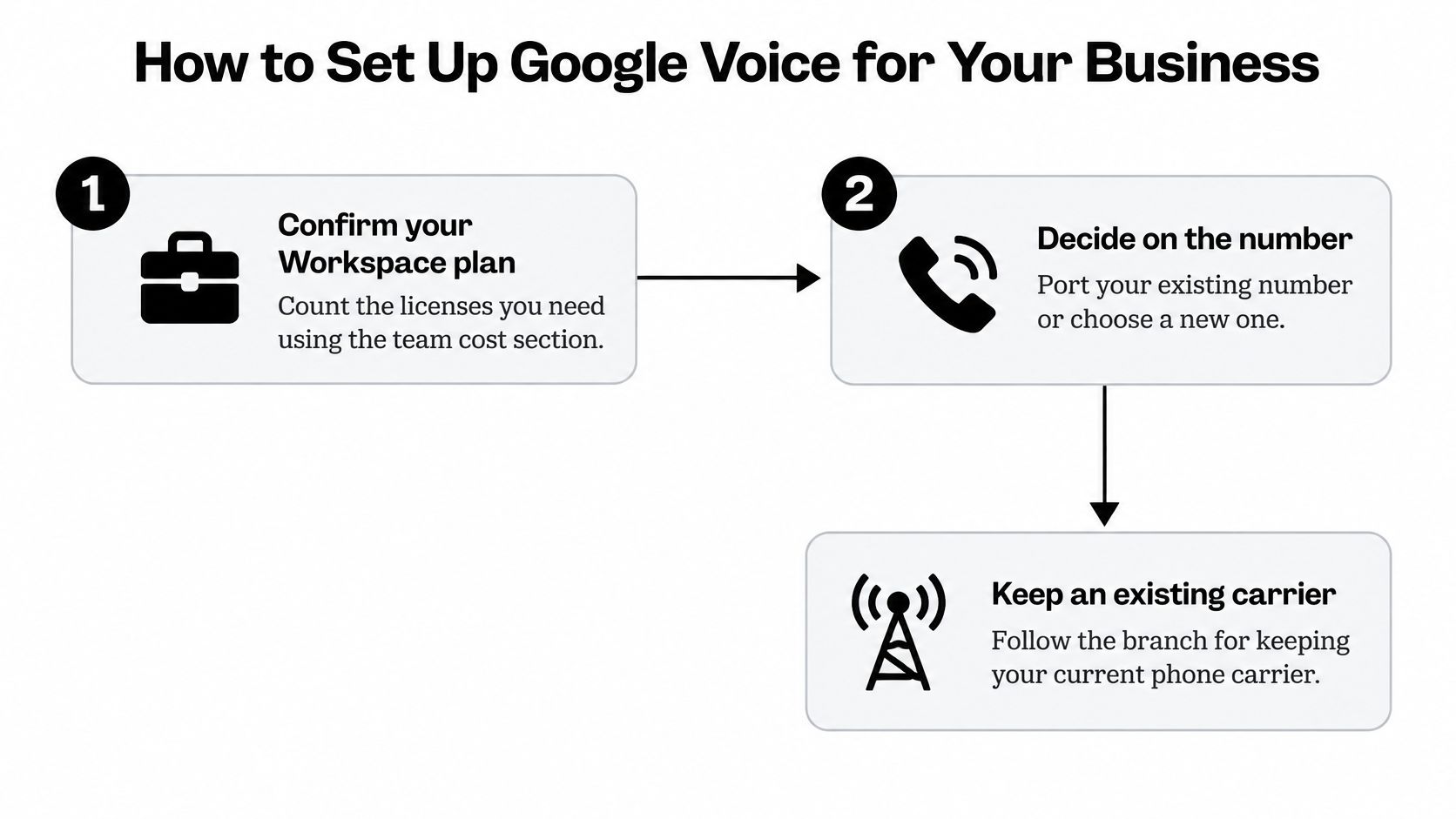
A successful setup starts with a call-flow plan, not a number transfer. The owner or office manager should decide where calls go during business hours, when staff are occupied, and after closing.
Build and test the call path
- Confirm Workspace and licenses. Record the intended users and selected Voice plan so the setup matches the budget.
- Choose the number strategy. Decide whether to port the existing business number or establish a new number, while keeping current service active during preparation.
- Assign responsibility. Assign the number to the appropriate owner or office user in the admin console.
- Configure shared answering where supported. For a ring-group setup, use a plan that includes ring groups and define which staff should receive calls.
- Add a menu only when needed. A multi-level auto attendant makes sense when callers really need different departments, not merely because the option exists.
- Prepare voicemail and notifications. Record the greeting, confirm transcription behavior, and check that the intended person receives message alerts.
- Test from an outside cell phone. Check busy-time and after-hours behavior, each intended ring path, and a transfer.
- Train the team. Assign answering responsibility, agree on a greeting, and define when staff should hand off a caller.
A sample voicemail greeting can be adapted to the business:
You've reached [Business Name]. We're on a job or away from the phone. Leave your name, your address, and what you need, and we'll call you back by [a time you can keep].
The callback promise should reflect actual staffing. The greeting can be prepared and tested on a temporary setup before porting, then checked again after the live number moves.
For a separate answering destination, the call forwarding guide provides useful preparation for planning the handoff. Forwarding should always be tested from outside the business's own account.
Keeping an existing carrier
Porting isn't the only migration design. Google's SIP Link requirements describe connecting an existing carrier through a certified Session Border Controller, while retaining Voice functions such as transcription, ring groups, and forwarding.
SIP Link requires compatible signaling and media firewall rules, and Google requires TLS 1.2 or later. The carrier and network administrator should validate the design before deployment.
A property-management firm, for example, could move a selected office onto Voice features while leaving other offices on their current routing. That staged approach requires coordination rather than just changing a forwarding setting.
The operational checklist should remain on a single page, with each setup task checked before the port proceeds. Existing service shouldn't be canceled before the replacement call path has been verified.
Where Google Voice Stops and a Receptionist Starts
Consider a hypothetical Saturday evening call from a homeowner with a leaking water heater. The contractor's business number rings, nobody answers, and the homeowner leaves voicemail.
The transcript waits until the office reopens. Meanwhile, the homeowner calls another company and books the repair. The phone system captured a message, but nobody handled the buying decision.
A transcribed voicemail can be a record of a missed job, not a booked one.

Separate delivery from handling
Routing gets the caller somewhere. Receptionist work moves the request forward. Google Voice's documented feature set doesn't establish independent detailed lead intake, receptionist-style booking, or proactive calls to owners about hot leads.
Several common assumptions deserve a closer look:
- A phone system isn't a receptionist. A ringing destination still needs a person or answering service.
- Transcription isn't booking. A written request doesn't confirm a service area, appointment slot, or next step.
- A shared number isn't a front desk. Multiple potential recipients don't guarantee that anyone takes responsibility.
For a law firm weighing staffed intake, Virtual Legal Assistants' resource for firms looking to hire legal receptionists offers a useful starting point for considering a human answering role. Owners evaluating automation can examine AI receptionist software as a separate answering category.
Assign the conversation, not just the ring
Before relying on the phone setup, the office manager should be able to name the responsible party for each task:
- After-hours answering. Who responds when the office is closed?
- Caller details. Who collects the name, callback number, address, and reason for calling?
- Scheduling. Who offers an available time and confirms the appointment?
- Urgent requests. Who receives the alert and decides what action follows?
Not every business needs automated intake or continuous staffing. A business handling mostly scheduled internal conversations may be comfortable with callbacks.
But when an unanswered call can become a lost job, the plan needs an answering layer, not only a routing layer. Some owners add a separate AI receptionist; the important decision is who will handle the caller when employees can't.
Which Small Businesses Google Voice Suits
Google Voice fit by small-business situation
| Your situation | Google Voice fit | Why |
|---|---|---|
| One to three people on Google Workspace sharing one number | Strong fit | Low seat count with routing and transcription built in |
| Solo owner who needs a business number and voicemail transcription | Good fit | One seat and simple call forwarding |
| Team of up to ten sharing one line, mostly routing calls | Workable on Starter | Seat costs add up for every person |
| Contractors, salons or law firms where most calls must become booked jobs | Weak fit on its own | Routing and transcription don't perform receptionist-style booking or detailed lead intake |
| Insurance agency or law firm needing after-hours intake | Needs an added answering layer | Voicemail alone doesn't conduct structured intake |
| Multi-location company keeping its carrier during migration | Good fit with SIP Link planning | Keeps carrier routing while Voice features roll out in stages |
These are practical fit judgments, not promises that every shared-number arrangement works on every plan. In particular, the Starter row assumes simple calling or forwarding, not a ring group or multi-level auto attendant. A team requiring those features should select a supporting plan.
Match the reason, not just the company size
A strong fit usually means the business already works in Google Workspace, has limited calling complexity, and can assign someone to follow up. A real estate agent who mainly needs a separate business line may have a simpler requirement than a smaller plumbing company handling urgent inbound requests.
A workable fit means the owner accepts both the license structure and the operating limits. Staff must understand who answers, where messages land, and who calls back.
A weak fit on its own doesn't mean Google Voice is the wrong phone system. It means the phone system doesn't complete the business's intake process without additional coverage.
Decision test: If nobody books the job when employees miss the call, the business still has an answering gap.
Multi-location organizations face a different question: whether their carrier and network arrangement support a controlled migration. Their fit depends as much on deployment planning as everyday calling preferences.
The useful outcome is a written sentence explaining the choice: the closest situation, the necessary routing arrangement, and the person or service responsible for missed-call handling.
Confirm Call Coverage Before You Switch Your Number
A ported number locks in whatever call handling exists on the day it moves, so the owner or office manager should run one final operational check before canceling an existing line:
- Confirm the bill. Record the licensed users, the selected plan, and the separate Workspace charges so the monthly total matches what was budgeted.
- Confirm the network. Match peak calling demand to voice capacity and have IT verify the firewall allowances.
- Confirm the experience. Finish setup, then call the business line from an outside phone during a busy stretch and after closing to hear what a real caller gets.
- Confirm accountability. Write down who books appointments, who collects caller details, and who receives urgent requests when the team is tied up.
When nobody owns the missed-call conversation, an after-hours answering service or an overflow arrangement deserves a place in the plan before the number moves.
SkipCalls is an AI receptionist for small businesses. It answers forwarded calls around the clock on the business's existing number, captures caller details, answers questions using the business's own service list and policies, books appointments, transfers urgent callers, filters spam, and sends the owner a summary and transcript of every call by text.
Appointments can go into Google Calendar, Outlook, Calendly, or Jobber. Callers keep dialing the same line, and setup takes under 60 seconds through call forwarding; for plan details and limits, see current plans. One boundary to plan around: texts sent to the existing number are not forwarded, so clients who should reach the AI by message need the SkipCalls number as the texting line.
SkipCalls supplies the answering and booking layer that a phone-routing setup alone does not. Visit SkipCalls to set up an AI receptionist on the business's existing number.