Virtual Receptionist Cost: What Small Businesses Pay
Discover the true virtual receptionist cost for small businesses. Compare live vs AI pricing models, hidden fees, and ROI to find the right fit.
Basic AI receptionists start around $25 to $300 per month, while live human answering services typically range from $250 to over $2,000 monthly, with the final bill heavily dependent on call volume and hidden overage fees. Your real virtual receptionist cost depends less on the advertised starting price than on what you pay for each answered call, booked appointment, and qualified lead.
You're on a job site, in a consultation, or halfway through a service appointment when your phone rings. You can't answer, so the caller reaches voicemail and moves on to the next contractor, lawyer, agent, or salon. The monthly subscription may look small, but the missed opportunity can be far more expensive than the receptionist itself.
That's why I advise business owners to stop comparing headline retainers first. Compare cost per answered call, cost per booked appointment, and the amount you'll pay when your busiest week pushes you beyond the included minutes.
The Real Price of Answering Business Calls
A virtual receptionist isn't one product with one standard price. It's a category that includes automated AI phone systems, remote human answering teams, and hybrid services that combine automation with escalation.
Published pricing spans from around $25 to $300 or more per month for AI options, while live answering services range from roughly $250 to $2,000 or more per month. Those market ranges are documented in a comparison of virtual receptionist pricing models, which also highlights a problem buyers regularly encounter: providers quote prices in incompatible units, including minutes, calls, and bundled monthly plans.
That makes a direct comparison difficult. A low monthly plan may include a limited number of minutes. Another provider may charge for every call, regardless of duration. An AI system may offer a flat subscription, but you still need to confirm whether the plan limits calls, texts, integrations, or appointment actions.
Why the starting price is rarely the final price
Suppose you're a solo HVAC technician. Your phone is quiet for part of the week, then several customers call while you're driving between jobs. A small entry plan might appear sufficient until callers need troubleshooting, estimates, scheduling, and follow-up. Longer conversations consume more included usage, and the bill rises when the plan's allowance runs out.
A law firm faces a different problem. A call may involve intake questions, urgency assessment, routing, and careful message capture. A salon may handle shorter booking calls, but volume can rise quickly during promotions or seasonal demand. The same advertised plan can produce very different economics for each business.
Practical rule: Treat the advertised monthly price as an entry point, not as your forecast.
The right question is not “How much does a virtual receptionist cost?” It's “How much will I pay to handle the calls that currently reach voicemail, and what action will the system complete after answering?”
For most local service businesses, the best purchase is the model that keeps billing predictable while completing useful work. Answering alone isn't enough. The system should capture the caller's details, qualify the opportunity, route urgent matters, and book an appointment when appropriate.
Comparing Live Answering and AI Pricing Models
The billing model often matters more than the provider's brand. A 2024 pricing guide found that published plans from four established providers ranged from about $165 to $2,100 per month, with an effective human receptionist labor cost of roughly $1.30 to $5.00 per minute. The same guide reported per-call pricing of approximately $7 to $11.50 per call in its virtual receptionist cost comparison.
Those figures show why a plan can look affordable until your customers use it heavily. Per-minute billing rewards short, predictable calls. Per-call billing protects you from unusually long conversations, but it can become wasteful when you receive many low-value calls, wrong numbers, or spam. Flat-rate AI billing usually offers the clearest budget, provided the plan doesn't hide usage caps.
| Billing Model | Best For | Cost Risk |
|---|---|---|
| Per-minute | Businesses with short, predictable conversations | Longer calls and overage minutes can inflate the bill |
| Per-call | Businesses with fewer calls that often require extended conversations | Every interaction may count, including low-value calls |
| Flat-rate AI | Teams that need consistent coverage and repeatable workflows | Hidden limits on usage, features, or integrations |
Per-minute plans
Human answering services commonly charge according to agent time. The model makes sense when your calls are brief and routine, such as taking a message or confirming a basic appointment. It becomes harder to manage when customers need explanations, estimates, intake, or repeated follow-up.
Ask whether billing includes post-call administration. Some services may count time spent documenting the call or updating your systems, not only the conversation itself. Also check how the provider rounds time, because small increments can accumulate across a busy month.
Per-call plans
Per-call pricing is easier to understand conceptually. You pay for the interaction rather than the duration. That can work well for a law firm handling relatively few but detailed inquiries, especially when long calls would consume a large minute allowance.
The weakness is poor filtering. A wrong number and a qualified prospect may carry the same charge. If your number attracts frequent spam or low-intent callers, per-call pricing can make your effective cost per legitimate lead unnecessarily high.
Flat-rate AI plans
AI pricing is usually easier to forecast because the subscription doesn't depend on an agent's time. It also scales well for repetitive tasks, such as answering common questions, collecting contact details, routing calls, and offering appointments.
Before choosing one, read the usage terms carefully. “Flat rate” doesn't always mean unlimited calls, unlimited minutes, or unlimited workflow actions. For a practical comparison focused on contractors, review this guide to a contractor AI answering service, then compare the quoted plan against your own call patterns. You can also use SkipCalls' AI receptionist pricing guide to evaluate how automation fits into a service-business phone workflow.
Hidden Fees and the True Cost of Human Receptionists
The most dangerous live answering plan is the one that looks cheap until your call volume changes. Human receptionist contracts often package a set amount of usage into a monthly tier. When your business has a busy period, the provider charges overages, moves you into a higher tier, or both.
Human virtual receptionist pricing is strongly volume-sensitive. Entry plans are commonly quoted at about $137 to $325 per month, but realistic small-business usage often reaches $400 to $900 per month once overages are included, with an effective marginal cost of approximately $1.75 to $5.40 per minute, according to published virtual receptionist pricing analysis.

Where the bill starts moving
The first issue is the included usage bucket. A plan may seem appropriate based on an average month, but averages conceal the weeks that matter most. A storm can generate a surge in HVAC calls. A court deadline can increase legal inquiries. A promotion can fill a salon's phone with booking requests.
The second issue is overage pricing. If the provider charges more once you exceed the included allowance, a few long calls can change the economics of the entire plan. Your cost doesn't rise smoothly, because the business may also need to upgrade tiers or pay for additional services.
Review these items before signing:
- Included minutes or calls: Confirm exactly what the base fee covers.
- Overage rate: Ask for the price of every additional unit of usage.
- Rounding rules: Check whether short calls are rounded up.
- After-hours coverage: Verify whether evenings, weekends, or holidays carry separate charges.
- Administrative work: Ask whether notes, CRM updates, or transfers count as billable time.
- Contract terms: Make sure a lower rate doesn't lock you into an inflexible commitment.
If you're comparing staffing alternatives, this guide to receptionist salary by state can help frame the wider labor question. But don't compare a receptionist service only with wages. Compare it with the cost of missed calls, management time, training, payroll administration, and unpredictable demand.
Essential Integrations That Drive Real ROI
A receptionist creates value only when the answer turns into a completed business action. If the system answers and then drops a message into an inbox nobody checks, you've purchased a more expensive voicemail box.
Start with the phone number. AI receptionist platforms can work with your existing number through call forwarding or number porting, so customers don't need to memorize a replacement line, as explained in this overview of AI receptionist deployment. That reduces customer confusion and lets you preserve the number already printed on your website, vehicles, signage, and local listings.
Calendar access is the dividing line
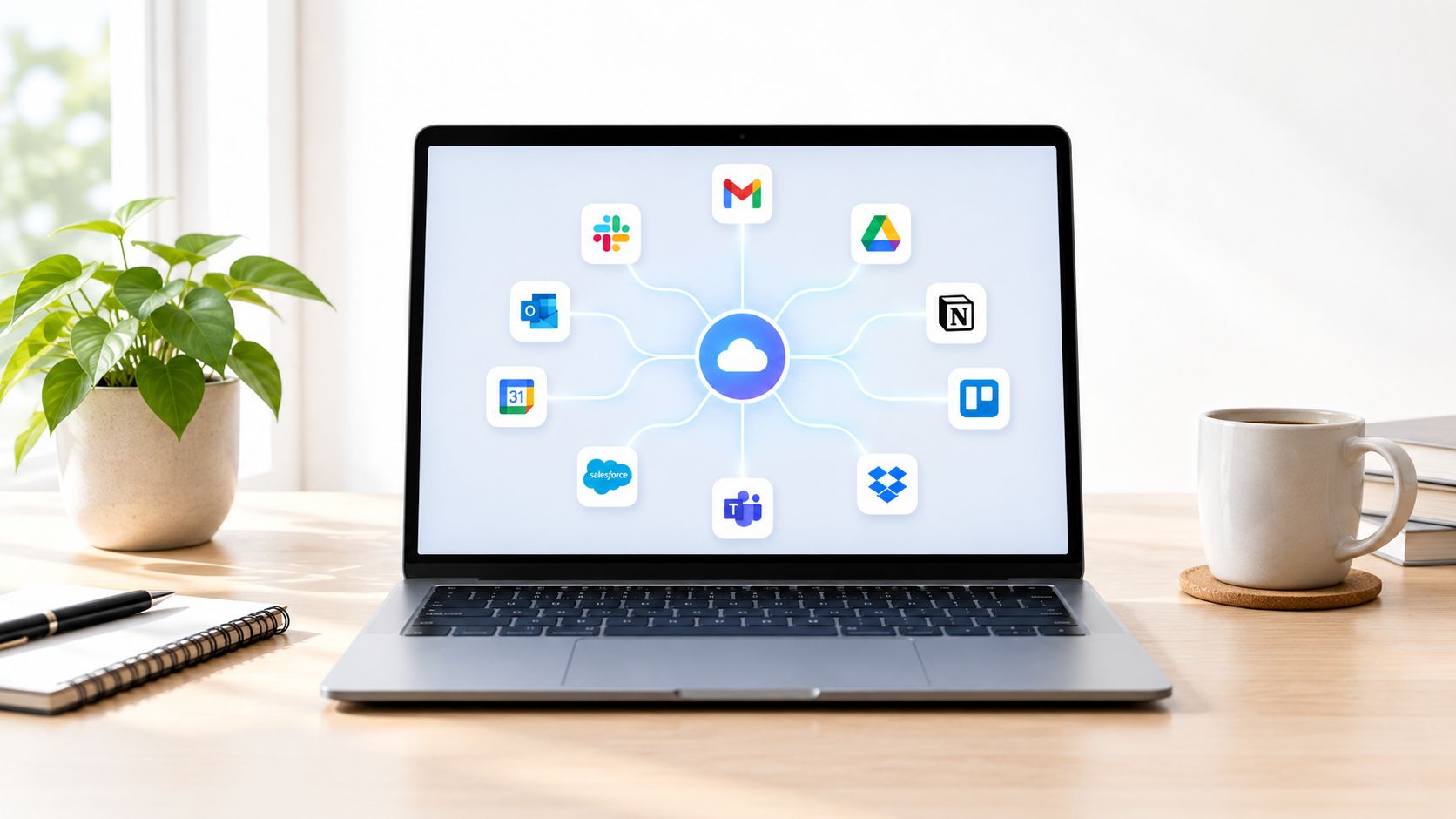
Appointment booking should happen against live availability, not through a message that someone must manually interpret later. Modern AI receptionists can connect with Google Calendar, Outlook, Calendly, and similar scheduling tools to check availability, book appointments, reschedule, and cancel in real time. CloudTalk's explanation of AI receptionist calendar functions describes this as a core capability rather than an optional convenience.
For a plumber, that may mean booking an approved service window while the technician is driving. For a salon, it can prevent double-booking. For a lawyer, it can route consultation requests into the right calendar instead of placing every inquiry into one general queue.
Voice and text should work together
Customers don't always want another phone conversation. A capable system should support voice and SMS on the same business line, including confirmation texts, follow-up messages, and text-based interactions. Carly's overview of AI answering services covers this combined voice and text workflow.
Then inspect CRM connectivity. Caller details should reach the system your team already uses, with enough context to support the next action. If the receptionist can't create or update a useful record, your staff will still spend time copying information manually. Review the available CRM integration features from SkipCalls when assessing that requirement.
Sample Pricing Scenarios for Local Service Businesses
You shouldn't choose a receptionist model from an industry average. Choose it from your call behavior. The scenarios below show how to think about the decision without pretending that one universal quote applies to every business.
Solo HVAC technician
An HVAC technician is often unavailable precisely when customers call, because the technician is driving, diagnosing equipment, or working in a customer's home. The important variables are not just call count. They're call duration, emergency routing, appointment availability, and whether the caller becomes a booked job.
A per-minute human plan may work during quiet periods, but it becomes risky when a weather event or equipment failure drives longer conversations. AI is usually the more practical first layer for routine questions, lead capture, scheduling, and text confirmation. Escalate only the calls that genuinely require human judgment.
The break-even test is simple: compare the monthly AI subscription with the contribution margin from one additional booked job. If one recovered opportunity covers the service, the remaining captured work improves the economics.
Mid-sized law firm
A law firm should be more selective. Intake can involve sensitive details, urgency, practice-area routing, conflict-screening requirements, and callers who expect a calm human interaction. The cheapest automated system may create operational risk if it collects incomplete information or routes matters incorrectly.
For a firm with lower volume and complex calls, a human or hybrid model may be justified. For routine consultation requests, an AI system can handle initial information capture and scheduling, while staff review the records and take over when the matter needs legal judgment.
The firm should compare cost per qualified consultation, not cost per answered call. A low per-call rate is meaningless if the intake record is incomplete.
Busy beauty salon
A salon usually has a high concentration of repetitive requests: availability, services, pricing questions, cancellations, and appointment changes. Customers may call while stylists are serving clients, which makes missed calls especially common during busy periods.
Flat-rate AI coverage tends to fit well here. The system can answer routine questions, handle texts, and book from the live calendar without tying cost to every conversational minute. A human service may still make sense for a premium salon where callers need detailed consultation, but the owner should prove that the extra human cost produces more retained bookings.
Across all three cases, model the effective cost per completed outcome. Start with your current monthly bill or expected subscription, then divide it by answered calls, booked appointments, or qualified leads. If you can't calculate those outcomes, the provider's reporting is too weak for a confident purchase.
Calculating the ROI of Never Missing a Lead
The financial question isn't whether a receptionist costs money. Every useful system costs money. The question is whether the system captures enough business to exceed that cost.
Begin with four figures from your own operation:
- Monthly receptionist cost: Include the subscription, expected overages, setup charges, and any paid integrations.
- Missed-call volume: Review your phone logs and identify calls that arrived when nobody could answer.
- Conversion value: Estimate the gross profit from a booked job, consultation, policy inquiry, or appointment.
- Customer lifetime value: Include repeat work when the first interaction can lead to ongoing business.
Then use this straightforward calculation:
ROI = additional gross profit from recovered opportunities minus receptionist cost
Don't assume every missed call would have converted. Use a conservative internal estimate and track actual outcomes after deployment. A call that receives a useful answer, gets qualified, and books directly into the calendar is more valuable than a call that merely produces a message.
For trades, it also helps to separate lead-generation expense from call-handling expense. A practical explanation of cost per lead for trades can help you place receptionist spending inside your wider acquisition budget.
Measure outcomes, not activity
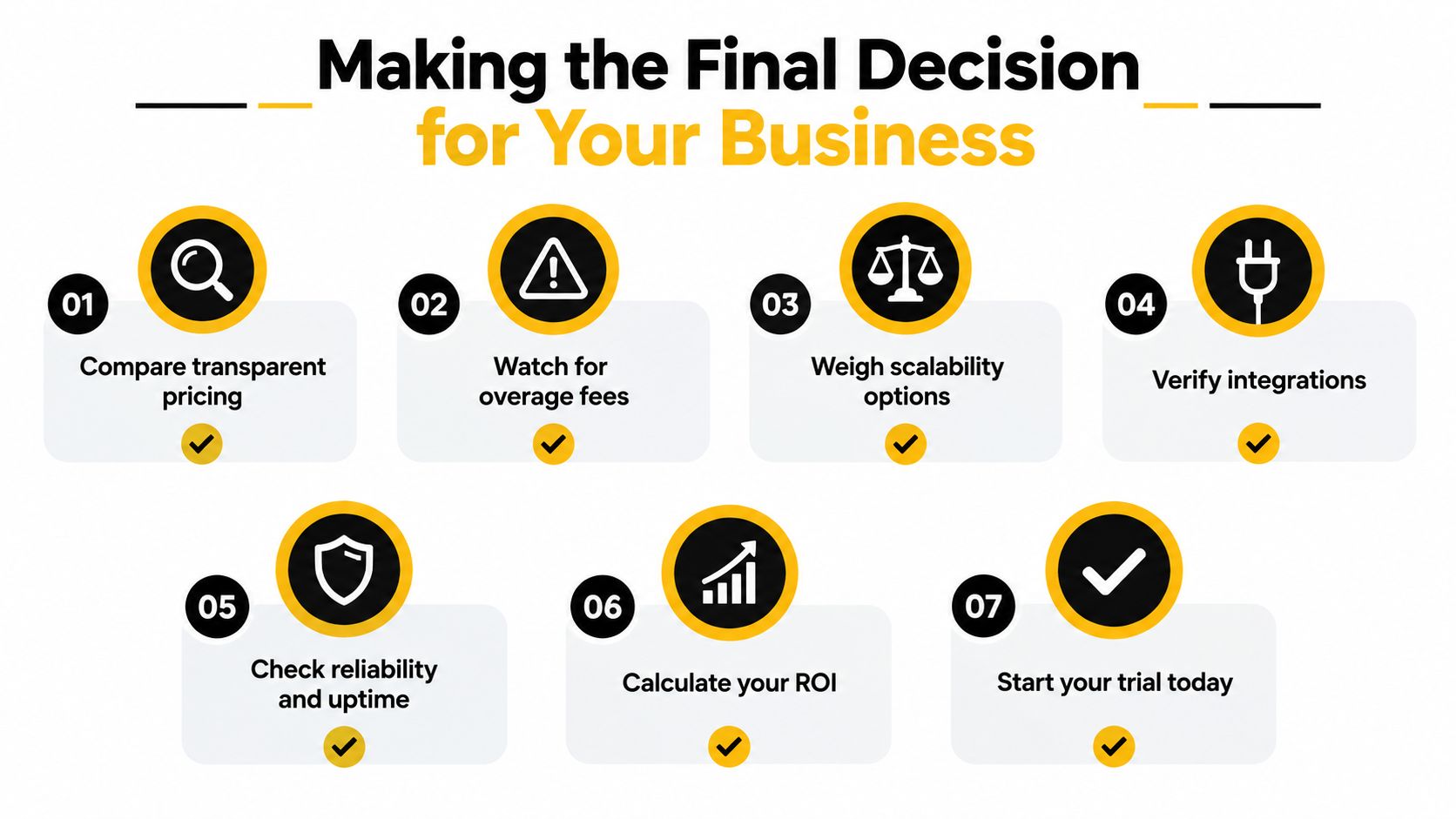
Track answered calls, completed bookings, qualified leads, transfers, and follow-up texts. Also track calls that should have been escalated but weren't. Those figures tell you whether the system is producing revenue or just increasing contact volume.
Use the SkipCalls ROI calculator to organize the inputs, then validate the assumptions against your own phone records. If one or two additional jobs cover the monthly cost, the decision is operationally strong. If the system produces activity without appointments or qualified leads, change the workflow before increasing spend.
Making the Final Decision for Your Business
The cheapest receptionist service is rarely the one with the lowest starting price. It's the one that gives you a predictable bill, answers when customers call, completes the right workflow, and keeps your team from manually repairing incomplete messages.
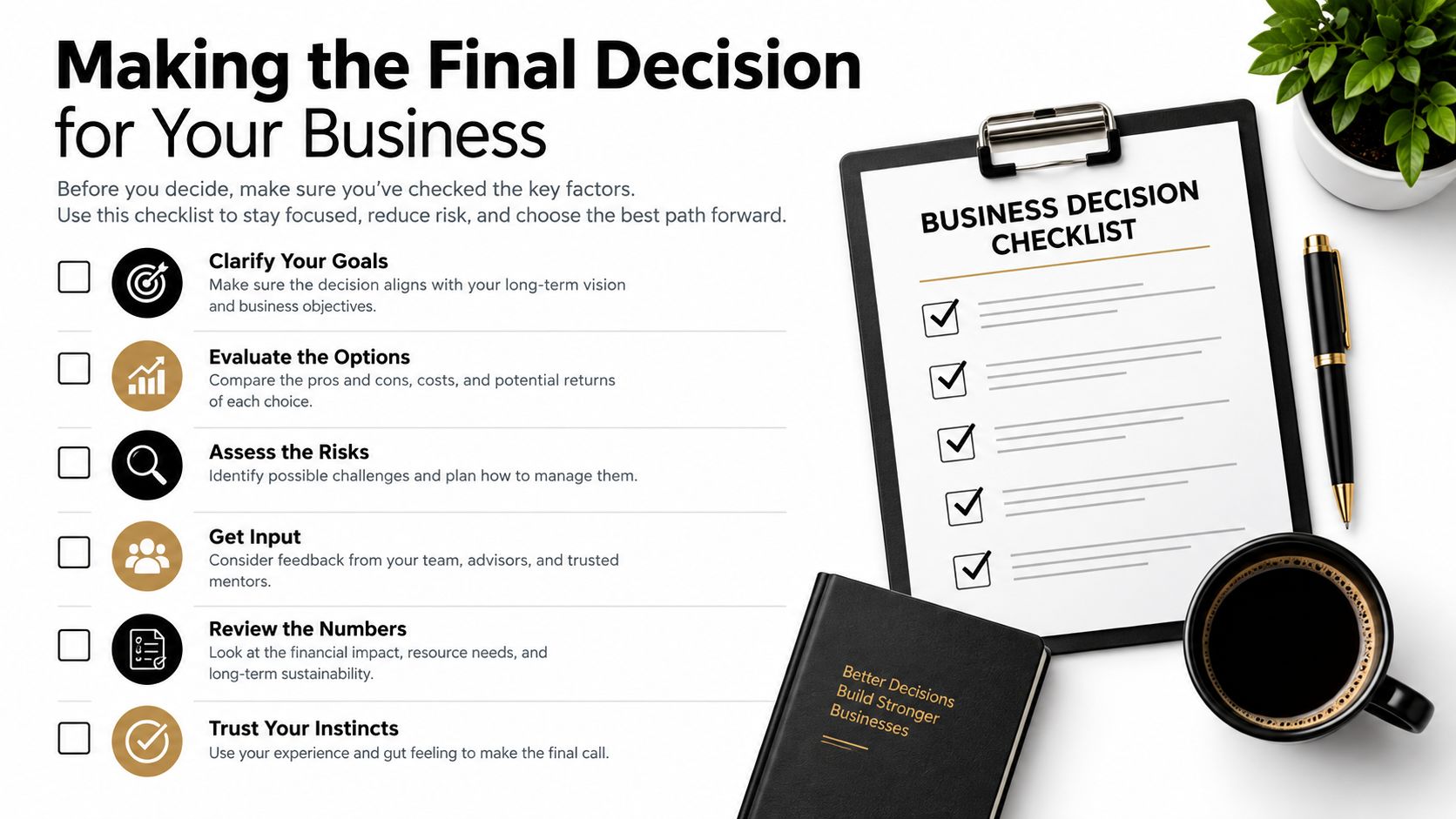
Audit your current setup before requesting quotes:
- Review call logs: Identify when calls arrive and which ones reach voicemail.
- List required actions: Separate answering, routing, lead qualification, booking, cancellation, and follow-up.
- Read the usage terms: Look for minute caps, per-call charges, overages, rounding, and after-hours rules.
- Test integrations: Confirm that the phone number, calendar, CRM, and SMS workflow connect correctly.
- Define escalation rules: Decide which callers need a person immediately and which requests can be automated.
- Set an outcome baseline: Measure bookings and qualified leads before judging the new service.
- Recheck the economics: Calculate cost per booked appointment after the first billing cycle.
A live human service is appropriate when conversations demand empathy, discretion, or nuanced judgment. AI is usually the stronger operational choice when calls follow repeatable patterns and your priority is consistent coverage without a bill that rises every time conversations run long. A hybrid setup can work when routine calls are automated and complex matters are escalated.
Don't wait for another busy week to expose the gap. Pull your missed-call records, calculate the value of one recovered customer, and compare that figure with the full monthly cost of coverage, including overages. Choose the model that scales with demand instead of penalizing your business for winning more work.
SkipCalls handles customer support, lead qualification, appointment booking, and other routine call workflows through voice and text, while working with your existing phone number and connecting with CRM and calendar tools. Visit SkipCalls to review how its simple setup can help your business answer more opportunities without adding a full-time front desk.