Virtual Phone Number for Business: Types, Costs and Setup
Learn how a virtual phone number for business works, which number type fits, what it costs, and how to keep your calls from being flagged as spam.

 Reviewed by Nikita Podelenko, Founder & Engineer of SkipCalls

Table of contents
- Virtual Phone Number Types Side by Side
- Keep Your Current Number or Port a New One
- How Calls Route From Your Number to Your Team
- Why Legitimate Business Calls Get Labeled Spam
- Emergency, Text and Recording Limits to Check
- What a Virtual Number Costs and What Drives It
- Questions to Ask Any Provider Before You Buy
- Choose Your Number Type and Confirm Setup
The phone rings while a plumber is under a sink, a stylist has color on a client's hair, or an attorney is meeting with a client. Nobody can answer, and the caller leaves without explaining what they need. Returning the call later doesn't help if the customer has already booked someone else.
A virtual phone number for business can separate the public business line from an owner's personal mobile and give unanswered calls somewhere useful to go. But buying a number isn't the whole fix. The business also needs reliable routing, recognizable caller ID, a working texting path, and clear rules for urgent calls.
Virtual Phone Number Types Side by Side
A virtual phone number is a business line that isn't tied to one desk phone or carrier handset and can ring whichever devices and people the business chooses.
Number appearance and call handling are separate decisions. A local number can reach an app, a desk phone, or an answering service; a familiar existing number can gain a new answering workflow without changing what customers dial.
Virtual phone number types compared
| Number type | Best for | Caller perception | Main catch |
|---|---|---|---|
| Local (area code) number | Trades and shops serving one city or region | Feels local and familiar | Can resemble neighbor spoofing and get flagged |
| Toll-free number | Roofers covering several counties and businesses serving broad areas | Clearly a business line, but less local | Confirm availability, texting support, and calling charges |
| Vanity number | Brands that advertise a memorable word | Easy to remember and repeat | Limited availability; still a standard number underneath |
| Forwarded existing number | Owners who keep their current line | Familiar to existing clients | Requires carrier forwarding; texts don't forward |
| Dedicated virtual number with answering | Solo operators and small teams missing calls on jobs | Consistent greeting and answering workflow | Confirm recording rules and after-hours coverage |
Choose the identity before the destination
A plumber serving one city generally has little reason to abandon an established local line. A roofer working across several counties may prefer a toll-free identity that doesn't favor one town. Common toll-free prefixes include 800, 888, 877, and 866; the SkipCalls glossary entry on toll-free explains that number category.
A law firm advertising a memorable name may find a vanity number useful, but callers still dial an ordinary telephone number underneath the word. Availability should be checked before printing signs or buying radio advertising.
An owner protecting a personal mobile should focus on a dedicated public business identity, not merely another ringing device. Staff should return calls through that business identity rather than exposing private numbers.
Practical rule: Match the number to the service area and the way customers find the business. Choose routing separately.
Keep Your Current Number or Port a New One
An established number printed on trucks, invoices, yard signs, and business listings is worth preserving. Forwarding changes where calls go; porting changes which provider holds the number. Neither requires customers to learn a replacement number.
The FCC's telephone numbering data tracks carrier number utilization and movement between carriers through porting. Numbers operate within regulated numbering resources, not as freely interchangeable digital usernames.
A safe keep-or-port sequence
Identify the current carrier and account holder. Check the bill rather than relying on whoever originally installed the phones. Confirm that the business has authority to approve changes, especially when an employee or former partner opened the account.
Choose forwarding or porting. Forwarding leaves the number with its current carrier and redirects incoming calls. Porting transfers the number to another provider. Forwarding is usually the safer starting point when the business only needs better answering.
Gather matching account details. Collect the account number, billing name, billing address, and service address exactly as listed by the carrier. Request any required transfer PIN or authorization paperwork. Small discrepancies can hold up the transfer.
Schedule the transfer without cancelling service. Get the receiving provider's expected timeline and identify who handles rejected requests. The business must keep the old account active until completion; the receiving provider shouldn't be assumed to control that account.
Test before closing the old plan. Use another phone to test incoming calls, outgoing calls, voicemail, and the displayed outbound number. Check whether the old account also supports broadband, alarms, or other services before cancelling anything.
When forwarding is enough
SkipCalls can be set up in under 60 seconds by turning on call forwarding while the business keeps its existing number. Keeping that number requires no contract or hardware.
A separate line makes sense for a distinct bookings workflow or advertising campaign, but it shouldn't casually replace a recognized main number. Every extra published number creates another line that someone must monitor.
Keep the old service active until the transferred number works, not merely until the port request has been accepted.
How Calls Route From Your Number to Your Team
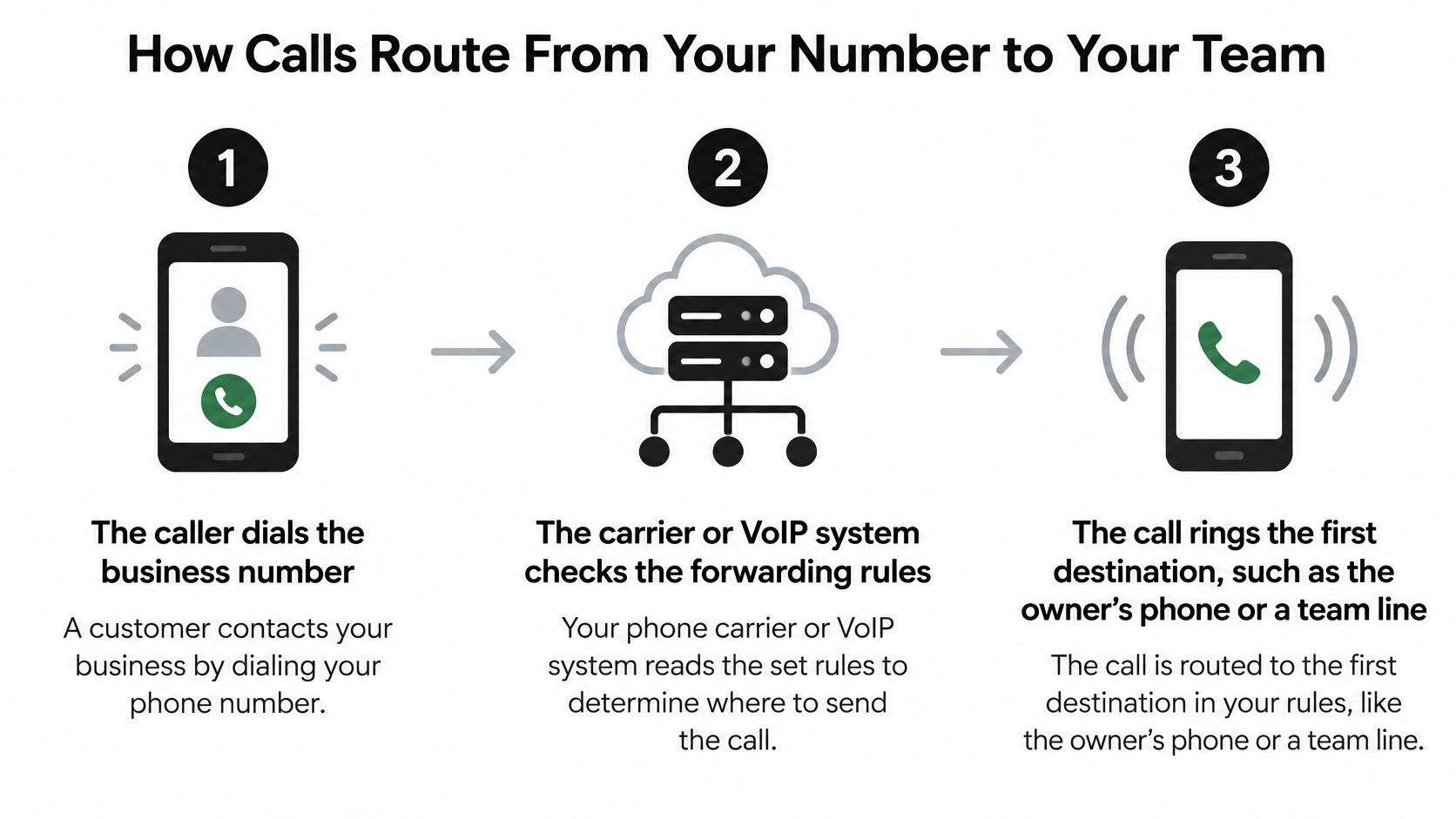
Before changing settings, the office manager should confirm that the carrier or VoIP provider supports forwarding on the specific line. Call forwarding works with AT&T, Verizon, T-Mobile, landlines, and VoIP systems, but activation methods and available conditions differ.
The call forwarding guide is a useful setup reference. The important distinction is conditional forwarding, which handles unanswered or busy calls, versus forwarding every call immediately.
Set the complete call path
The caller dials the business number. Connect the published number to the intended workflow. A common mistake is configuring a new line while leaving the advertised line untouched.
The carrier checks forwarding rules. Select unconditional, busy, or unanswered forwarding deliberately. Turning on unconditional forwarding by accident prevents the office from answering first.
The first destination rings. Use the owner's mobile, dispatch desk, or a ring group, such as three staff phones in a hypothetical small office. A ring group only works when staff know who takes responsibility for answering.
Unanswered calls reach a fallback. As a starting test configuration, try four to six rings, then adjust after listening to the actual wait. Don't assume the carrier counts rings consistently; a personal voicemail may answer before the fallback does.
Busy calls reach a backup. Configure busy handling separately where the system requires it. Testing only unanswered calls can leave active-call situations uncovered.
The after-hours schedule takes over. Route evenings, weekends, and holidays to the designated greeting, voicemail, or AI receptionist. An outdated holiday schedule can send callers to an empty office.
Make the handoff useful
An AI receptionist works well as overflow when staff answer first. Its intake instructions should capture the caller's name, callback number, service location, and reason for calling, then distinguish routine requests from urgent transfers.
Cleaning operators can use Estimatty's resource on a virtual receptionist for small cleaning businesses when thinking through trade-specific intake. A separate bookings number can also isolate appointment traffic from dispatch.
Finally, call from another phone under every condition. Record who answered, how long the caller waited, and whether the handoff succeeded.
Why Legitimate Business Calls Get Labeled Spam
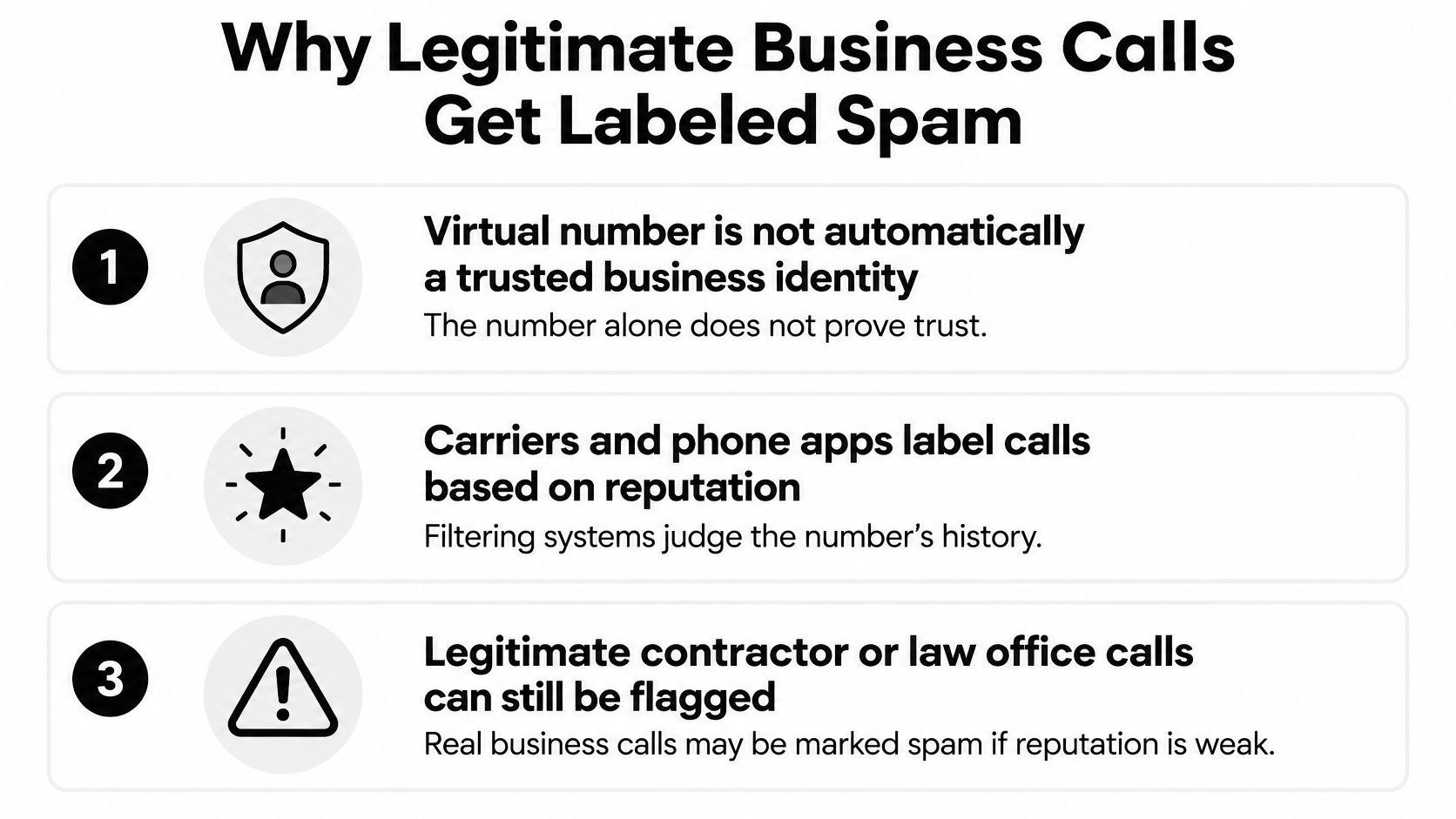
A plumbing company can keep its established business line, route calls correctly, and still see outbound calls displayed as suspicious on some phones. A local-looking number supplies a familiar area code. Receiving carriers and phone apps judge the broader calling identity through reputation and behavior.
The Congressional Research Service's robocall report explains the unwanted-call environment and filtering measures businesses operate within. That filtering can affect a genuine office when number history, caller-ID data, or outbound activity looks inconsistent.
Protect the outbound identity
Treat each outbound number as part of the business's public identity. A stable identity makes it easier for customers to recognize the office and for staff to isolate the traffic behind a label.
- Register a consistent business name. Use matching information with carriers and available branded-calling programs. Registration can improve recognition, though each handset or app still controls what it displays.
- Assign stable outbound numbers. Give each location or department a recognizable callback identity rather than letting staff choose arbitrary outbound numbers.
- Keep the number while investigating. Replacing a line discards customer familiarity and starts the identity over on a number with a different history.
- Separate calling purposes. Keep marketing, dispatch, and transactional traffic distinct where practical, so a reputation problem can be traced without interrupting every customer conversation.
- Avoid sudden dialing bursts. A newly assigned number should begin conservatively, and callbacks should stay tied to genuine customer requests.
- Verify caller-ID authentication. Ask whether the originating provider signs outbound IP calls with STIR/SHAKEN and how it handles the business's number.
The FCC's call authentication explanation describes STIR/SHAKEN as a way to authenticate caller-ID information. Signed calls can still receive labels when reputation filtering raises a concern. Treat authentication as one control within the broader outbound identity.
Respond without changing numbers immediately
When a customer reports a label, capture the evidence before staff improvise a workaround. A useful script is:
Thanks for reporting the label. The office will call back from this same number today. The number also appears on the business website for verification.
Record the affected number, receiving carrier, reported wording, and whether the result changes between destinations. Then check if your number is flagged through the carriers' and call-labeling apps' reputation lookups, and pursue each provider's correction process.
Finish with a controlled outbound test from the business line to phones on different carriers. Record the exact display on each handset, then repeat the test after corrections. Keeping the established number during the investigation preserves the callback identity customers already recognize.
Emergency, Text and Recording Limits to Check
A flexible phone number can follow staff around town without knowing where those staff members physically are. Calls, messages, and recordings also follow different technical and legal rules.
Emergency location isn't automatic
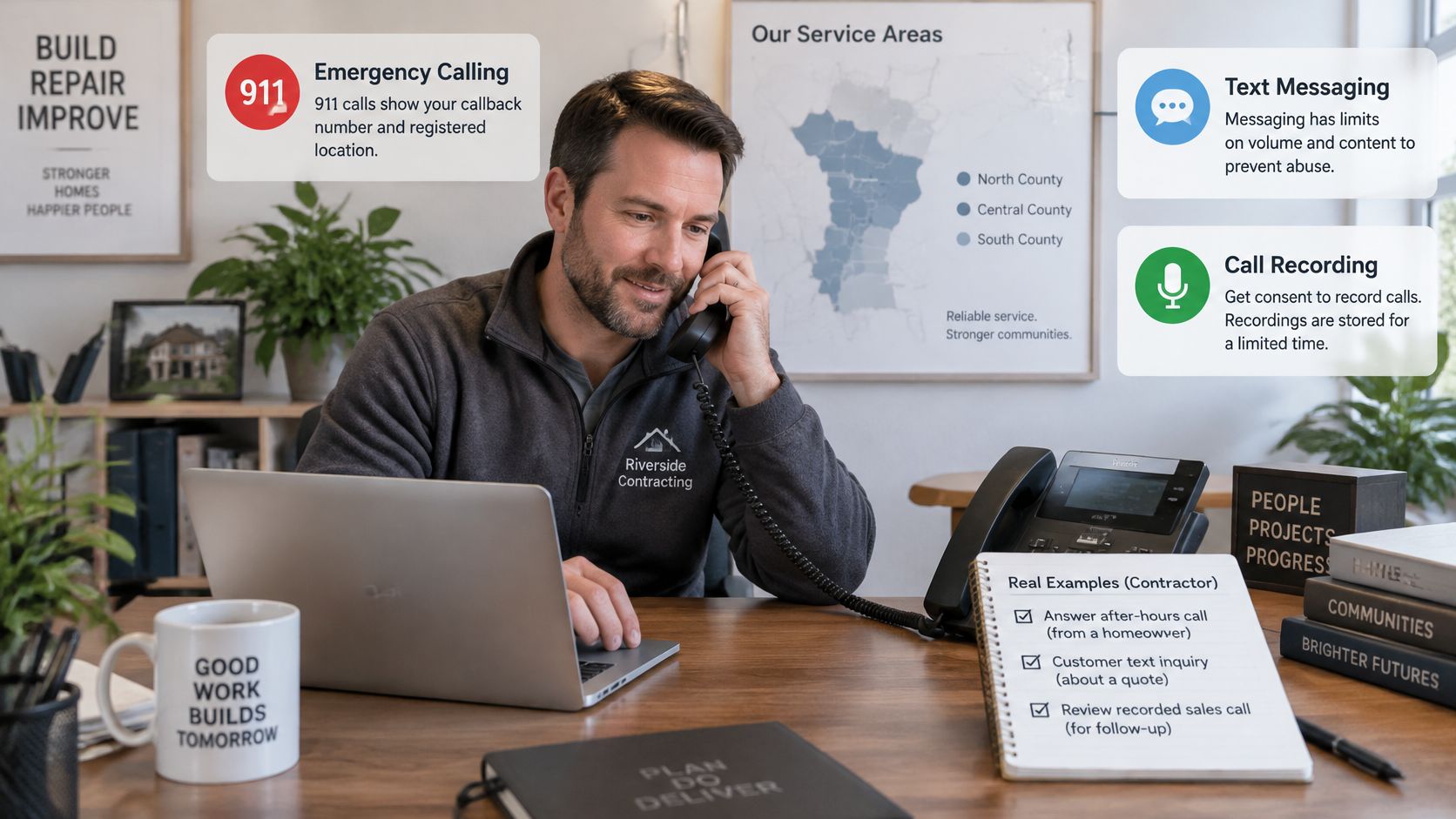
The FCC's VoIP and 911 guide explains that interconnected VoIP providers must obtain a registered physical location, provide 911 access, transmit the callback number and registered location, and offer a way to update that location.
An electrician answering through a softphone from a van across a county line shouldn't assume emergency services will receive the van's actual position. Register each fixed office or dispatch location, and confirm how E911 or dispatchable-location support works for mobile apps and softphones.
Staff also need instructions for using an appropriate emergency-calling device when the business app can't supply their current location.
Texts need their own destination
Voice forwarding doesn't forward text messages. A salon can successfully redirect calls while appointment-change messages continue arriving at an unattended original line.
Give customers the actual texting number and print it on invoices, reminders, and the website. Test both incoming and outgoing messages before describing any line as text-enabled.
For forwarded setups, customers must text the answering service's assigned texting number directly when that service requires a separate SMS destination. Don't assume a successful voice test proves anything about messaging.
Recording needs consent and a retention rule
Federal law generally permits recording with one participant's consent, while state requirements can be stricter, as explained in the Digital Media Law Project's recording guide. The caller's location can matter, not just the office address.
A proposed greeting is:
This call may be recorded or summarized to help the office serve callers. Please stay on the line to continue.
That wording isn't a universal legal solution. Counsel should approve the disclosure and consent process for the states involved, including an alternative when a caller declines.
Before launch, document who can access recordings, how long transcripts remain, and who deletes them. A law office shouldn't retain sensitive intake indefinitely just because storage is available.
What a Virtual Number Costs and What Drives It
A virtual number rarely fails on the advertised monthly fee. It fails on the line items nobody totaled before signing: the second call leg a warm transfer creates, the paid seat a receptionist's phone needs, the overage rate that kicks in once included minutes run out. Compare the same workload across providers, and include the original carrier bill if call forwarding leaves that service active.
Virtual number cost items and what changes them
| Cost item | What it covers | What changes the price |
|---|---|---|
| Number rental | Each active business number | Number count and number type |
| Included minutes and overage | Inbound and outbound talk time | Call volume and average call length |
| Staff phones or seats | Staff access and answering destinations | Team size and licensing model |
| Add-on features | Recording, transcripts, CRM sync, routing rules | Features included versus separately billed |
| Texting | Sent and received messages | Message volume and texting lines |
| Setup or porting | Moving or activating a number | Transfer work and carrier involvement |
| Emergency location records | Registered office and endpoint addresses | Sites, endpoints, and provider billing policy |
Build the estimate from actual work
Use these calculations:
- Monthly talk time: Average call length multiplied by monthly calls.
- Monthly bill: Base plan, number rentals, seats, chargeable usage, overages, add-ons, and texting.
- Switching expense: Any activation or porting charges, plus overlapping service during the change.
Included minutes belong inside the base-plan allowance, not as an extra charge added twice. Also check whether a transferred call creates separately billable call legs, since a five-minute call that moves to a technician's cell can bill as ten.
Consider a hypothetical three-person plumbing shop with one local number, three staff phones, and about 60 calls monthly averaging five minutes. That produces 300 minutes of talk time before additional transfer-leg billing, if applicable. The estimate should include recording and determine whether all three staff need paid seats.
Compare the whole setup
Local and toll-free usage may follow different billing rules. Emergency-location maintenance may be included rather than separately charged; the table identifies items to check, not fees every provider imposes.
For AI answering, see current plans and hold each tier's included calls and minutes against the monthly talk time the estimate produced. SkipCalls lists a Starter plan at $29.99 per month or $249.99 per year covering up to 200 calls under a fair usage policy, and a Business plan at $129 per month or $1,290 per year with 1,000 included minutes, so the right tier depends on measured volume rather than the sticker price. Keeping an existing number requires no contract or hardware.
For the underlying mobile service, HearSmart's evidence-based guide to budget carriers offers a separate comparison resource. Owners can also find cheap phone answering options, but the decision should weigh captured bookings against the complete bill, not just the lowest advertised rate.
Questions to Ask Any Provider Before You Buy
A provider comparison should produce written answers about the proposed setup, not a collection of feature checkmarks. The office manager should send the same questions to every candidate and retain the responses with the service agreement.
Get the operating details in writing
Emergency support: Does the plan support E911 or dispatchable location for each office, mobile app, and softphone? Which location must staff update manually?
Outbound identity: Are outgoing calls signed with STIR/SHAKEN? Who handles incorrect business-name displays or spam-label disputes?
Number continuity: Can the existing number forward immediately, and what is the expected porting process? What information or account restrictions could block the transfer?
Recording controls: Which recording and transcript tools are included? Can the greeting carry an approved consent message, and can recording be disabled when necessary?
Texting support: Can the selected number send and receive texts under the proposed plan? Which inbox will staff monitor, and what setup is required before messaging works?
Usage billing: What counts toward included minutes, and how are overages calculated? Are transfers, hold time, and unsuccessful outbound attempts treated differently?
Exit rights: What happens to the number and call history after cancellation? How can the business export records and authorize a port before access ends?
Compare outcomes, not labels
Put the answers beside each other on a page with columns for included, extra charge, unsupported, and unresolved. A feature described as available may still require another subscription, a different plan, or manual staff work.
Ask for the failure path as well: what happens during an office internet outage, a failed transfer, or an unavailable on-call employee? A provider demonstration should include an unsuccessful handoff, not just the ideal greeting.
A verbal promise shouldn't carry the business's main number when the agreement says nothing about it.
Unresolved answers are reasons to delay a switch. They aren't details to discover after customers start calling.
Choose Your Number Type and Confirm Setup
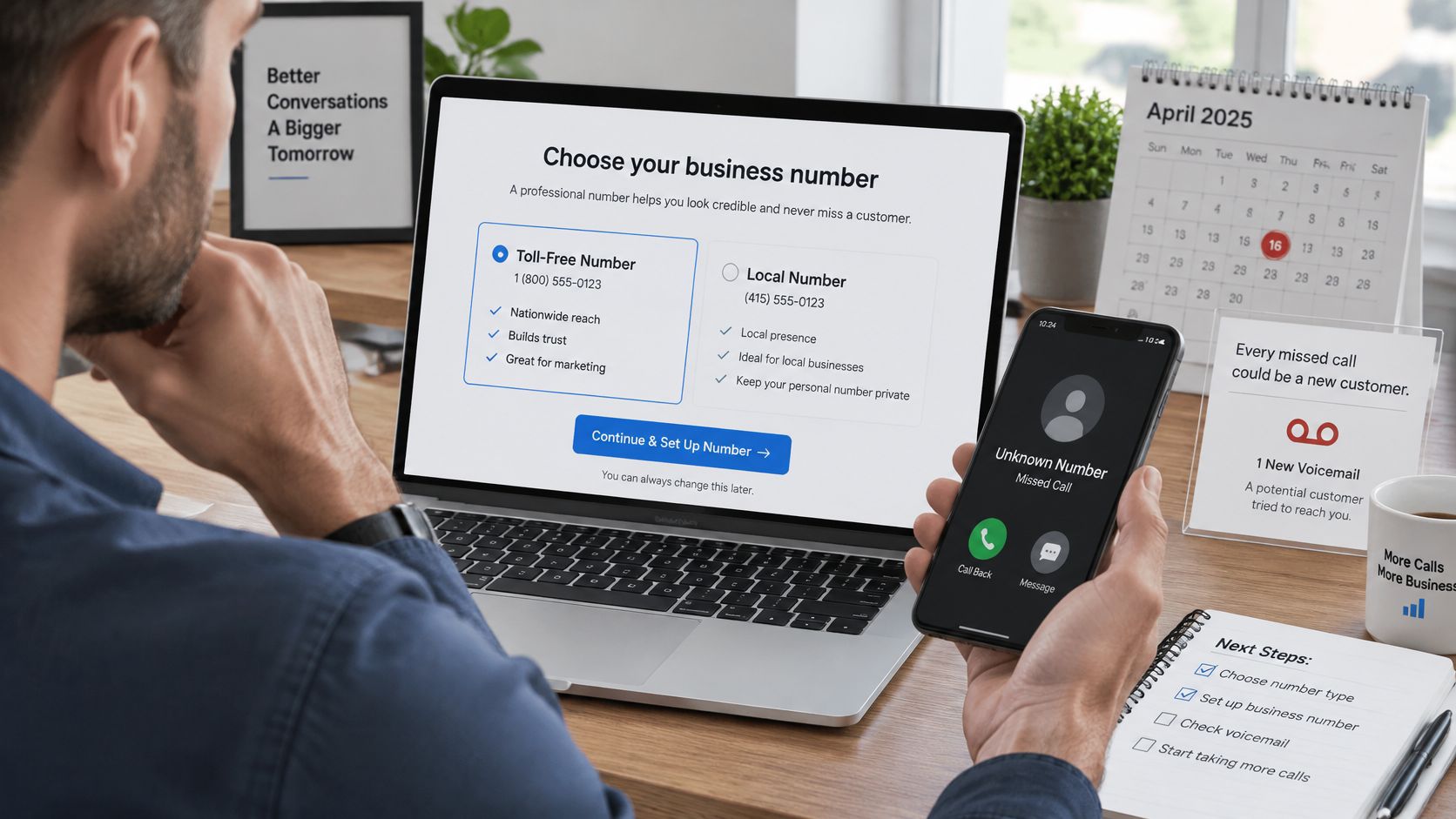
A plumbing company's new virtual number can fail before anyone picks up. In 2025, 75% of U.S. adults surveyed by TNS and Kantar said they had missed calls from unknown numbers they would have answered if they'd known who was calling, according to TNS's consumer calling survey. A caller who doesn't recognize the line often lets it ring, so treat the number as part of the business's identity rather than a routing trick.
Recognition alone doesn't save the call. A familiar prefix still loses its value when the fallback path leads to a full voicemail box or a phone sitting in a truck. Pick the number type for how it looks to customers, then build the routing for what happens when nobody's free.
Trade-to-setup match
| Trade | Number type | Routing to set up | Must verify |
|---|---|---|---|
| Plumbers, HVAC, electricians, and roofers | Local number in the service area | Forwarded existing line with after-hours and overflow routing | Dispatch line kept separate from the marketing number |
| Law firms and insurance agencies | Single branded line | Intake script with a recording disclosure | Written recording-retention rule |
| Salons and spas | Dedicated bookings line | Appointment booking with reminders | Texting number printed on reminders |
| Real estate agents and property managers | Local number per market | Tenant emergency path to the on-call agent | Registered address for each site |
Fit the intake to the trade
Home service contractors need the service address, problem description, callback number, and urgency before a dispatcher can act. The script should distinguish a routine estimate from an urgent service request without promising arrival times the crew hasn't approved, and a local area code should match the number already printed on trucks and yard signs.
Law firms and insurance agencies need boundaries around initial intake. Collect enough information to route the inquiry, but avoid inviting a detailed confidential account before the firm's screening process. A receptionist shouldn't imply that answering a call establishes representation or confirms coverage.
Salons and spas need appointment type, preferred time, staff preference, and cancellation instructions. A useful booking workflow must handle changes as clearly as new appointments; otherwise, the calendar fills with requests staff still have to reconcile.
Real estate agents and property managers need routing tied to properties, agents, and the on-call roster. Tenant instructions should distinguish maintenance escalation from emergencies requiring public emergency services, and every registered address must reflect the site a responder would be sent to.
Run the pre-switch checklist
- Number type chosen: The public identity matches the service area and existing marketing.
- Routing order tested: Staff, fallback answering, and urgent transfers work without loops.
- Registered addresses checked: Each site and relevant endpoint has the correct location configuration.
- Texting destination published: A forwarded voice line doesn't carry texts with it, so clients need to know which number accepts messages.
- Disclosure approved: The greeting and recording process match the business's legal requirements.
- Carrier tests completed: Calls to and from phones on different carriers show the intended identity and reach the correct destination.
Assign a staff member to review incomplete messages, failed transfers, and booking exceptions after launch. Automation still needs an owner who can correct business information and close unresolved requests.
Judge the setup by what a caller experiences: whether they can explain the need, reach the right help, and leave with a clear next step, without repeating the story twice.
SkipCalls is an AI receptionist that answers forwarded calls 24/7 on a business's existing number, so callers keep dialing the same line. It captures caller details, answers questions from the business's information, books appointments, transfers urgent callers, filters spam, and texts the owner a summary of every call. Since carrier texts don't forward, businesses that want AI handling their SMS give out the SkipCalls number as their texting line. To hear how that works with a virtual business phone setup, call the live AI receptionist demo at +1 (888) 884-9511, with no signup needed, or get started at SkipCalls.