The 24/7 Service Trap: How to Capture Emergency Jobs Without Burning Out
Offering 24/7 service builds trust but causes burnout. Learn how to use AI to filter true emergencies from routine calls so you can sleep while you scale.
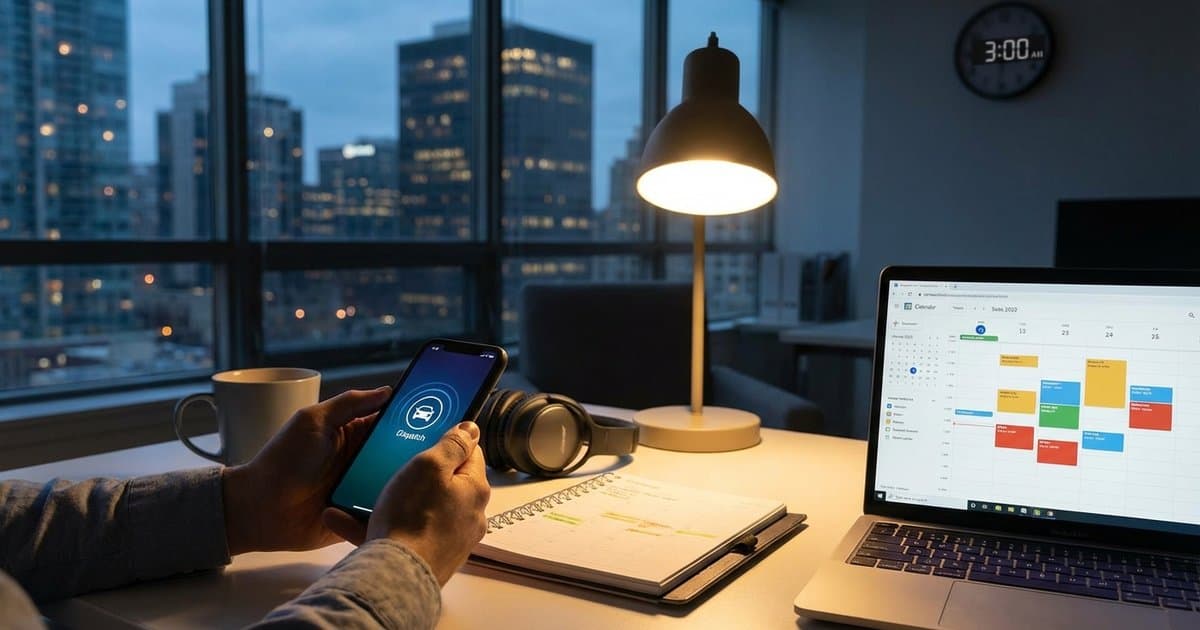
It’s 2:30 AM on a Tuesday. Your phone rings.
You jolt awake, heart pounding. You’re a plumber, an HVAC tech, or an electrician, and you advertise "24/7 Emergency Service" because you have to. It’s what gets you the high-ticket jobs. It’s what separates you from the 9-to-5 competitors.
You fumble for the phone, clear your throat, and answer professionally.
"Hello, this is Mike."
"Hi Mike," the voice says. "I was just wondering, how much do you charge to install a new faucet? I want to get that done next month."
You stare at the ceiling in disbelief. They woke you up at 2:30 AM for a price check on a non-urgent job.
If you’re in the trades, you know this pain. You’re caught in the 24/7 Service Trap: you can't afford to turn off your phone because you might miss a burst pipe or a broken furnace, but keeping it on means sacrificing your sleep, your sanity, and your family time to tire-kickers and confusion.
Here is the good news: You don't have to choose between revenue and rest. There is a way to filter the gold from the noise automatically.
The High Cost of "Always On"
For home service businesses, offering after-hours support is often a non-negotiable requirement for growth.
- The Revenue: Emergency rates are typically 1.5x to 2x your standard rate.
- The Trust: Clients stick with the company that saved them when their basement was flooding on Christmas Eve.
- The Competitive Edge: If you don't pick up, the next guy on Google will.
But the human cost is massive. "On-call fatigue" is a real phenomenon in the trades. When you are constantly anticipating a ring, your cortisol levels stay elevated. You never truly relax.
And then there’s the operational cost. If you hire a traditional answering service to handle these hours, you’re looking at $300 to $500 a month minimum, plus per-minute fees. And the worst part? Most of those services just take a message and call you anyway to ask, "Is this an emergency?"
The Difference Between "Urgent" and "Emergency"
The biggest problem isn't the phone ringing; it's why it's ringing. Homeowners are anxious. To them, a dripping faucet feels like a crisis. To you, it’s a Tuesday morning job.
To solve the burnout problem, you need a gatekeeper. You need a system that can politely but firmly distinguish between:
- True Emergencies: Active water leaks, no heat in freezing temps, electrical sparks, gas smells. (Action: Wake you up immediately).
- Urgent Needs: Broken AC in mild weather, clogged slow drain. (Action: Book for tomorrow morning).
- Routine Inquiries: Price checks, scheduling maintenance, general questions. (Action: Take a message or book for next week).
For years, the only way to do this was to pay a human dispatcher $45,000 a year to sit by the phone. But technology has changed.
The Solution: AI-Powered Triage
This is where AI phone answering changes the game for independent contractors. Unlike a basic voicemail that just records audio, an AI agent can actively manage the conversation based on rules you set.
Imagine that 2:30 AM call again. But this time, you’re asleep, and your AI handles it.
Scenario A: The Tire Kicker
- Caller: "I need a quote for a faucet."
- AI: "I can certainly help with that. Is this an emergency requiring immediate service, or would you like to schedule a quote for normal business hours?"
- Caller: "Oh, just a quote."
- AI: "Great. I can book that for you. Mike has an opening at 10 AM tomorrow. Does that work?"
- Result: The job is booked on your calendar. You get a notification summary. You stay asleep.
Scenario B: The Real Emergency
- Caller: "Water is pouring through my ceiling!"
- AI: "I understand this is an emergency. I am going to patch you through to Mike immediately. Please hold."
- Result: Your phone rings. You wake up knowing it’s a real job worth waking up for.
How SkipCalls Solves the Emergency Trap
At SkipCalls, we built our platform specifically for tradespeople who need this level of control. We know that "answering the phone" isn't enough—you need the phone to work for you.
Here is how SkipCalls helps you reclaim your nights and weekends:
1. Intelligent Call Screening
SkipCalls uses advanced voice AI to understand the intent of the caller. It doesn't just listen for keywords; it understands context. You can instruct the AI: "Only transfer the call to my cell phone if the customer says they have no heat or active water damage. Otherwise, book it for the next day."
2. Voice Cloning for Trust
The AI speaks in a voice that sounds professional and human—it can even be cloned to sound like you or your office manager. This calms panicked homeowners down immediately, unlike a robotic "Press 1 for service" menu which often makes them hang up and call your competitor.
3. Instant Summaries
Even if you sleep through the non-emergency calls, you aren't out of the loop. When you wake up at 6 AM, you’ll have a text summary of every call: who called, what they wanted, and what appointment was booked. You start your day organized, not playing phone tag.
4. Spam Protection
Nothing triggers rage quite like waking up at 3 AM for a "Your Google Business Profile is unverified" robocall. SkipCalls filters these out completely. They never reach your phone.
Best Practices for Setting Up After-Hours AI
Ready to set up your gatekeeper? Here are three tips to make the transition smooth:
1. Define Your "Emergency" Criteria Clearly Be specific. If you are an HVAC tech, is "No AC" an emergency? Maybe yes in July, but no in October. Decide exactly what warrants a wake-up call and program your AI instructions accordingly.
2. Update Your Voicemail Greeting Even though the AI answers, it helps to have a consistent brand. But with SkipCalls, the AI is the one answering. Ensure your marketing materials say "24/7 Automated Booking Available" to set expectations that they will be taken care of instantly.
3. Charge for the After-Hours Privilege Since the AI is filtering out the price-shoppers, you can be confident that the calls getting through to you are serious. Don't be afraid to have the AI state your emergency dispatch fee upfront: "Please note there is a $150 dispatch fee for after-hours service. Do you want to proceed?" This filters out 90% of the non-serious leads while you sleep.
Key Takeaways
- Burnout is optional: You can offer 24/7 service without being awake 24/7.
- Filter, don't block: The goal isn't to stop calls; it's to categorize them into "Now" (Emergency) vs. "Later" (Booked Appointment).
- AI pays for itself: One saved emergency job or one captured lead that would have gone to voicemail pays for a year of SkipCalls.
- Sleep matters: Your workmanship suffers when you are tired. Protect your rest to protect your reputation.
Ready to Sleep Through the Night?
Stop letting your phone dictate your life. With SkipCalls, you can capture every lead, filter every distraction, and only wake up when money is on the line.
Try SkipCalls free for 7 days and see how it feels to have a gatekeeper that never sleeps.