Answering Automated Service: What It Is and How It Works
Answering automated service explained: what IVR and AI receptionists do, pros and cons versus live answering, and small business setup tips.

 Reviewed by Nikita Podelenko, Founder & Engineer of SkipCalls
Table of contents
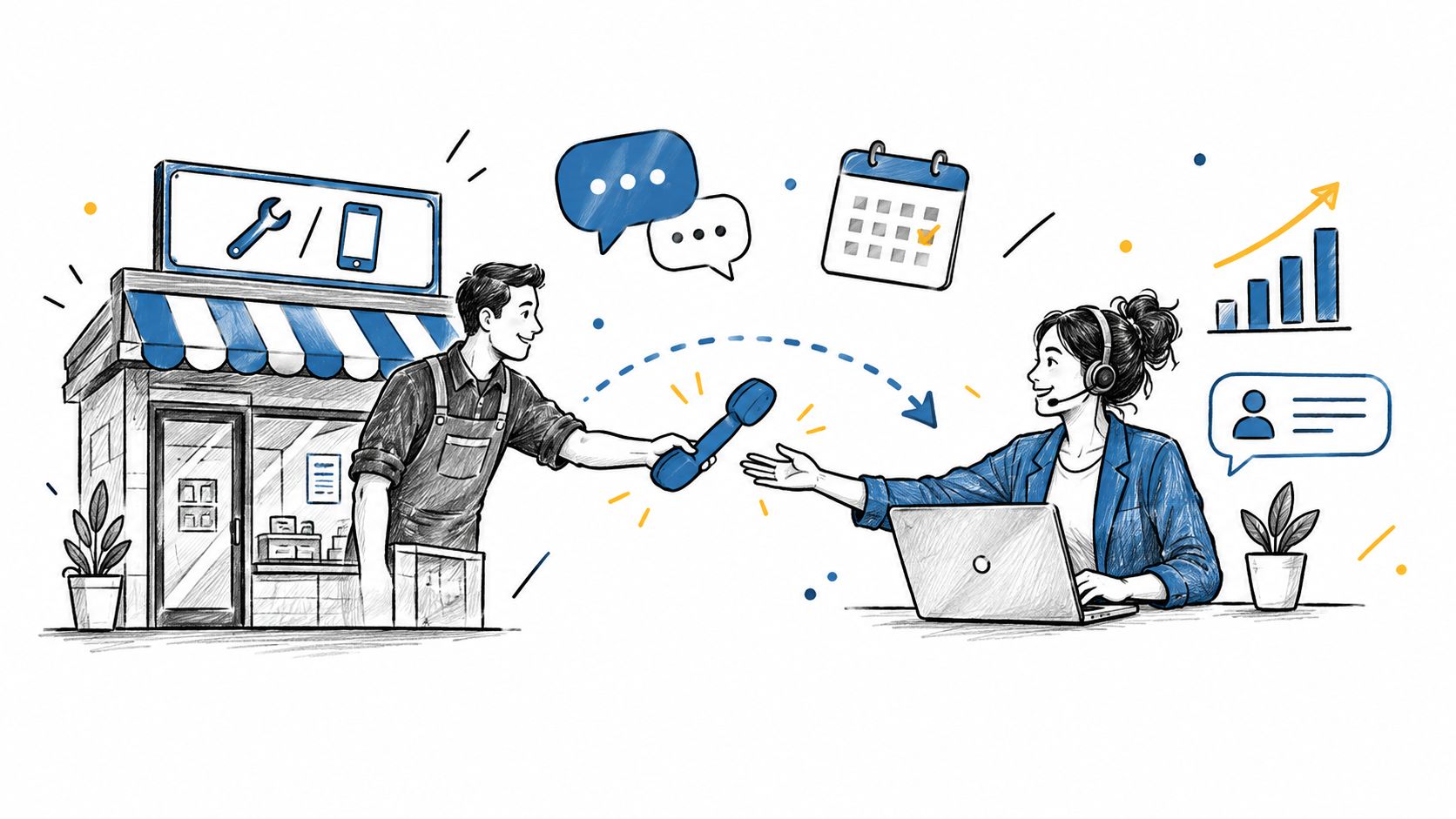
A salon chair is full, the next client is checking in, and the phone rings again. An owner can't stop a cut to answer it, so the caller gets voicemail and often books somewhere else. An answering automated service handles that first response when hands are busy, the office is closed, or everyone's already on another call.
What an Answering Automated Service Does
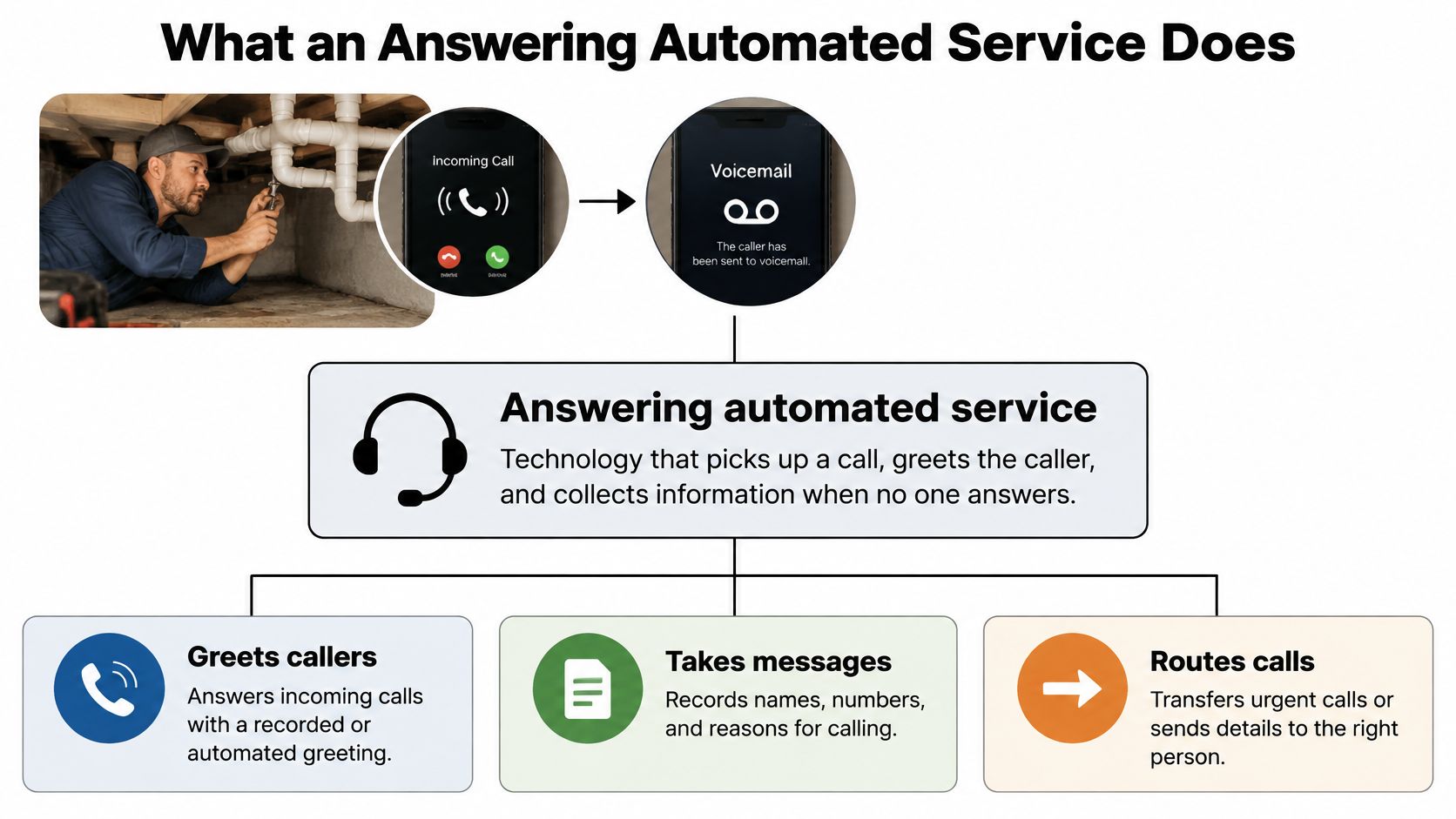
Say a plumber is under a house in a crawlspace, both hands on a pipe, when the phone rings in the truck. It rings out to voicemail. The caller needs a leak fixed today, doesn't leave a message, and calls the next plumber on the search page. That missed ring becomes lost work.
An answering automated service is technology that picks up a business phone line, greets the caller, and handles the call without a person on the line. Think of a front desk with three kinds of help. A live receptionist sits at the desk and talks. A press-by-number switchboard routes callers by keypad. An AI receptionist listens to plain speech, answers questions, and books work.
The Three Types at a Glance
| Type | How callers interact | Best for |
|---|---|---|
| IVR phone menu | Presses keys to reach a department | Businesses with several fixed departments |
| Auto-attendant | Hears a spoken menu and picks an option or extension | Offices that route calls to named staff |
| AI receptionist | Speaks naturally, answers questions and books appointments | Small businesses without a front desk |
Missed calls aren't rare. In a 2016 observational study by 411 Locals that monitored inbound calls to 85 small businesses across 58 industries for 30 days, only 37.8% of calls were answered by a live person, while 37.8% went to voicemail and 24.3% received no response at all. The sample wasn't a universal census, so treat it as a cross-industry snapshot, not a count of every business. Still, roughly six in ten callers didn't reach a person.
The right type depends on what callers need. SkipCalls is an AI receptionist and 24/7 AI answering service for small businesses, which fits the third row, not a fixed department menu.
Before choosing anything, answer three questions honestly.
- How many calls go unanswered: Check last week's missed and voicemail count.
- What callers ask first: Hours, price ranges, availability, or an emergency.
- Whether they need to book a time: If yes, message-taking alone won't close the loop.
How a Call Moves Through an Automated System
A call follows a set path. Each step has one job, and each one can fail in a predictable way, so it's worth knowing the order before turning anything on.
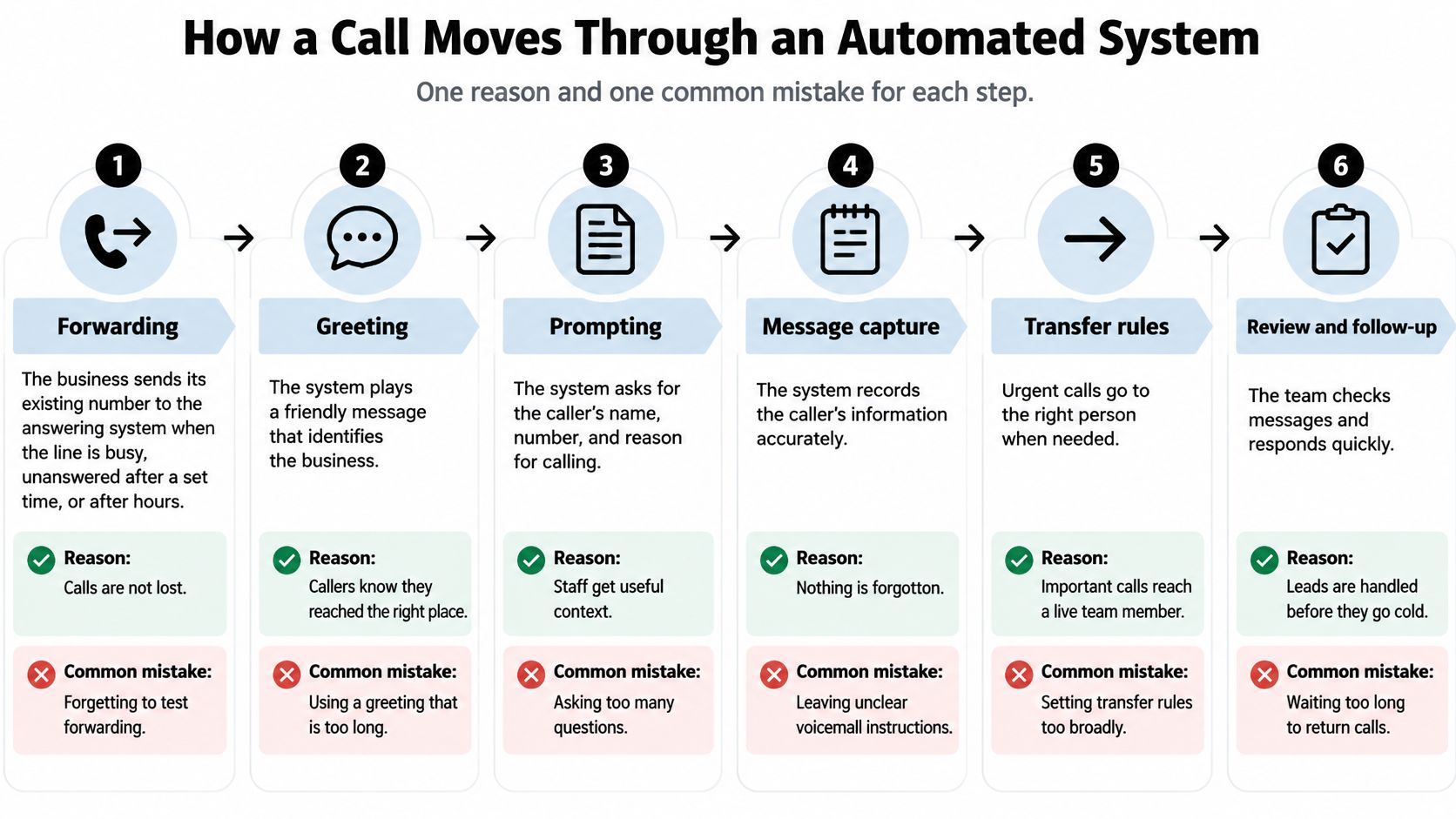
The Six Steps in Order
- Forwarding: The business sends its existing number to the answering system when the line is busy, unanswered after a set number of rings, or after hours, so calls aren't lost. The common mistake is forwarding settings that leave some conditions uncovered. Test busy, no-answer, and after-hours separately, and check the carrier setup against a call forwarding guide.
- Greeting: The system states the business name and, when the business chooses, says it's an automated assistant, so callers aren't surprised later. The mistake is a long greeting that buries the point. Keep it to the name, the disclosure, and one clear offer to help.
- Questions: It asks the business's set questions in order, such as service address, job type, urgency, and preferred time, so follow-up starts with useful details. The mistake is asking too many questions. Callers hang up when intake feels like a form.
- Rules: It answers from the business's own information and applies transfer rules, such as sending an active emergency to the on-call person. The mistake is loading answers the business hasn't checked. Wrong hours or prices create callbacks and arguments.
- Handoff or booking: It books the slot on the calendar or transfers the call live when a person is needed. When the line is busy, calls can route to the AI with no busy signal and no voicemail, and the system handles unlimited simultaneous calls during peak hours. The mistake is a transfer with no fallback when nobody picks up.
- Summary: The owner receives caller details, a transcript, and an alert for hot leads. The mistake is reading summaries late, after the caller has already booked a competitor.
Finish with a simple test. Call the business number from a cell phone, play three kinds of caller, and note what each step sounds like. Fix any gap before relying on the system with real customers.
Automated Versus Live Answering Pros and Cons
Automation wins on hours, consistency, and capacity during busy periods, while live staff win on judgment with upset or unusual callers. That's the whole trade in one sentence, and the details below just fill it in.
| Criterion | Automated answering | Live answering |
|---|---|---|
| Hours covered | Around the clock | Limited by staffing or contract hours |
| Cost structure | Subscription or usage-based fee | Salary, hourly rate or per-call fee |
| Unusual or upset callers | Limited; needs clear transfer rules | Strong human judgment |
| Script consistency | Same greeting and questions every call | Varies by person and shift |
| Peak capacity | Handles many calls at once | Limited by staff on shift |
| Caller comfort | Depends on clear disclosure | Familiar to most callers |
Businesses that want a person on every call can hire virtual receptionist support through Virtustant instead, which is a different staffing model from software answering. A closer look at automated versus staffed call answering helps sort which calls need a person and which ones just need a fast, accurate response.
Where Automation Helps and Where It Doesn't
Pros
- Answers every call: Nights, weekends, and peak hours get the same first response.
- Books during the call: The system answers instantly and can book appointments directly, instead of trading messages later.
- Filters obvious junk: Obvious spam and robocalls are screened automatically.
- Sends a record: A summary after each call means details don't live in someone's memory.
Cons
- Judges distress less well: A frightened or angry caller needs a person faster than a script allows.
- Some callers ask for a person: That request has to lead somewhere real.
- Setup quality decides results: Weak questions and rules produce weak intake.
Speed is why coverage matters. Research summarized from an InsideSales analysis found that responding to an inbound lead within 5 minutes made the lead about 21 times more likely to qualify than responding after 30 minutes. Many businesses split the difference, keeping live staff during open hours and automating after-hours and overflow calls.
Automation fits best for a solo operator on job sites, a trade that gets after-hours emergencies, and a business with seasonal spikes that would swamp one front-desk person.
Disclosure, Escalation and Limits to Respect
A caller who finds out mid-call that the voice isn't a person may hang up. In one 2025 survey reported in the Liveops 2025 Holiday AI Customer Service Report, 22% would hang up after discovering mid-call that they were speaking with AI. The same source reports U.S. research finding that only 22% of consumers said companies clearly disclosed AI use, while 69% believed businesses should always reveal it.
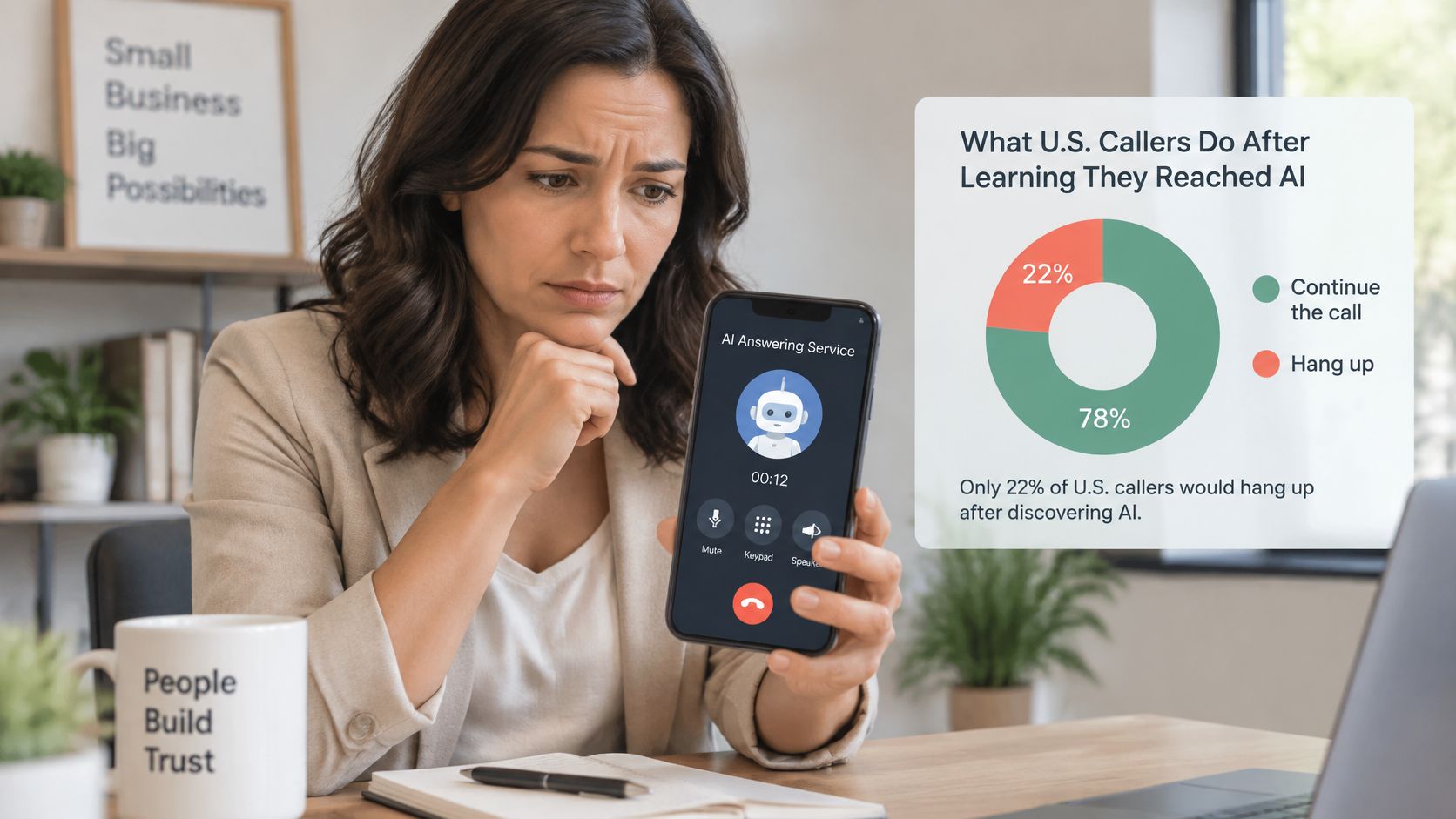
Disclosure belongs at the start of setup, not at the end. The business can configure the system to identify itself as an assistant, or leave it speaking like a professional receptionist, but callers shouldn't be misled. Use a plain line, adapt the wording, and say it on every call.
"You've reached the automated assistant for our office. I can take your details or connect you to the team."
When the System Must Hand Off
| Trigger | Action |
|---|---|
| Gas smell or flooding | Live transfer to the on-call person |
| Caller threatens legal action | Route to owner or office manager with a callback promise |
| Asks for confidential legal or financial advice | Take details, give no advice, promise a callback |
| Asks for a person twice | Transfer live or promise a callback |
Escalation matters most when the office is closed, which is why after-hours call answering needs a named on-call person, not a general inbox. The system should answer immediately, collect the details needed, and route the caller's information to the business so a person can act.
Limits to Set in Writing
- No guaranteed outcomes: It can't promise a result, a repair time, or a case result.
- No professional judgment: It takes intake only.
- No quotes or legal advice: A price range the business supplied is fine, a binding quote isn't.
- No health information: SkipCalls is not HIPAA compliant, so it shouldn't be used for medical practices or for collecting health information.
Recording consent rules vary by state, so check local rules before relying on call recordings. Then test the setup. Call the number with a difficult scenario, an upset caller and an emergency, and check the disclosure, the transfer, and the summary that arrives afterward.
Best-Practice Setups for Each Type of Business
Write the greeting, the questions, and the transfer rules before turning on call forwarding, and include the AI disclosure line in every greeting. That's the setup rule. Forwarding first and scripting later means real callers hear a half-finished system.
| Business | Greeting focus | Questions to ask | Transfer rule |
|---|---|---|---|
| Home services contractor | Company name and emergency line | Service address, job type, urgency, preferred time | Live transfer for active leaks or no heat in freezing weather |
| Law firm | Practice areas and intake only | Name, case type, opposing party, key deadline | Transfer caller with a court date this week to a staff attorney |
| Real estate agent | Brokerage name and listing questions | Property address, buyer or seller, timeline, financing status | Transfer active showing or offer questions to the agent |
| Salon or spa | Services offered and hours | Service wanted, preferred stylist, date | Transfer complaints to the manager |
| Insurance agency | Lines of business and no quote promises | Coverage type, renewal date, contact preference | Transfer open claims to claims staff |
The patterns differ because the first question differs. A contractor needs a service address before anything else, while a salon needs a service and a date. An answering service for contractors setup, for example, captures the service address, job type, urgency, and preferred appointment before routing or booking the next step, so the callback starts with dispatch information instead of basic questions.
One Greeting to Adapt
"Thanks for calling Riverside Plumbing. You've reached our automated assistant. I can take your details or help you book a time. What is the service address and what needs attention?"
That greeting works because it names the business, discloses the automation, offers two clear paths, and asks one useful question. It doesn't list every service or recite the hours unless the caller asks.
The business controls the greeting, the questions the AI asks, its answers, its transfer rules, and what it may or may not promise, and can change them at any time. Businesses can also provide a service list, pricing ranges, add-ons, and policies, and the system follows that script when answering questions.
One caution for law firms. An intake greeting should never offer legal advice, comment on whether a case looks strong, or promise confidentiality terms the firm hasn't approved. It collects facts and deadlines, then gets a person involved.
Launch Your Answering Setup and Track Results
Launch in a fixed order, then measure whether answered calls turn into booked work. Answer rate alone doesn't prove the system is earning its keep.
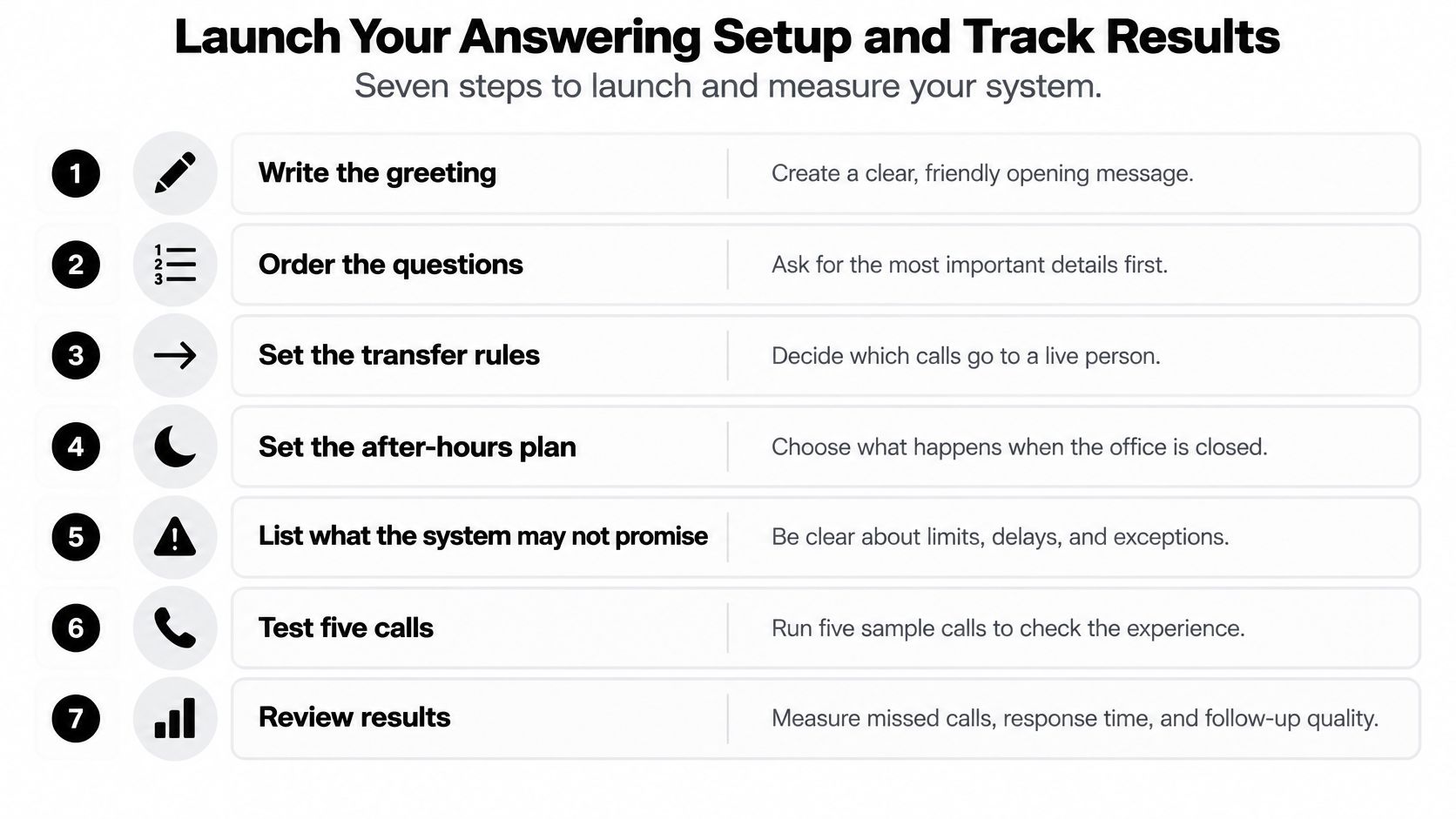
The Seven-Item Launch Checklist
- Write the greeting: Include the business name and disclosure.
- Order the questions: Put the detail that decides urgency first.
- Set the transfer rules: Name a person for each trigger.
- Set the after-hours plan: Decide who gets alerts at night.
- List what the system may not promise: Quotes, timelines, advice, outcomes.
- Test five calls: Routine, emergency, upset caller, booking, and spam.
- Review every call summary daily: Do it for the first week and fix weak answers.
Add a caller-ID check to the test calls. Call the answering number from an outside phone and confirm the callback number displays correctly. The FCC call authentication guidance explains that STIR/SHAKEN uses digital signatures across IP voice networks to authenticate caller ID, so ask the phone provider whether it supports attestation. That reduces the risk of callbacks being flagged as suspicious.
Measuring What Actually Paid
Track inbound calls by source, intent, urgency, qualified lead, appointment, estimate, and sale. Compare answered calls with calls that used to go to voicemail, and report revenue per answered qualified call rather than raw answer rate. Contractors comparing tools for that tracking can review roofing call tracking software options from Bluelight as one reference point for source-level reporting.
Watch repeat contacts and booking completion too. SQM Group reports an average call-center first-call-resolution rate of 71%, with 70% to 79% as its stated good range, so track whether the same caller phones again about the same job within a set window. Answering every call can waste time, so route spam and non-service calls out of the way and alert the owner about high-value or urgent work.
A free live demo line, +1 (888) 884-9511, lets callers talk to the SkipCalls AI receptionist with no signup, for as long as they want. For pricing, see current plans.
SkipCalls answers forwarded business calls 24/7 on the existing number, captures caller details, books appointments, transfers urgent calls, filters spam, and sends a summary and transcript of every call. Owners setting up an answering automated service can call the live AI receptionist demo at +1 (888) 884-9511 with no signup needed, or get started at SkipCalls.