Appointment Booking System: What It Does and How to Choose
Learn what an appointment booking system does, which features matter for local service businesses, and how to choose one.

 Reviewed by Nikita Podelenko, Founder & Engineer of SkipCalls
Table of contents
- What an Appointment Booking System Actually Does
- Core Features Compared at a Glance
- Handling Calls and Urgent Requests Without Losing Jobs
- How to Sync Calendars Without Double Bookings
- Intake Questions and Reminders That Protect Each Booking
- Choosing a System Your Team Will Actually Use
- Test Your Booking Setup This Week
A plumber is under a sink when the business phone rings. By the time the tools are down and the call is returned, the homeowner has booked another company. Meanwhile, an online request sits unread, and tomorrow's customer hasn't received a reminder.
Those aren't separate problems. They're breaks in the same booking pipeline: answer the inquiry, qualify the job, reserve the right time, and help the customer keep the appointment. A useful appointment booking system connects those handoffs instead of leaving the owner to catch every loose end.
What an Appointment Booking System Actually Does
An appointment booking system is software that shows open times, lets a customer choose one, confirms the appointment, and writes it to the business calendar without someone manually entering it.
For that plumber, a complete setup does more than display an empty afternoon. It captures the service address, distinguishes a repair from an estimate, and reserves usable time.
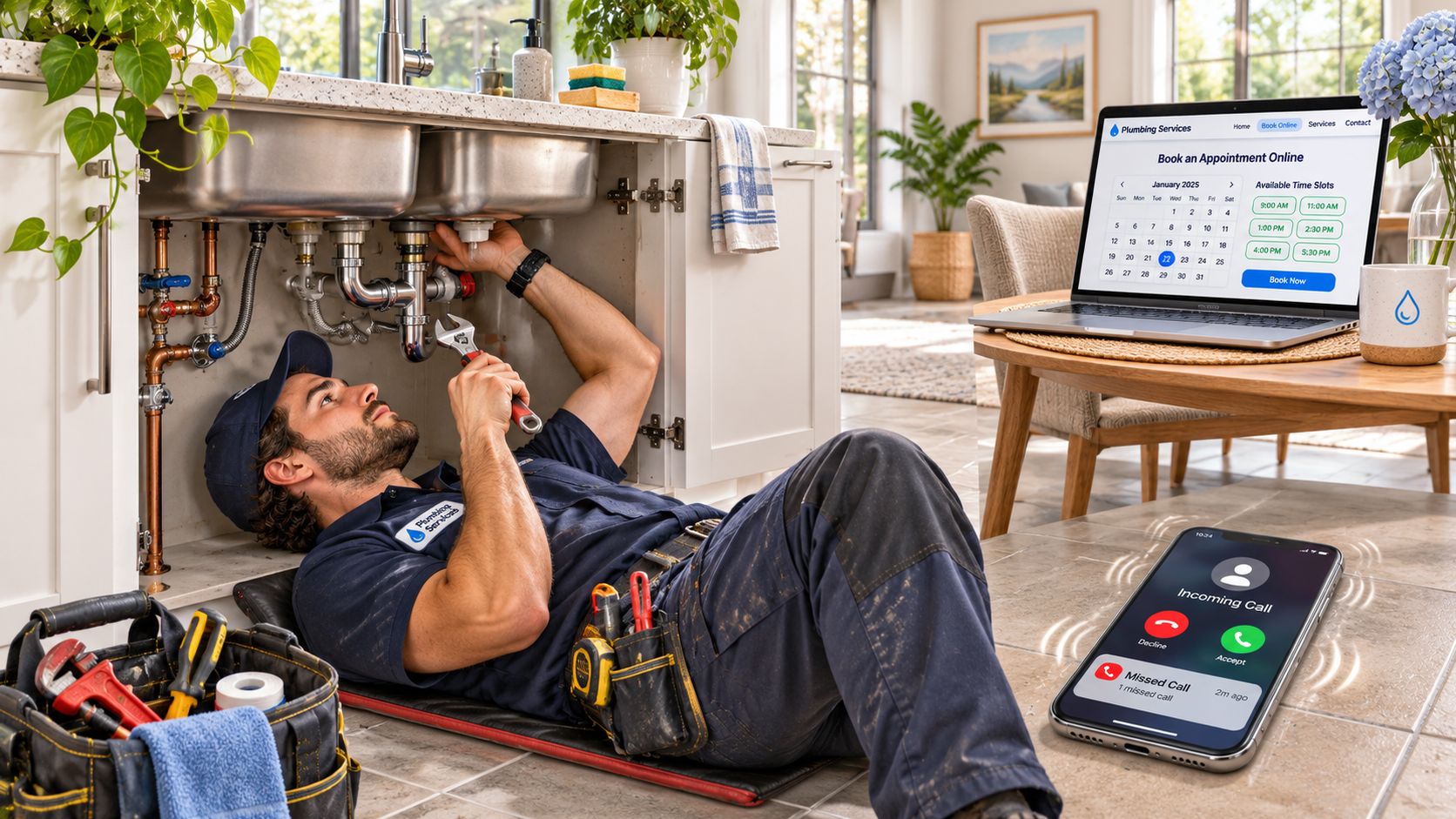
Think of it as a digital front desk designed to stay available and prevent competing reservations, not merely a calendar posted online.
The parts that connect an inquiry to a visit
A complete setup usually combines:
- A booking page or link where customers select a service and time.
- Phone answering for callers who need help before booking.
- Calendar sync so staff see the appointment.
- Reminders that help customers prepare or change plans.
- An intake form that collects the details needed to accept the job.
A simple calendar link mainly shares availability. A fuller system also handles intake, calls, and follow-up. For a concrete customer-facing reference, the Canes Cleaners booking page provides a cleaning-service booking destination.
Contractors and home services, real estate agents, law firms, insurance agencies, salons and spas, auto repair shops, and cleaning companies can all use this approach.
Terms that affect the schedule
Availability means bookable time. Lead time is the gap between booking and the appointment. A buffer reserves preparation, cleanup, or travel time. Double booking means competing appointments claim the same capacity, while a no-show means a customer misses the appointment without canceling.
A useful first check is to list the booking parts already in place and circle those that still depend on someone answering the phone.
Core Features Compared at a Glance
Core features of an appointment booking system
| Feature | What It Does | Who Needs It Most | What Breaks Without It |
|---|---|---|---|
| AI call answering | An AI receptionist answers the business number, collects details, and books | Solo operators and crews on job sites | Missed calls can become lost jobs |
| Live phone booking | A staff member books the call during business hours | Shops with a front desk | Calls go to voicemail when the desk is busy |
| Online booking page | Customers pick an open time from a link or website button | Businesses with planned, repeat appointments | Customers seeking after-hours booking have no self-service route |
| Calendar sync | Writes bookings into supported Google, Outlook, or Apple calendars | Any team with more than one calendar | Double bookings and stale availability |
| Automated reminders | Sends texts or emails before the visit | Any appointment-based service | Forgotten appointments leave empty slots |
| Intake forms | Collects address, job type, urgency, and preferences | Trades and legal intake | Staff must make basic-information callbacks |
| Rescheduling and cancellations | Lets customers move or drop a booking themselves | High-volume services | Released capacity may remain unused |
| Buffer and service rules | Sets durations, travel time, service hours, and daily limits | Mobile service businesses | Overbooked days and late arrivals |
Each row names a feature, explains its job, identifies who needs it most, and shows the operational failure it addresses. These are feature categories, not promises about a single vendor.
Start with how customers reach the business
AI answering and live phone booking solve a different problem from a booking page. A caller with a leaking pipe may need a conversation before accepting a time, while a regular salon customer may want the next available appointment.
An AI receptionist needs clear boundaries for what it can book and when it must route a caller to a person. A staff member can handle unusual questions, but the business still needs coverage when that employee is helping someone at the counter.
Online booking is useful for clearly defined services. An estimate visit, haircut, or vehicle drop-off is easier to offer directly than an unfamiliar repair with an uncertain duration. The booking page shouldn't pretend every inquiry is ready for a confirmed service appointment.
Protect capacity after the inquiry
Calendar sync and reminders support the appointment after the customer chooses a time. For mobile crews, sync must account for the technician assigned to the job, while buffers must leave room to reach the next address.
Intake forms deserve extra attention at law firms, insurance agencies, and contractors that quote before committing. Their intake should distinguish a consultation or estimate from authorization to perform the work.
Rescheduling and cancellation controls let customers release time without waiting for a callback. Someone must still decide how newly available slots get offered to other customers.
Shortlist rule: A solo operator working away from the phone should prioritize answering coverage. A team with a staffed front desk should give calendar coordination and reminders greater weight.
The right comparison starts with the business's weakest handoff, not the vendor's longest feature list.
Handling Calls and Urgent Requests Without Losing Jobs
A web booking page can accept a request, but it can't replace every conversation. A homeowner may not know which service to choose, and an urgent caller needs a clear next step rather than a voicemail greeting.
A call path with a named destination
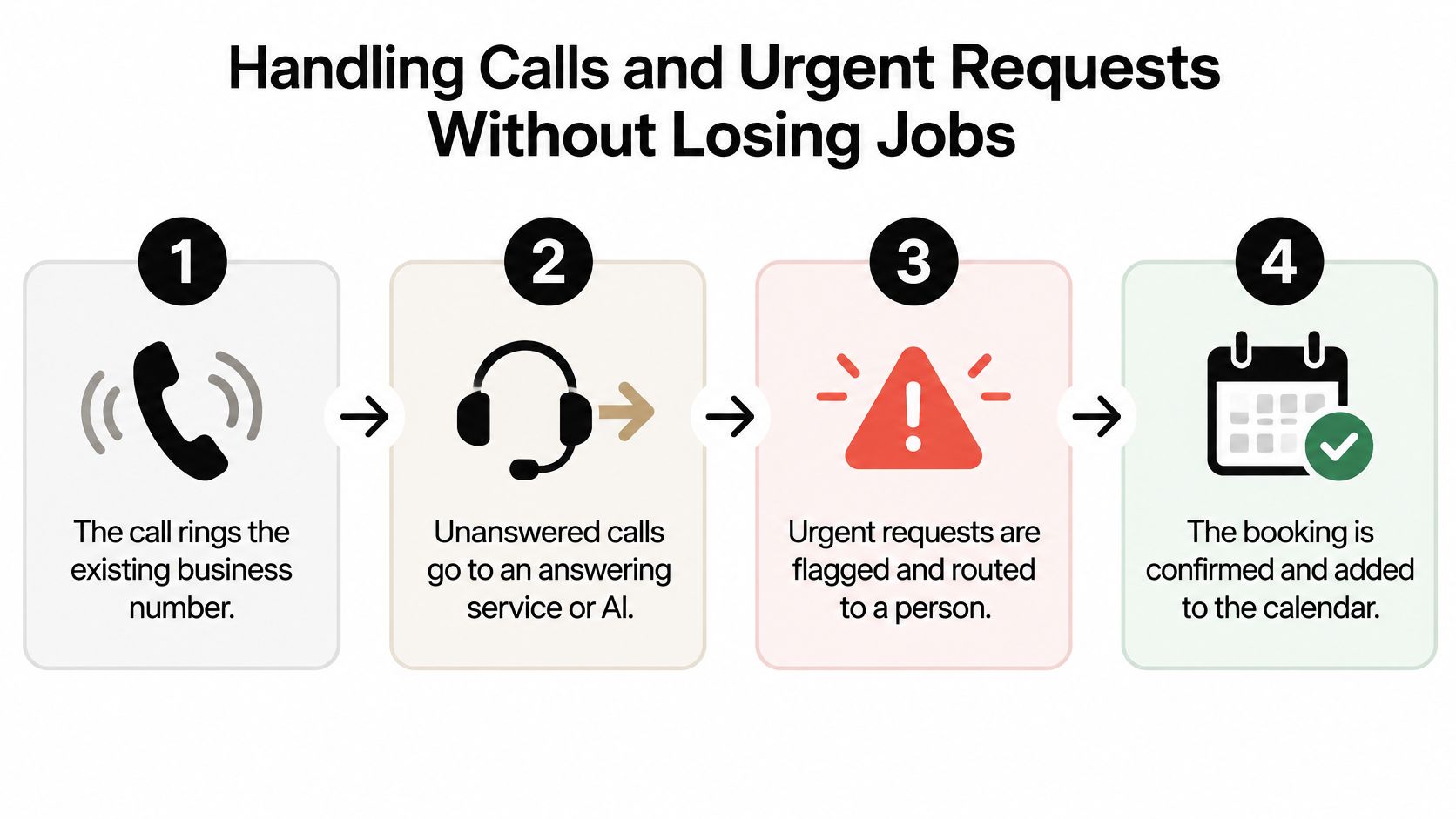
- Keep the existing business number as the starting point. Customers shouldn't have to discover a separate number to reach scheduling.
- Forward unanswered calls to a staffed answering service or AI receptionist. An after-hours answering service should have instructions for what happens when the office is closed.
- Capture the service, address, and urgency. Confirm a callback number before attempting a transfer.
- Route urgent requests to the on-call person, or give a callback window that the business can reliably meet.
- Book routine requests into a suitable opening. Requests outside the service area or booking rules should go to review.
- Send the owner or dispatcher a summary with caller details and the agreed next action.
For a hypothetical HVAC business, the call wording could be:
Thanks for calling Comfort Air. What's the service address? Is the system running, or just blowing warm air? The next step can be the first available morning appointment or a callback from the on-call technician.
A specific callback promise belongs in the script only when someone is assigned to meet it. For immediate danger, the script should direct callers to emergency services rather than imply a booking replaces emergency response.
Phone access also protects customers who struggle with online forms. In a 2025 Surrey community survey about GP access, 63% normally booked online, yet 58% preferred phone and 18% preferred in-person booking; 10% lacked the skills or knowledge for online access and 6% lacked a device, according to the Healthwatch Surrey digital-divide report.
SkipCalls answers forwarded business calls around the clock, captures details, books appointments, transfers urgent callers, filters spam, and sends call summaries and transcripts. Businesses can optionally use its dedicated bookings number; for urgent requests, it collects the address, size, and timing, then books a slot or explains that availability will be confirmed ASAP.
Separate service requests from nuisance calls
The FTC's fiscal year 2025 National Do Not Call Registry Data Book records more than 2.6 million complaints, with consumers most commonly reporting robocalls rather than live telemarketing calls.
That's consumer complaint data, not a measurement of business-line spam. For service businesses, the practical safeguard is to distinguish actual job requests from sales pitches before assigning callbacks, while keeping uncertain callers available for human review.
How to Sync Calendars Without Double Bookings
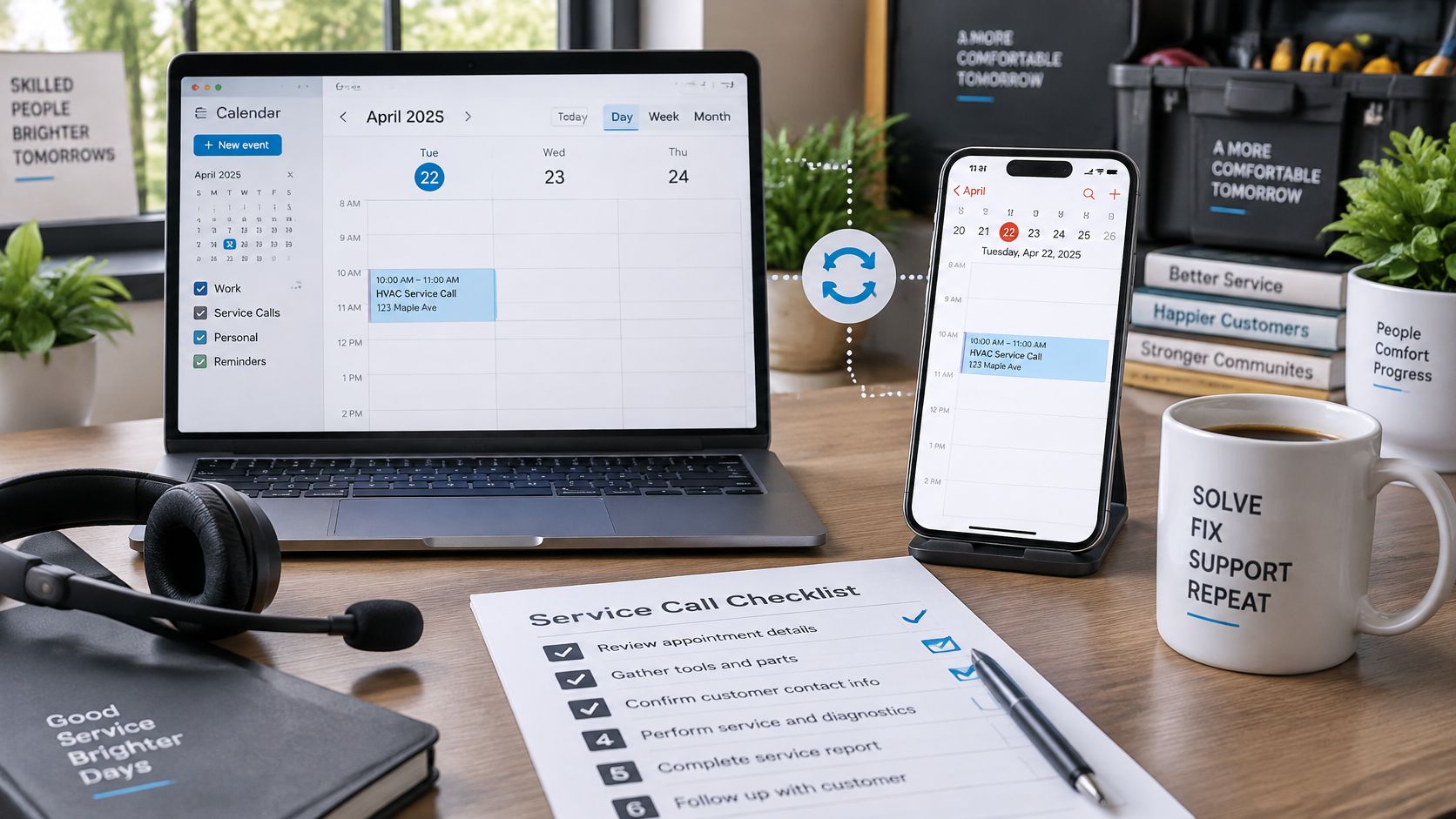
A booking isn't reliable just because a customer receives a confirmation. The assigned employee must see it, competing booking channels must stop offering that capacity, and later changes must reach the same places.
The common mistake is connecting calendars without deciding which calendar controls availability. A personal phone calendar, office schedule, and booking page can otherwise tell different stories.
Build the schedule around real capacity
- Inventory every calendar that holds work. Include the dispatcher's calendar, each technician's phone calendar, recurring commitments, and any separate estimate schedule.
- Choose an authoritative schedule for each bookable person or crew. Connect other views to it rather than maintaining independent copies by hand.
- Assign a duration to each service. A clearly defined tune-up can have a standard appointment length, while an unfamiliar repair may need an assessment before the full job is scheduled.
- Add travel, preparation, and cleanup buffers. For example, a hypothetical 60-minute job plus 15 minutes of travel reserves 75 minutes of working capacity.
- Set operating limits. Specify service hours, protected emergency windows, maximum daily jobs, and minimum notice before a new appointment.
- Verify that availability is checked immediately before an appointment is saved. A slot displayed earlier may have been taken while the customer was completing intake.
- Attempt competing bookings for the same capacity. Submit through the phone workflow and booking page while checking the calendar app; conflicting requests must be rejected or offered alternatives.
For a larger crew, the source of truth doesn't have to be a single shared calendar containing everyone's work. It can be a coordinated schedule that respects each employee's availability and assigns jobs only to qualified staff.
An office manager evaluating AI receptionist calendar syncing should test the complete phone-to-calendar handoff, not merely confirm that an account connection succeeds.
Check what happens when events change
The IETF's iCalendar standards collection describes standardized calendar information, including events and free/busy data, alongside CalDAV specifications for calendar access. Standard formats help systems exchange information, but a standards label alone doesn't establish that every change reaches every calendar promptly.
The technical requirements should include unique event identifiers, cancellation updates, attendee status, and reconciliation after external changes. A repeated booking request shouldn't create duplicate events, and a failed calendar write shouldn't leave the customer with an unsupported confirmation.
Time-zone settings also deserve a deliberate check. The business location, employee account, and customer's device may use different zones, and daylight-saving changes can expose incorrect settings.
A clean calendar test ends with one confirmed appointment, the occupied time unavailable elsewhere, and matching details on every connected schedule.
After that succeeds, move the appointment, cancel it, and block personal time on the employee's calendar. Each change should produce the expected availability without someone repairing the schedule manually.
Intake Questions and Reminders That Protect Each Booking
Intake fields and urgency questions by business type
| Business | Must-Capture Fields | Urgency Question |
|---|---|---|
| Plumbing and HVAC | Service address, problem, system or fixture type, access notes | Is water running, is there no heat or cooling, or can it wait? |
| Electrical and roofing | Address, job type, property type, roof or panel access | Is there a hazard, sparking, or an active leak? |
| Law firm | Name, contact details, practice area, opposing party, key deadline | Is a filing, hearing, or response deadline inside two weeks? |
| Real estate agent | Name, buying or selling, price range, timeline, target areas | Is a closing or offer deadline this week? |
| Auto repair | Vehicle make, model and year, symptom, drivable or not, drop-off preference | Is the vehicle unsafe to drive? |
| Salon or spa | Service wanted, stylist preference, date, products to avoid | Is this needed for a same-day event? |
| Cleaning company | Address, square footage, rooms, pets, access instructions | Is there a move-out or handover deadline? |
Ask the urgency question first, then collect only information someone will use. The legal deadline question is an example routing rule, not a legal deadline standard; the firm must define its own escalation policy.
Qualification doesn't end at confirmation
A systematic review of 105 studies on appointment no-shows found an average no-show rate of approximately 23%, with longer booking lead time and previous no-show behavior among the most consistently significant predictors.
Online booking alone isn't a dependable attendance strategy. A 2025 study published in Frontiers in Digital Health found lower median no-show rates for online bookings in a medical practice, 1.8% versus 5.9% offline, but higher rates in a hospital, 14.3% versus 11.2% offline.
Those healthcare findings aren't forecasts for plumbers or salons. They support a cautious operating approach: offer the earliest workable appointment, make changes easy, and measure completed visits rather than celebrating bookings alone.
Give customers a useful message sequence
- Immediately after booking: Confirm the service, address, date, and arrival window.
- Before the visit: As a starting configuration, send a reminder 24 to 48 hours ahead with preparation instructions.
- On the appointment day: Send a short text with a working reschedule route, subject to the business's notice policy.
The SkipCalls appointment confirmation workflow is a relevant reference when mapping that confirmation handoff.
A practical message identifies the business and appointment without exposing sensitive intake details. Log booking lead time, message delivery, cancellations, reschedules, and no-shows by service type so the office manager can see where appointments break down.
Choosing a System Your Team Will Actually Use
A feature checkmark doesn't show what happens when a transfer fails, a calendar disconnects, or an employee needs yesterday's call record. Selection should depend on those working conditions.
Score the operational details
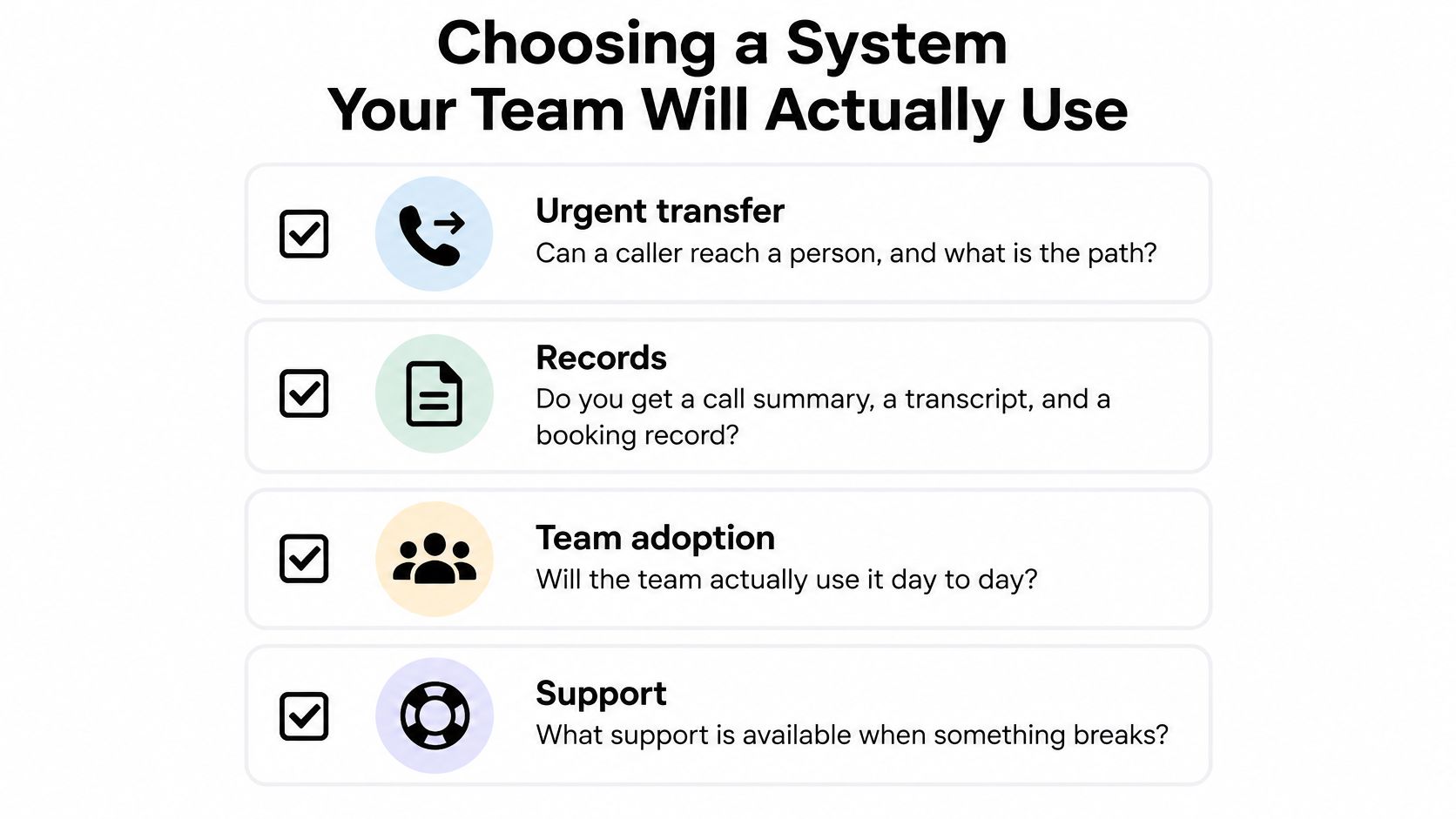
- Urgent transfer: Identify who receives the call, what happens if that person doesn't answer, and who owns the resulting callback.
- Records: Review a sample summary, transcript, and booking record. Staff should be able to distinguish a requested time from a confirmed appointment.
- Export: Establish whether bookings and call records can be downloaded in a usable format before moving daily operations into the system.
- Team adoption: Have the dispatcher and a field employee complete their normal tasks using the existing crew calendar.
- Support: Identify the contact route for a broken connection and the manual fallback while it's being repaired.
An AI receptionist comparison can help organize options, but a vendor's demonstration should use the business's actual routing and scheduling rules.
Treat recording consent as a separate decision
Federal law generally permits recording with a participant's consent; the Digital Media Law Project's recording guide reports 38 states and the District of Columbia using one-party-consent rules and 11 states requiring every party's consent.
That guide is a starting reference, not a substitute for checking current law. Interstate calls and exceptions make a single nationwide script risky.
Florida generally requires prior consent from all parties for covered telephone communications, while Washington generally requires every participant's consent and recognizes consent after an effective recorded announcement, according to this state call-recording law guide. Counsel should review the notice, consent process, retention settings, and caller-location issues before recording begins.
Buying standard: The better choice is the system the team can operate correctly during a busy day, including when something fails.
Only after those checks should the owner evaluate current plan limits on each provider's own pricing page. Buffers, daily caps, and calendar compatibility must work in the selected plan, not merely appear somewhere in the product catalog.
Test Your Booking Setup This Week
A useful test follows one inquiry through the phone, calendar, and reminder. Run the same job scenario through each candidate, then record what happens at every handoff.
Follow a job from ringing phone to usable appointment
- Place an after-hours call from a personal phone. Describe a realistic leaking-water-heater request, and state that it is a test before any real emergency dispatch is triggered.
- Read the resulting summary and transcript. Compare the address, job type, urgency, callback number, and promised next action with what the caller said.
- Reserve an available slot and inspect the crew calendar. Try to reserve a conflicting slot and check whether the system prevents incompatible work.
- Review the confirmation and scheduled reminders. Use preview or test controls rather than waiting through the full sequence, and open each reschedule link.
- Record each failure against the buying criteria. Note transfer behavior, records, recording notice, export, and who is responsible for fixing the issue.
Mark each item passed, failed, or not demonstrated. A polished demo does not prove that transfers or exports work if nobody tries them.
Include a customer who cannot complete the online form. Check whether staff can finish the booking without making the caller repeat the entire request. That tests a common handoff: useful details gathered on the phone should carry through to an appointment the team can act on.
Before committing, see current plans and arrange a personalized demo. Judge the system by whether it turns a full inquiry into an accurate, actionable appointment, not whether it displays an open time.
SkipCalls answers calls on a business's existing number, books appointments into supported calendars, texts the owner a call summary, transfers urgent callers, and blocks spam. To hear the phone side of an appointment booking system, book a personalized demo through SkipCalls, or review current plans before deciding.