
Cheapest AI Receptionist for Small Business: A Guide
Find the cheapest AI receptionist for small business that fits your budget. Compare features, pricing, and compliance tools to automate calls without errors.
The practical sweet spot is usually $99 to $150 per month for reliable 24/7 answering, appointment booking, and CRM syncing, even though entry-level AI-only plans start around $25 to $49 per month. The cheapest AI receptionist for small business is only a bargain when call limits, overages, integrations, and compliance risks don't erase the savings.
You may be shopping for an AI receptionist because the phone keeps ringing while you're driving between clients, handling a claim, showing a property, or serving someone already in your office. A missed call feels minor in the moment. For a small business that depends on phone conversations, it can represent a lost lead, a delayed claim, or a customer who chooses a competitor.
The right buying question isn't “Which service has the lowest monthly price?” It's “Which system captures valuable calls, completes the next workflow step, and keeps my total cost predictable?” That distinction matters most in insurance, legal services, real estate, home services, and other businesses where the caller may never try twice.
Why Missed Calls Are More Expensive Than You Think
An insurance agent is reviewing a policy when a customer calls about a claim. The agent cannot answer, the call reaches voicemail, and the caller needs help immediately. If no message is left, the agency may never know the opportunity existed. Even with a message, delayed follow-up can push the customer toward another agency or carrier.
The financial impact is larger than a missed conversation. Industry summaries estimate that about 62% of inbound calls to small businesses go unanswered, while roughly 85% of callers who reach voicemail never call back, according to research on the cost of missed business calls. The same research synthesis estimates average annual revenue loss at about $126,000 per small business, although results vary with industry, call quality, and conversion processes.
For insurance agencies, the lost value can include more than a new policy. A missed caller may need claim guidance, documentation, a policy change, or urgent clarification. An AI receptionist can provide a revenue-protection layer, but only if it records the right details, follows approved scripts, and sends the request into the agency's actual workflow.
Reputation loss adds another liability
Unreturned calls can influence customer reviews as well as conversion rates. One report notes that 37% of one-star reviews mention missed or unreturned calls, linking phone coverage to public reputation. The figure appears in the same research synthesis cited above.
For a small team, the decision should be based on recovered call value, not the subscription price alone. A budget receptionist may pay for itself if it captures a few high-intent calls each month. It may also create exposure if it gives inaccurate coverage information, mishandles sensitive claim details, or fails to create a reliable record for follow-up. Insurance owners should confirm call recording, consent prompts, escalation rules, data handling, and audit trails before selecting the cheapest plan.
When a low-cost tier makes sense
The broader virtual receptionist market is estimated at about $4.64 billion, while a separate projection places the dedicated AI receptionist segment at roughly $14.6 billion by 2030, growing at about 24.3% CAGR. These figures appear in industry coverage of missed-call revenue and phone coverage. The operational point is straightforward: customer calls often arrive outside the hours a small agency can staff.
About 28.5% of calls arrive outside standard business hours, according to the same source, and missed-call rates can range from roughly 25% to 60%, depending on business size and staffing. Review top virtual phone providers for startups to compare phone infrastructure, answering coverage, and routing options.
Use the true cost of missed business calls to estimate the value of coverage. Choose a low-cost AI receptionist only when it answers consistently, captures actionable information, integrates with the agency's workflow, and supports the insurance controls needed to prevent cheap installation from becoming expensive liability.
What Modern AI Receptionists Actually Do
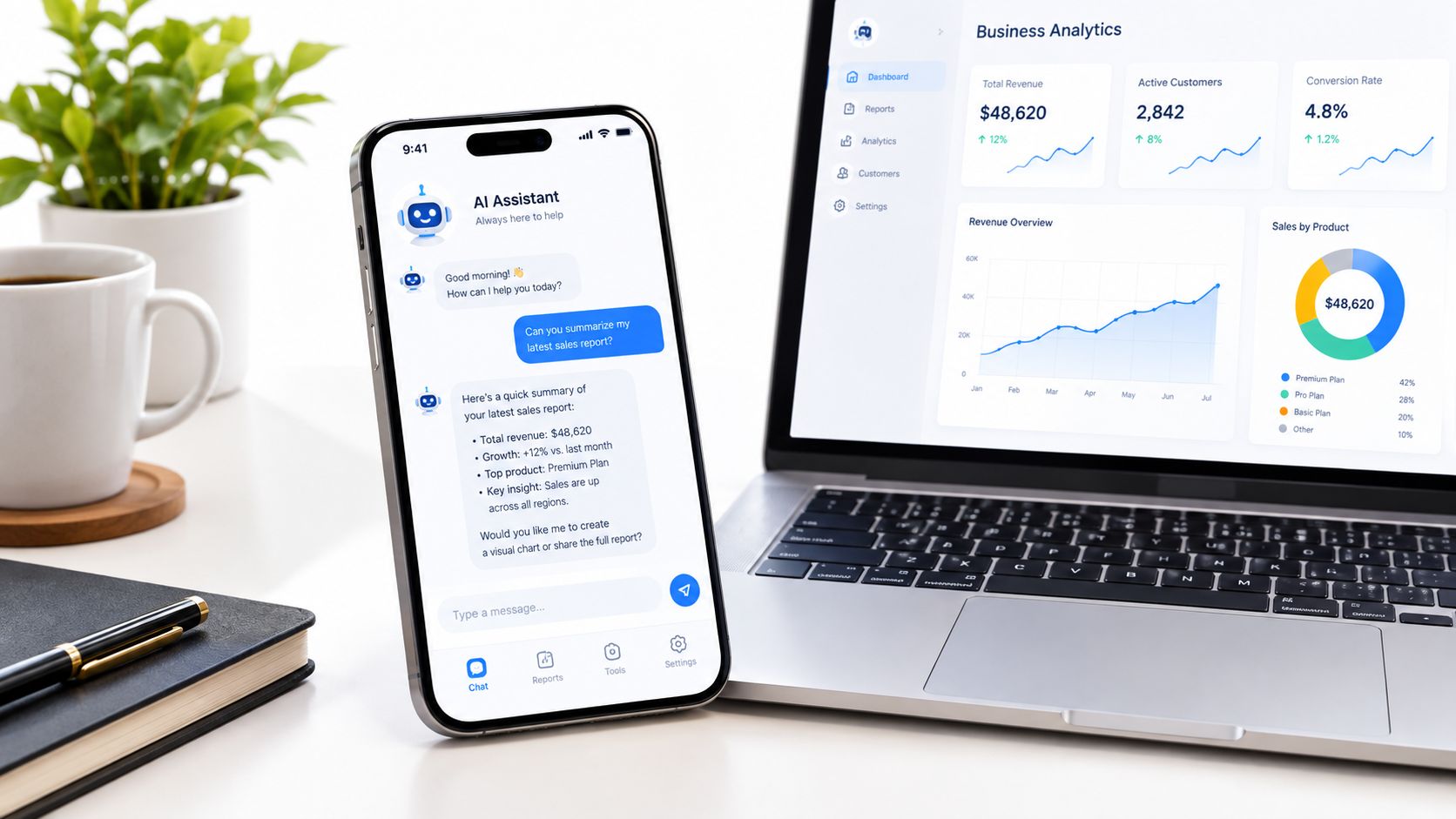
A modern AI receptionist isn't just an automated voice that says hello and takes a message. It functions as a communication hub that can connect a phone conversation to the business systems responsible for follow-up.
Independent industry coverage describes AI receptionist software as handling inbound phone calls and SMS, with some platforms also supporting email or chat. Booking and CRM updates are now standard business-side functions in the category, as explained in this guide to AI receptionist software.
The communication layer
The first job is still answering. The system should identify why the caller reached out, collect relevant details, provide approved information, and decide whether the conversation can be completed automatically or needs a person.
Text matters because customers may respond by SMS after a call, request a confirmation, or continue a conversation when speaking isn't convenient. Some systems extend that coverage to email and chat, but don't assume every inexpensive plan includes every channel. Verify the channels, message limits, and handoff behavior before buying.
The workflow layer
Value appears after the conversation. A capable system can capture a name, contact details, service request, urgency, and preferred time, then place an appointment on the appropriate calendar. It can also update a CRM so staff don't have to reconstruct the conversation from memory or search through voicemail.
That turns answering into an operational process:
- Capture: Record the customer's reason for calling and the details needed for follow-up.
- Qualify: Separate routine questions from urgent requests and high-value opportunities.
- Schedule: Offer available appointment times instead of merely promising a callback.
- Synchronize: Push the relevant information into the calendar and CRM.
- Escalate: Notify or transfer the conversation when automation should stop.
For a broader overview of practical adoption, this guide to AI for small business provides useful context. The buyer's standard should be simple: the cheapest AI receptionist for small business should prevent leads from disappearing between the phone system, calendar, CRM, and human team.
A phone that gets answered but produces no usable record isn't a complete solution. It has only moved the missed-call problem downstream.
You can also review how an AI phone receptionist manages calls and follow-up before deciding which workflow functions your business needs.
Cost vs Value in the Cheapest AI Receptionist Market
The lowest advertised price is often an entry point, not a complete operating cost. Independent 2026 comparison coverage places entry-level AI-only plans around $25 to $49 per month, while the practical small-business sweet spot for reliable 24/7 answering, appointment booking, and CRM syncing is typically $99 to $150 per month, as summarized in this small-business phone answering comparison.
The gap comes from usage and integrations. A cheap plan may cap minutes or calls, charge overages, exclude calendar booking, or require a paid integration for CRM updates. A slightly more expensive plan can cost less in a busy month if it offers predictable usage and the workflows your team needs.
AI receptionist pricing tiers and capabilities
| Tier | Price Range | Typical Features | Best For |
|---|---|---|---|
| Entry AI-only | $25–$49/month | Basic answering, limited calls or minutes, possible overages | Solo operators testing demand |
| Budget small-team | $49–$79/month | Answering, basic lead capture, simple booking, usage conditions vary | Low-volume businesses with straightforward calls |
| Practical operating tier | $99–$150/month | 24/7 coverage, appointment booking, CRM synchronization, more predictable usage | Small teams that depend on consistent phone coverage |
| Mid-tier workflow system | $99–$199/month | Broader routing, calendar connections, CRM workflows, stronger operational capacity | Businesses with multiple workflows or higher call importance |
These ranges describe market tiers, not promises from one provider. Feature comparison data shows that some budget products advertise flat-rate or unlimited use, while others cap calls or minutes and bill overages. Providers around $49 to $79 per month commonly target solo operators and small teams, while systems around $99 to $199 per month are the first tier commonly described as supporting 24/7 answering, native calendar booking, and CRM synchronization without unpredictable per-call billing, according to 2026 AI receptionist feature comparisons.
How to calculate the real price
Before subscribing, answer four questions:
- Usage: What happens when calls exceed the included minutes or call count?
- Integrations: Are calendar and CRM connections included, or sold as add-ons?
- Routing: Can urgent calls reach a human, or does the system only take messages?
- Billing: Is the plan charged by minute, call, seat, agent, or a flat monthly amount?
A plan that looks cheap on a quiet month may become expensive when advertising works, a storm creates demand, or renewal season increases call volume. Review the AI receptionist pricing factors before treating a headline price as the final cost.
My recommendation is direct. Use the lowest tier for a controlled test when call volume is light and the workflow is simple. For an insurance agency, legal practice, or busy service company, start with the plan that supports the complete workflow, not the plan that merely answers the phone.
Insurance Agency Use Cases and Scenarios
Insurance calls often arrive at inconvenient times. A policyholder may call after an accident, a prospect may request a quote while comparing agencies, and an existing client may need a document or policy clarification while the agent is in the field.
An AI receptionist can give each caller a structured first response without pretending to replace licensed judgment. That distinction matters. The system should collect information, set expectations, and route the issue according to rules approved by the agency.

After-hours claim inquiries
A caller reporting a claim after the office closes doesn't need an empty voicemail greeting. The receptionist can identify the caller, capture the policy or contact details, record what happened, and communicate the next approved step. If the situation requires a carrier, emergency service, or licensed employee, the system should route the call or send a notification rather than improvise.
The agency benefits from a consistent intake record. The policyholder gets acknowledgment and a defined path forward. The process still needs human review, especially where coverage interpretation, legal advice, or claim decisions are involved.
New lead qualification
A prospect asking for coverage can be asked structured questions about the type of policy, location, timing, current coverage, and preferred consultation window. The receptionist can then place a qualified conversation on the agent's calendar, provided the questions and scheduling rules are configured correctly.
That matters because a lead isn't captured merely because someone answered the phone. The agency needs a usable record and a next step.
Hot-lead routing
An agent may be visiting a client when a high-intent prospect calls. The system should distinguish a request for a quote or consultation from a routine document question, then notify the agent through the configured channel. If the workflow supports it, the agent can return the call while the prospect is still actively looking.
Use the insurance agent workflow guide to map these scenarios to your own intake process. The strongest setup doesn't promise that AI can resolve every insurance issue. It ensures that routine requests move forward and sensitive requests reach the right person.
Operational rule: Let automation collect and organize facts. Keep coverage interpretation, claim decisions, and regulated advice under human control.
Compliance and Risks of Low-Cost AI Solutions
Cheap AI receptionists often reduce cost by reducing operational depth. The missing pieces may include detailed CRM fields, advanced routing, escalation rules, audit visibility, or workflow automation. Those omissions are inconvenient in a low-stakes appointment business. In insurance, they can create exposure.
A system that records the wrong detail, sends a sensitive message to the wrong recipient, or gives an unauthorized answer can create problems that a monthly subscription fee won't cover. The risk isn't limited to the AI's voice quality. It includes what the tool is allowed to say, what it stores, where information goes, who can access it, and how staff review the interaction.
Questions for an insurance-grade setup
- Data handling: What customer information does the system capture, retain, and transmit?
- Access control: Can the agency limit who sees call summaries, messages, and CRM records?
- Escalation rules: Does the system recognize when it should stop and involve a human?
- Approved language: Can the agency control scripts and prevent unsupported coverage statements?
- Records: Can staff review what the caller requested and what the system communicated?
- Integrations: Does the CRM receive complete, accurate fields rather than a vague note?
- Vendor terms: Do the service terms match the agency's privacy, retention, and regulatory obligations?
These questions matter because the business value comes from converting missed and after-hours calls into correct next steps. A system that answers but mishandles a sensitive interaction may create more work and risk than it removes.
Unlimited doesn't mean complete
Vendors increasingly advertise unlimited or near-flat pricing, but comparison pages still show different models, including per-seat, per-minute, per-call, and flat monthly billing. An unlimited plan may still restrict integrations, concurrent calls, routing, recording, or workflow complexity.
The cheapest AI receptionist for small business should therefore pass two tests. First, the price must remain predictable under realistic usage. Second, the workflow must be safe enough for the calls the agency receives. Independent pricing guidance notes that low-cost systems often trade away CRM depth, routing sophistication, or richer automation to reach their entry price, as discussed in this AI receptionist pricing and risk guide.
Don't buy a compliance-sensitive tool on the strength of a demo greeting. Test difficult scenarios, inspect records, review escalation behavior, and confirm the vendor's data practices before directing real policyholders to it.
How SkipCalls Integrates Seamlessly Into Your Workflow
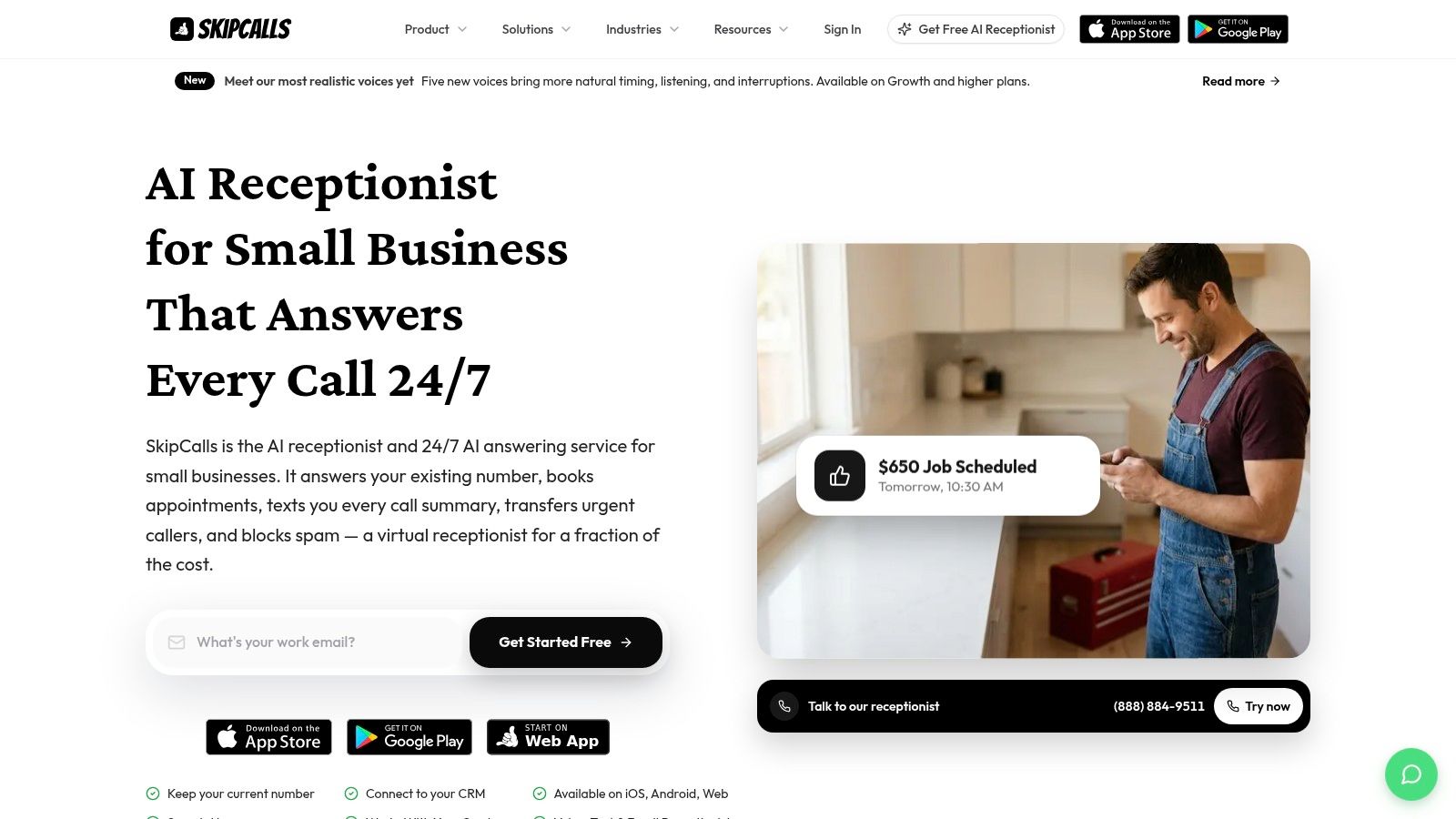
SkipCalls is a simple-to-set-up solution for customer support, lead qualification, appointment booking, and other routine business communication. It handles voice and text, and it doesn't require a business to replace its existing phone number.
That last point removes a common implementation obstacle. A small business can keep the number customers already know while adding automated call handling and text communication around it.
Set up the workflow around real calls
Start by listing the reasons customers contact the business. For an insurance agency, that might include new quote requests, policy questions, claim-related calls, document requests, and appointment changes. Separate routine intake from conversations that require a licensed professional or immediate human judgment.
Next, define the information the receptionist should collect for each call type. A quote request may need contact information, policy category, location, and preferred appointment time. A claim-related call may need identifying details and a concise incident summary, followed by a clearly defined escalation path.
Connect the systems that staff already use
SkipCalls says it answers a business's existing number, so the business doesn't need to change its phone number. Its product page also says it can connect call handling, texting, calendar syncing, CRM updates, and notifications within the existing workflow, as described on the SkipCalls product page.
Configure the calendar rules before enabling booking. Confirm which appointment types can be scheduled, which calendars are available, and what happens when no suitable slot exists. Then inspect the CRM output. A call summary is useful only when it contains the fields the team needs to act.
Route urgent opportunities
For a small team, notifications matter as much as answering. SkipCalls can answer calls and texts, capture customer details, book appointments, and notify the team about hot leads by calling the responsible person. Use that feature for clear priority conditions, such as a qualified consultation request or an urgent customer issue, rather than routing every routine call as an emergency.
Run test calls before going live. Check whether the calendar entry is correct, whether the CRM record is complete, whether the text follow-up is accurate, and whether a human can take over when the conversation exceeds the system's authority.
Decision Checklist for Insurance Agents
Insurance agencies shouldn't choose the cheapest AI receptionist by comparing monthly prices alone. Choose the least expensive system that can answer the calls you care about, record the right details, connect to the tools your staff already use, and escalate sensitive matters safely.
Use this checklist during vendor demos and trials:
- Calculate total cost. Include minutes, calls, overages, seats, integrations, setup, and any human transfer fees.
- Test 24/7 coverage. Call outside office hours and confirm that the system follows the correct after-hours script.
- Verify calendar booking. Create, move, and cancel appointments, then inspect the actual calendar record.
- Inspect CRM synchronization. Confirm that names, contact details, intent, urgency, and follow-up tasks arrive in the right fields.
- Test escalation. Use a claim-related or otherwise sensitive scenario and verify that the system routes it without inventing an answer.
- Review data controls. Ask about retention, access, recordings, summaries, and vendor handling of customer information.
- Measure outcomes. Track answered calls, completed bookings, qualified leads, escalations, and follow-up failures.
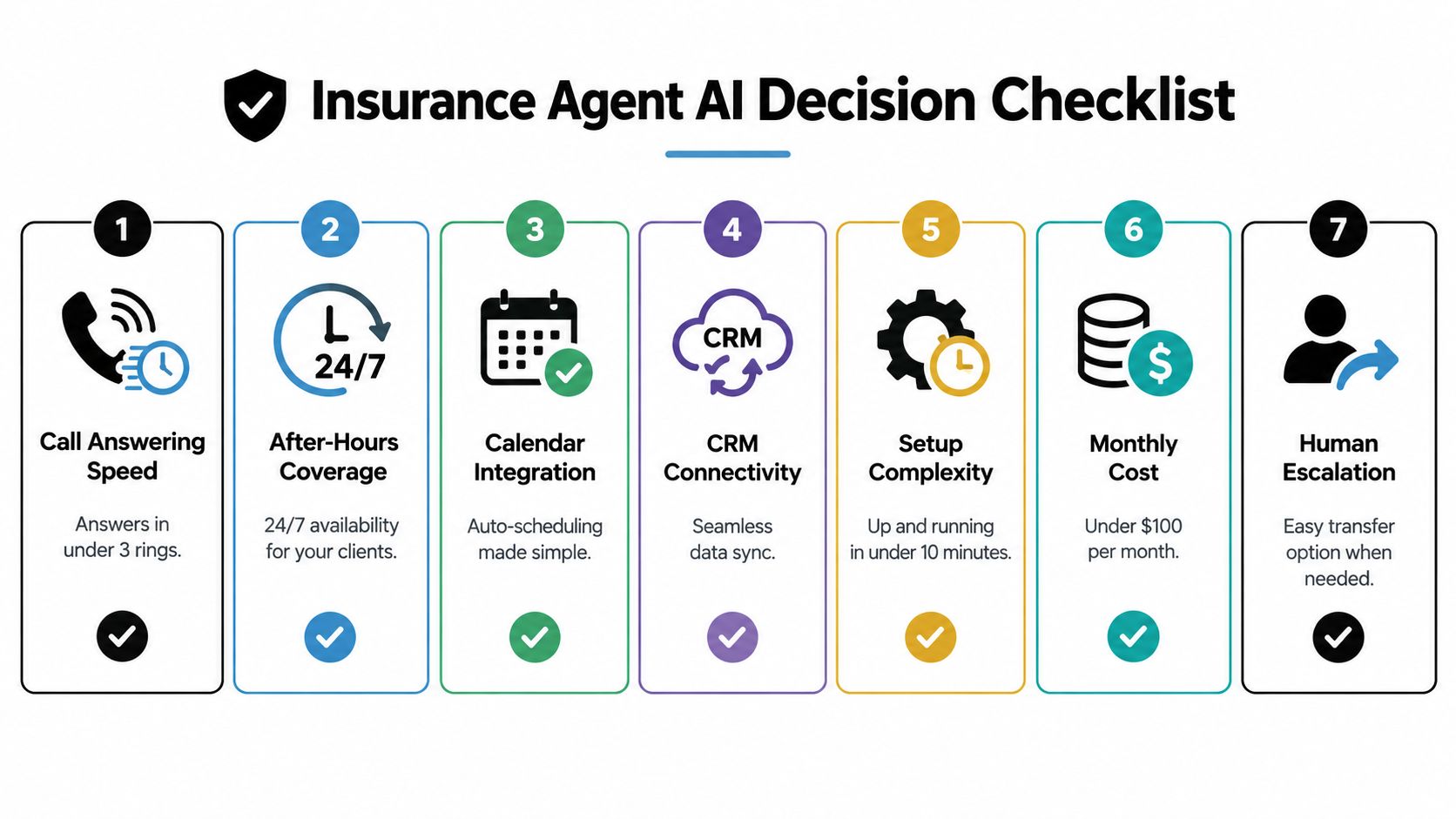
The decision rule is simple. If your agency only needs basic message taking, an entry plan may be enough. If you need reliable coverage, appointment booking, CRM synchronization, and controlled escalation, the practical operating tier is usually the safer comparison point.
SkipCalls fits the evaluation when you need existing-number support, voice and text handling, calendar and CRM connections, and notifications for high-priority leads. Visit SkipCalls to review how its receptionist workflow can help your agency capture calls and move qualified opportunities into the next action.




