10 RingCentral Alternatives for Small Service Businesses
Compare 10 RingCentral alternatives by use case, features, and fit for local service businesses and small teams, from AI receptionists to phone systems.

 Reviewed by Nikita Podelenko, Founder & Engineer of SkipCalls
Table of contents
Say a water heater call comes in at 7:40 on a Tuesday night. The homeowner has water on the laundry floor, a phone in one hand, and a search results page open. Voicemail picks up. They hang up, scroll down, and call the next company on the list.
That's the whole problem in one scene. Most small service businesses don't lose the job because the phone system is missing a feature. They lose it because nobody answered, and the next name on the results page did.
Most RingCentral alternatives solve part of this, and they solve different parts. Some replace the entire phone system with a cloud PBX. Some fold calling into a platform the team already uses. A few just answer the calls nobody can get to.
This guide sorts ten options by the job the phone has to do: answering after hours, booking jobs during the call, and handling internal team calls. Each entry says who it fits and where it falls short, so an owner or office manager can pick based on the calls they miss, not on a feature grid.
1. SkipCalls
This one starts from a different premise. You don't need a new phone system, you need the calls answered. SkipCalls is an AI receptionist that answers the business's existing number around the clock, captures caller details, answers questions from the owner's own information (hours, service area, price ranges, and what the business will and won't promise), books appointments into Google Calendar, Outlook, Calendly, or Jobber, transfers urgent callers, filters spam, and sends a summary and transcript of every call.
CallRail platform data reported that 28% of inbound business calls went unanswered in 2025, and that 51% of businesses missed at least 10 calls a month. That recurring gap is exactly what this category fills.
The switch is one forwarding setting
Setup takes under 60 seconds by turning on call forwarding. The business keeps its current number, needs no new phone system, headset, or hardware, and SkipCalls works with any phone system that can forward calls, including mobile carriers and VoIP. A shop that wants a separate bookings line can hand out a dedicated number instead.
On the call, a 7:40 p.m. caller hears a receptionist who can quote a service window and put the job on the calendar. Urgent calls transfer to the owner's cell. Every other call arrives as a summary and transcript in the app or web dashboard, so follow-up doesn't depend on notes scribbled at a red light.
The lead doesn't need a better phone system. The lead needs someone to pick up.
Fits: solo trades, salons, law offices, property managers, and small teams that live on inbound calls with no full-time front desk.
Answers after hours: Calls at 7:40 p.m., Sunday morning, or mid-job get picked up, the details captured, and the appointment booked.
Keeps the number: No porting project for the main line and no hardware to buy.
Documents every call: A summary and transcript arrive for each call, which makes callbacks and quotes easier to run.
Screens the noise: Spam and sales pitches get filtered instead of eating the owner's afternoon.
PRO features: Voice cloning, CRM integrations, API access, webhooks, website chat, and AI text replies are PRO plan features, not part of Starter.
Usage terms: The plan includes unlimited minutes for normal use, and current plans spell out the terms.
Not for medical: SkipCalls isn't HIPAA compliant, so it isn't right for a clinic or anything that collects health information.
Not a team platform: It answers calls; it isn't internal chat or meetings, so a crew that needs those still needs a second tool.
Plan details and usage terms are on the current plans page. SkipCalls
2. Zoom Phone
Teams that already meet on Zoom get the least disruptive swap here. Calling sits inside the same app, so there's no second window to learn and no new login for people who already know the interface.
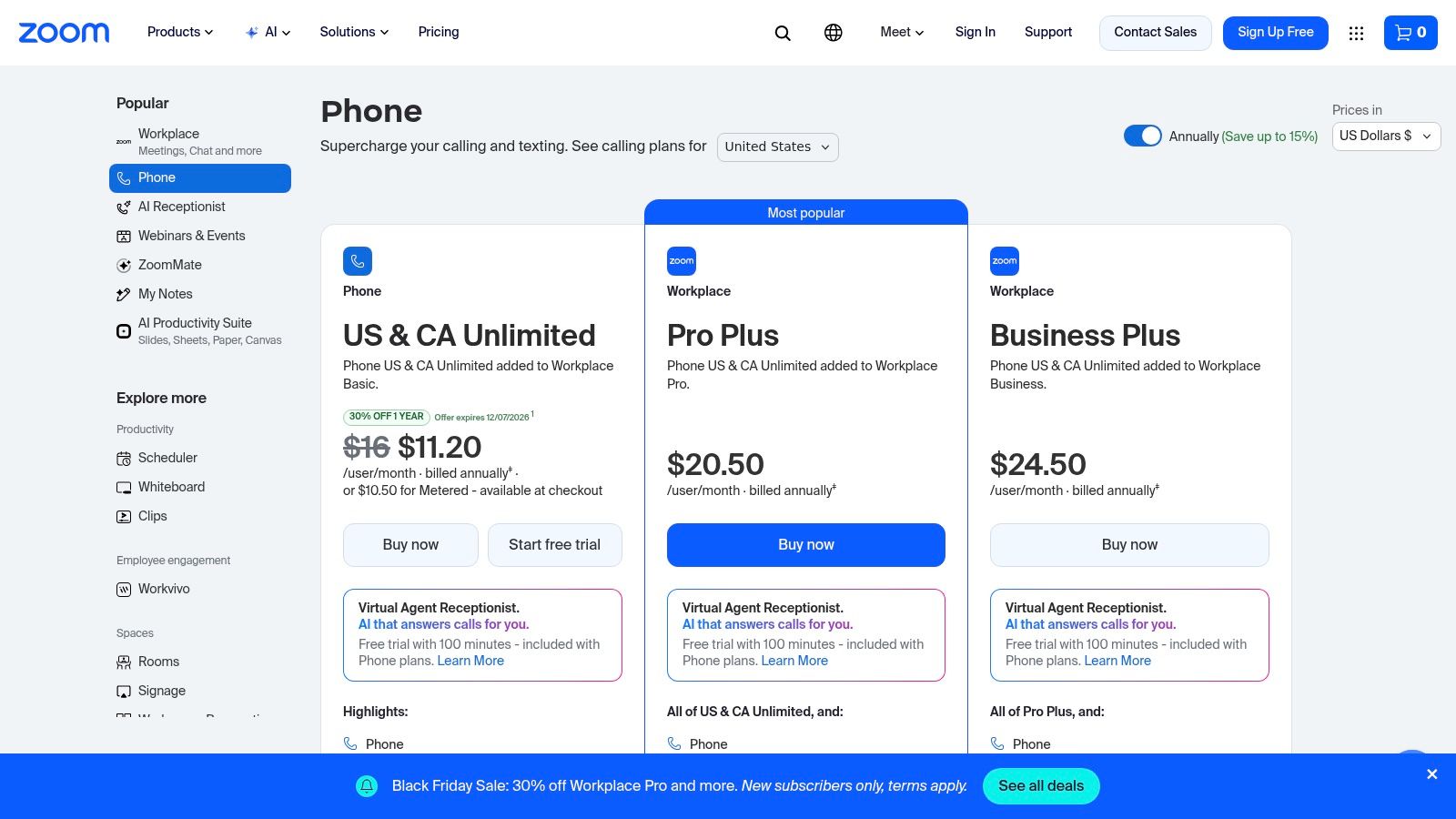
Zoom lists $10.50 per user/month for Metered and $16 per user/month for Unlimited US/Canada on annual billing, plus a free trial, on its Zoom Phone pricing page. Both plans include call recording, routing, and business numbers, with US and Canada SMS and MMS subject to registration.
Zoom holds 8.8% of global UCaaS seats, ahead of RingCentral's 6.4%, according to Metrigy's UCaaS size and spending figures. Most of those seats belong to organizations that already run meetings on Zoom.
Where the metered plan bites
A service business can't forecast its calling. Insurance callbacks, supply-house checks, and one storm week can burn metered usage that a four-person crew never predicted. Unlimited US/Canada removes that guesswork, and the $5.50 gap per seat is usually the better buy.
- Fits: Teams that meet on Zoom weekly and want one app for calls, video, and chat, with recording and routing included.
- Falls short: SMS registration adds setup steps, some plans bundle phone service with other Zoom Workplace products, and international calling needs a closer look before you commit.
3. Dialpad Connect
Dialpad Connect looks like another phone system, but the part small service teams feel is the follow-up. Calls get transcribed and summarized automatically, so the details of a furnace estimate or a custody intake don't live in someone's memory.
Published pricing is $15 per user/month for Standard with annual billing or $27 monthly, and $25 annually or $35 monthly for Pro, with Enterprise priced on request and a 14-day trial, per Dialpad's pricing page.
Speed is why the notes matter. A speed-to-lead study that tracked 466 home-services companies over five days found that only 60% responded to an inquiry, and 40% never responded at all. Written call notes are what make a fast response possible when the person who took the call is under a sink.
What the tier line costs you
Contact-center tools and AI agent features are separate products from Connect, so a shop comparing headline prices isn't comparing the same thing. The lowest advertised prices also require annual billing.
If the only goal is answering calls and booking jobs, a best AI receptionist comparison is a faster read than a UCaaS spec sheet.
- Fits: Sales and service teams that want AI transcripts and summaries without buying a separate note-taking tool.
- Falls short: Plan inclusions need checking, and advanced contact-center and AI-agent capabilities may sit outside the Connect subscription.
4. Nextiva
Nextiva sells the bundle. Voice, team messaging, routing, and shared inboxes come in one product, and each tier adds a layer, from live chat and chatbot on Engage to reporting and fuller customer-service tools on Scale. That structure suits a growing office team more than a one-truck shop, because the value sits in how many seats share the system.
Listed annual small-business pricing starts at $15 per user/month for NEXT Core, with Engage at $25 and Scale at $75, per Nextiva's pricing page.
Entry prices across this category sit in a narrow band. Published roundups of RingCentral alternatives list entry plans from roughly $10 to $30 per user monthly, while analytics, IVR, AI, and international calling often land in higher tiers or sell as add-ons. That's the pattern to watch, because the seat price is the start of the bill, not the bill.
The contract detail
Term length: some Nextiva plans require 12 months or longer. A two-person office that's sure of its headcount can live with that. A contractor whose crew grows in spring and shrinks in winter pays for empty seats half the year, so confirm the term before signing rather than after.
AI: receptionist features may cost extra or be usage-priced, so ask for the all-in monthly figure for the seats you'd run. The difference between the advertised seat price and the monthly total is where budget surprises come from in this tier.
- Fits: Small businesses that want phone, messaging, and routing from one vendor, with room to move up tiers as the team grows.
- Falls short: Term commitments and separate AI charges make the total harder to pin down than the headline suggests, and a local service business that only needs calls answered and jobs booked is paying for team messaging it will never open.
5. Quo (formerly OpenPhone)
Quo is built around a shared number rather than a private extension. Two people can see the same text thread, pick up the same call, and leave a note for whoever handles it next, which is how a two-person office keeps a customer from repeating the whole story twice.
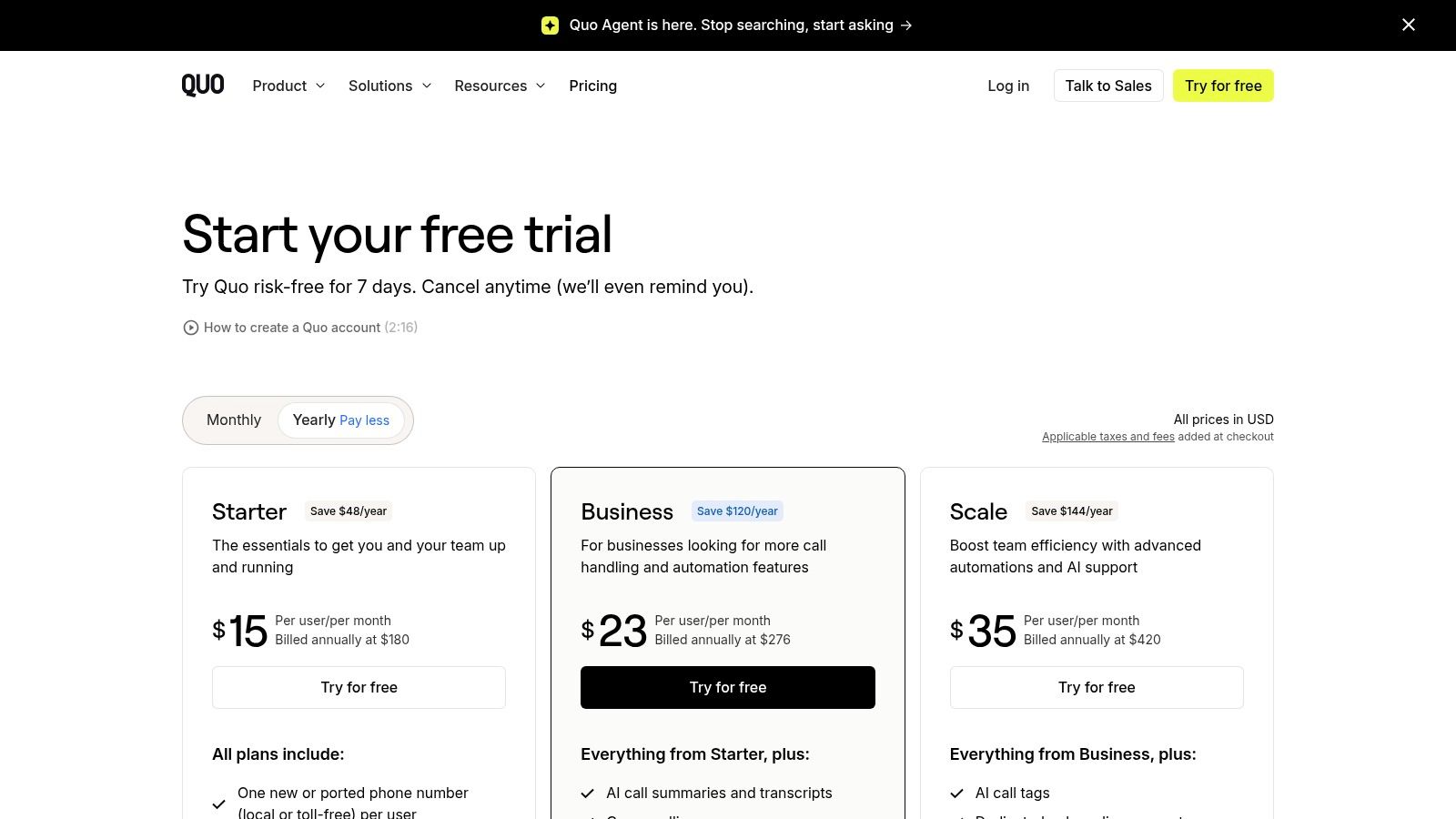
Annual pricing is listed at $15 per user/month for Starter, $23 for Business, and $35 for Scale, with monthly rates higher and carrier review, setup, and messaging fees possibly added, per Quo's pricing page.
Support quality matters more than the feature list during a switch. A review that analyzed more than 11,000 verified G2 and Capterra reviews found customer support to be the leading complaint about the incumbent. If a platform can't answer a billing question in a day, the savings evaporate.
Where the app-first model stops
Phone menus, group calling, transfers, and analytics sit on the Business tier and above. A shop that wants desk phones and a traditional key-system feel won't find it here.
- Fits: Small teams that share one customer-facing number and work from phones and laptops.
- Falls short: Messaging and carrier fees can land on top of the subscription, and advanced routing needs a higher tier.
6. Ooma Office
Ooma Office aims at the owner who wants a front-desk feel without a contract. Even Essentials includes a virtual receptionist, ring groups, and hunt groups, which is more routing than most four-person shops get from an entry plan.
Listed prices are $19.95, $24.95, and $29.95 per user/month for Essentials, Pro, and Pro Plus, and Ooma says its plans carry no contract requirement, per Ooma's small-business phone page.
Answering is the weak link in most small shops. A 2024 call-monitoring study of 85 small businesses across 58 industries found that only 37.8% of incoming calls were answered by a live person over 30 days. A routing menu doesn't fix that when everyone is already on another line.
Practical rule: A menu helps callers reach the right person. It does nothing for the call that arrives while that person is under a house.
What to expect from each tier
Essentials: virtual receptionist, ring groups, mobile and desktop apps, and calling in the US, Canada, and Mexico.
Pro and Pro Plus: voicemail transcription, call recording, and queues.
Watch the extras: texting limits and charges, taxes and fees, additional numbers, and optional desk phones.
If the misses cluster after hours, a virtual receptionist service covers those hours without adding seats.
- Fits: Owners who want desk-phone options, no contract, and useful routing on the entry tier.
- Falls short: Queues need the top tier, and add-ons push the monthly cost above the listed seat price.
7. GoTo Connect
A shop with a dispatch desk and three field crews needs different call flows for each crew, and GoTo Connect is built for that situation. Its Phone System lists unlimited auto attendants and call queues, customizable dial plans, and mobile and desktop apps, so the routing can match how calls arrive rather than forcing callers through one generic menu.
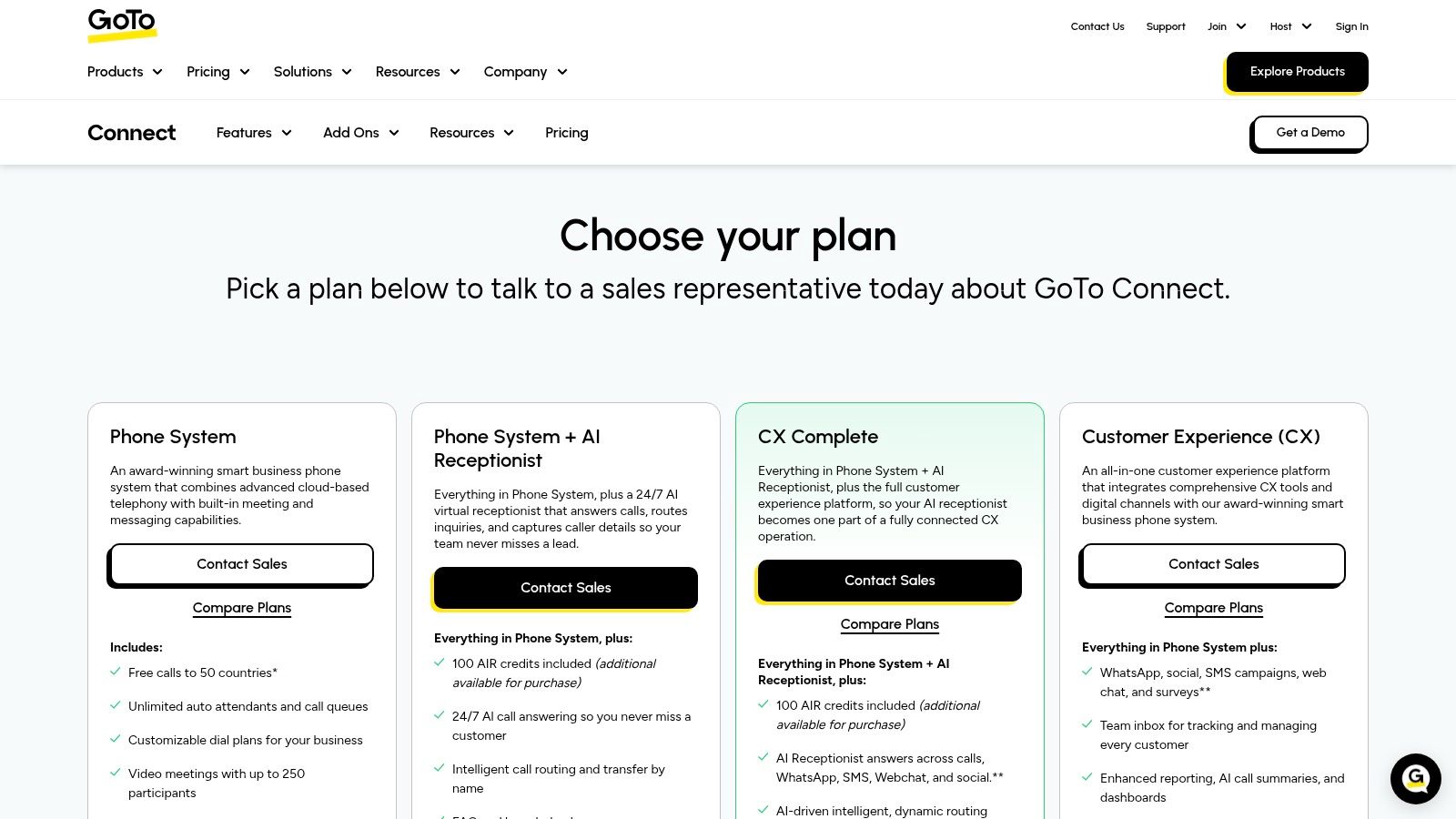
Pricing is quote-based rather than published per user, so the GoTo Connect pricing page sends you to sales. Ask for the all-in figure for the seat count you'd run in 12 months, not the count you have today. That one question changes the quote more than any negotiation.
The AI receptionist option
GoTo also lists a separate Phone System + AI Receptionist plan with call answering, routing, caller-detail capture, and follow-up options. Confirm availability and cost inside the quote, because the AI layer is the part most likely to change from plan to plan. If answering is your only problem, paying for the full phone system to reach it is a long way around.
The trade-off runs both ways. Complex dial plans solve real problems for offices with departments, queues, and overflow paths. They also take someone willing to build and maintain them, and a two-person operation rarely has that person.
- Fits: Offices with real call flows, multiple queues, and someone who enjoys building dial plans.
- Falls short: No public per-seat price, and the broader feature set is more than a simple shop will configure.
8. Google Voice for Google Workspace
If the office already lives in Gmail and Calendar, Google Voice is the smallest step available. It adds business numbers, calling, voicemail transcription, call forwarding, and mobile and web apps to a Workspace account you already pay for.
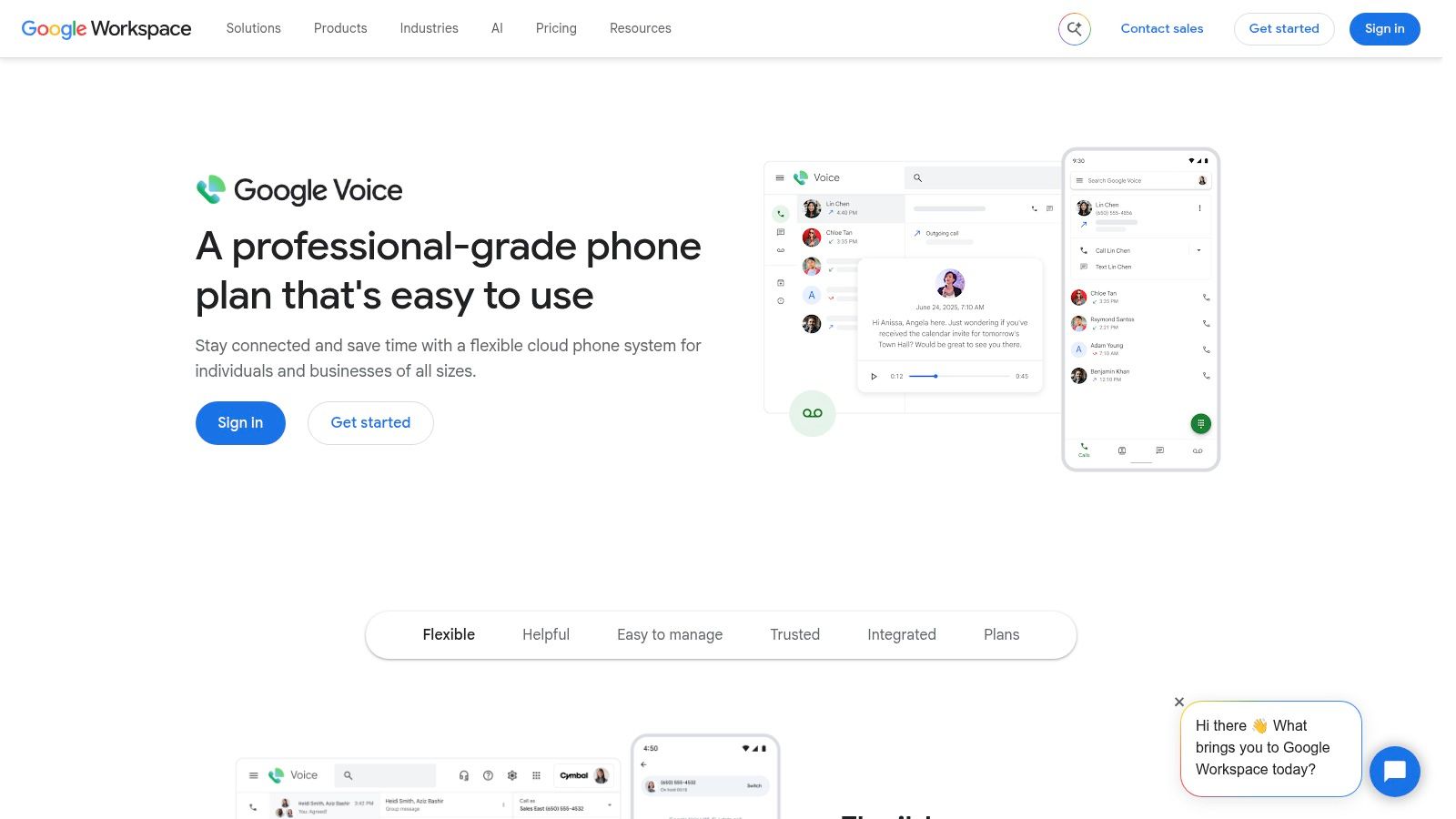
Listed pricing is $10, $20, and $30 per user/month for Starter, Standard, and Premier, per the Google Voice for Workspace page. Desk phones are supported, and business use requires adding Voice to the Workspace account.
Starter is too thin for a front desk
Starter doesn't include automated attendants or ring groups. Those arrive on Standard and Premier, the tier a shop with more than one person answering needs. Businesses that need complex queues or call-center controls will outgrow the product.
Forwarding rules decide whether an after-hours call reaches a person or a voicemail box, and a call forwarding guide beats trial and error on a Friday night.
Customer service is where small businesses already spend on automation. Verizon's 2025 State of Small Business Survey found 38% of surveyed U.S. small and midsize businesses actively using AI across multiple functions, including customer service. Google Voice is a calling add-on, so if answering and booking is the job you need done, this isn't the tool that does it.
- Fits: Workspace shops that want one bill, familiar apps, and a low per-seat cost.
- Falls short: No group routing on Starter, and no answer-and-book layer for the calls nobody can reach.
9. Grasshopper
Grasshopper suits the one-van operation. It's a virtual phone system built on a business number, extensions, and forwarding to the cell phone already in the owner's pocket, priced by account and extension count rather than a seat for every employee.
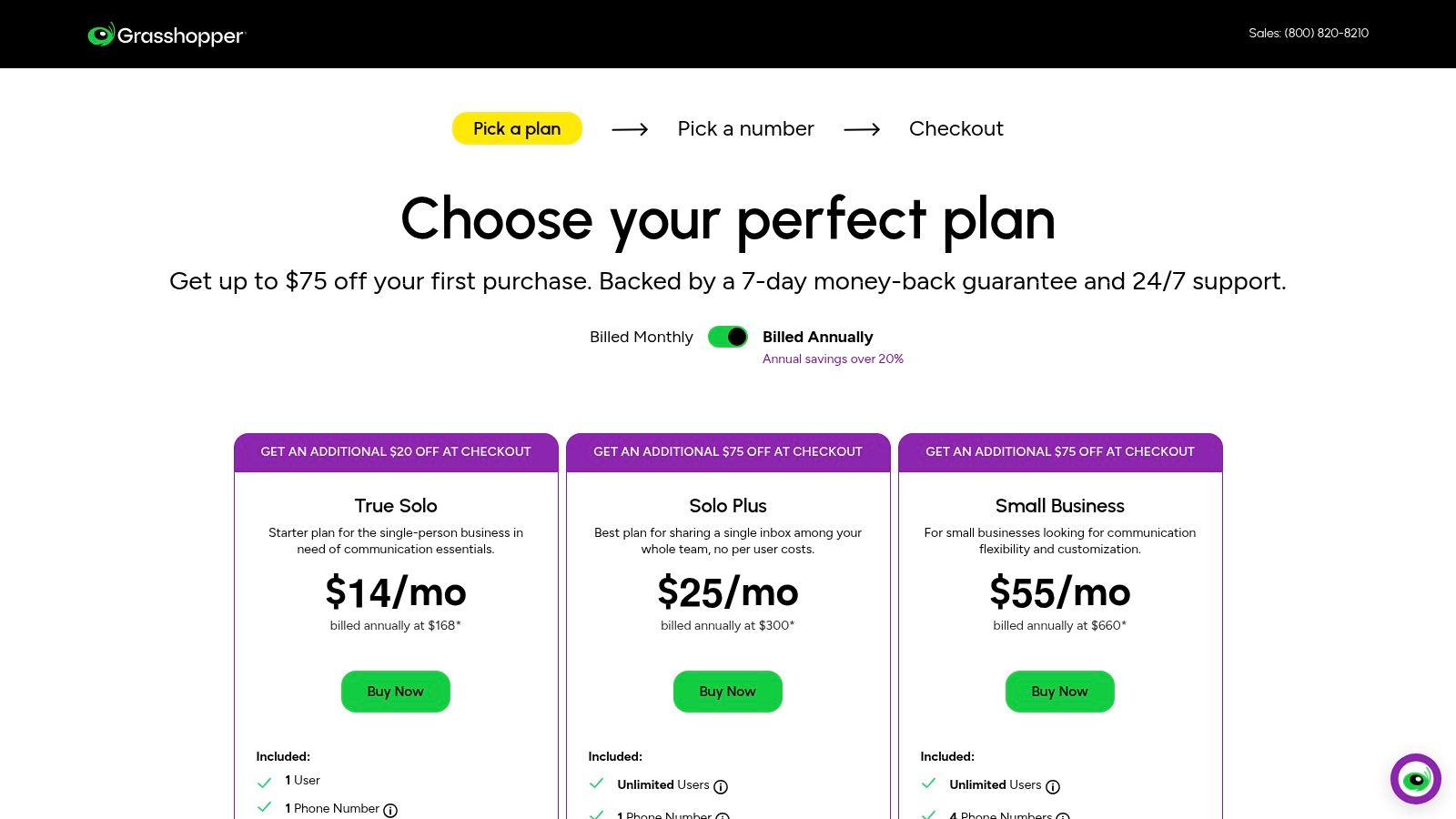
Annual prices are listed at $168 for True Solo, $300 for Solo Plus, and $660 for Small Business, with additional numbers, extensions, and messaging fees possible, per Grasshopper's pricing page. Support is listed as 24/7, and a 7-day trial is offered.
This is the oldest idea in the category, delivered differently. A history of VoIP traces how commercial VoIP began in 1995, when Israeli company VocalTec released software that let two computers communicate over the internet, and how cloud delivery later let small organizations skip buying and maintaining dedicated PBX hardware.
Where it stops scaling
Number and extension limits start to matter at five or six people. It's a virtual phone system, not a full unified communications platform, so shared inboxes and meeting tools live somewhere else.
- Fits: Solo operators and very small teams that need a business number and forwarding today.
- Falls short: Messaging registration and fees add to the cost, and the plan structure gets awkward as headcount grows.
10. 8x8 Work
8x8 Work is what a company buys when a five-person shop becomes a fifteen-person shop with two locations. Calling, video meetings, team messaging, analytics, a receptionist console, and Microsoft Teams integration sit in one platform, with options to extend into contact-center tools.
The public site generally routes buyers to a quote, though some pages advertise small-business plans from $15 per user/month, so current US pricing, terms, and eligibility need confirming on the 8x8 business phone page.
Scale is what this platform is built for. IDC put worldwide unified communications and collaboration revenue at $69.2 billion in 2024, up 7.8% year over year, and small businesses are a real slice of that spending. One 2025 estimate assigns SMEs 41.6% of UCaaS revenue, or approximately $24.5 billion.
The comparison problem
Quote-based pricing makes apples-to-apples comparison hard. Two vendors can quote the same seat count with different terms, different support levels, and different included features.
Ask for a written quote with seat minimums, term length, and what's excluded. A verbal number from a rep isn't a price.
- Fits: Growing or multi-location businesses that want employee communications and customer contact under one contract.
- Falls short: Support and features depend on the plan, and the platform is more than a solo operator will ever configure.
How the RingCentral alternatives compare on pricing model, best fit, and main trade-off
| Item | Best for | Pricing model | Main trade-off |
|---|---|---|---|
| SkipCalls (recommended) | Small businesses needing 24/7 AI call answering, appointment booking, and caller follow-up | Plan-based; check current pricing | Not HIPAA compliant; advanced features require PRO |
| Zoom Phone | Teams wanting cloud calling alongside Zoom collaboration tools | Annual plans: $10.50/user/month metered or $16/user/month unlimited | Metered usage and SMS requirements need consideration |
| Dialpad Connect | Teams needing calling with AI call transcripts and summaries | Standard from $15/user/month annually; higher tiers cost more | Advanced contact-center features are separate; lowest prices require annual billing |
| Nextiva | Businesses needing phone service, messaging, routing, and shared inboxes | Annual plans from $15/user/month; higher tiers cost more | AI options may cost extra, and some plans require a term |
| Quo (formerly OpenPhone) | Small teams collaborating on shared business numbers and messages | Annual plans from $15/user/month; monthly prices are higher | Messaging fees may apply; advanced routing requires higher tiers |
| Ooma Office | Small offices wanting a phone system with a virtual receptionist and optional desk phones | $19.95–$29.95/user/month; no contract requirement | Taxes, fees, hardware, and feature tiers affect total cost |
| GoTo Connect | Teams seeking phone, messaging, meetings, and configurable call routing | Quote-based | Pricing requires contacting sales; the broader feature set may be unnecessary |
| Google Voice for Google Workspace | Businesses already using Google Workspace that need business calling | $10–$30/user/month, depending on tier | Starter lacks automated attendants and ring groups |
| Grasshopper | Solo operators and small teams needing a business number, extensions, and call forwarding | Annual plans from $168; additional numbers, extensions, or fees may apply | Number and extension limits can constrain growth |
| 8x8 Work | Growing or multi-location businesses needing unified communications | Generally quote-based; some pages advertise plans from $15/user/month | Pricing and features vary by plan, making comparisons harder |
Match the Tool to the Calls You Miss
Start with a week of missed-call data. Count the calls that went to voicemail, note the hour each one came in, and write down what the caller wanted. That log answers the question a feature matrix can't.
If most misses land after hours or while the crew is on a job, a receptionist-style tool fits best. If your team needs shared numbers, internal messaging, or contact-center controls, a full phone platform fits better. If the miss is one number nobody picks up because it rings on a desk phone in a back office, fix the forwarding before you shop.
Sort by team size next. A three-person crew gets almost nothing from enterprise analytics, and a fifteen-person shop with two locations gets hurt by a tool that tops out at five extensions. Buy for the crew you'll have in a year.
Then check the details that decide whether the tool works after the honeymoon:
- Price on the vendor's own site: Headline prices change, promos expire, and third-party comparisons go stale fast.
- Metered charges: Confirm text, AI, international, and toll-free fees before you commit to a seat count.
- Porting: Keep the old provider active until the number moves, and don't cancel on the day of the switch.
- Admin hours: Ask who configures call flows and how long a change takes when the schedule shifts.
- A pilot: Run two weeks of real calls and measure answer rate, booking completion, and the owner's time.
Run every trial against your own call patterns, not the vendor's demo script. The tool that answers the 7:40 p.m. water heater call does more for the business than the one with the best analytics dashboard.
The most common mistake is buying whatever a comparison article ranked first instead of what matches the misses. A low seat price on a platform nobody administers is the expensive choice, and a full suite that never gets configured is the same trap wearing a bigger invoice.
For SkipCalls plan details, see current plans at skipcalls.com/pricing. To hear the live AI receptionist with no signup, call +1 (888) 884-9511, or get started at skipcalls.com.
SkipCalls answers the calls your crew can't, 24/7, on the number customers already dial, captures the caller's details, books the job into the calendar, transfers urgent callers, and sends a summary and transcript to the owner. It works with the phone system you already have, so there's no hardware to install and no number to port. Visit SkipCalls to see how forwarded calls get answered and where the bookings land.