
Salon Appointment Booking Software: A Practical Guide
Learn how salon appointment booking software works, which features matter, and how to pick the right system for your salon or spa business.
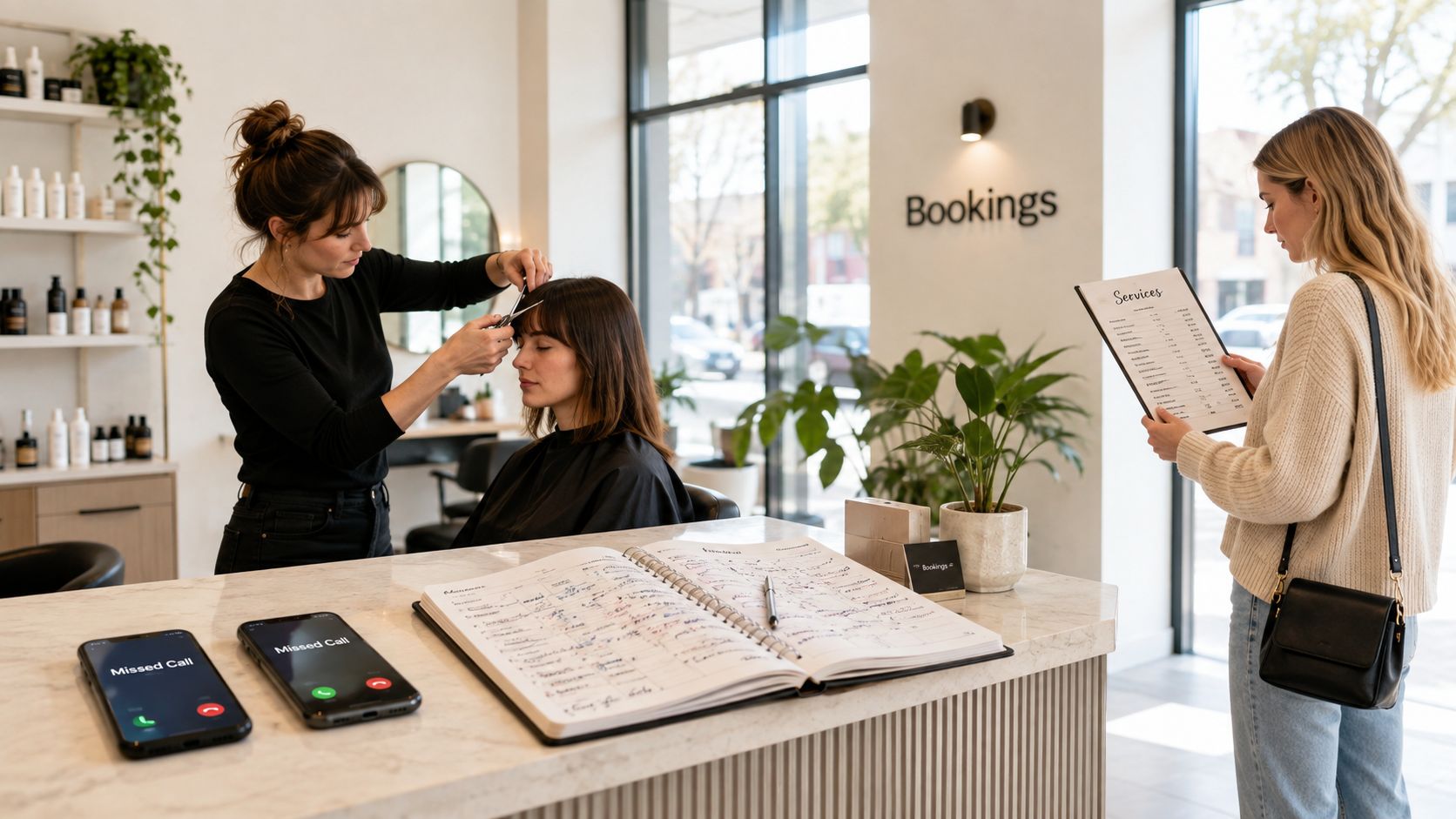
A Tuesday morning at a busy salon rarely starts in silence. A solo stylist is trimming bangs while a walk-in scans the service menu, one phone rings at the desk, another vibrates beside the color bowls, and a client asks whether there's an opening later that day. Every interruption steals attention from the chair, and every unanswered call can become a client who books elsewhere.
Salon appointment booking software changes that rhythm. A client can reserve a balayage appointment at night, receive confirmations without staff intervention, and reschedule before a missed slot becomes dead time. The right system isn't another screen to manage. It's the operating layer connecting your calendar, phone, payments, client records, and retention work.
The Tuesday That Changed How a Salon Runs
At 9:05 a.m., the stylist has a full book but no spare hands. Her first client is under the dryer, a walk-in wants a consultation, and two callers need answers about service duration and availability. She can stop working to handle the calls, ask someone else to guess, or let both calls go to voicemail.
None of those choices is operationally sound. A missed call often represents more than a missed conversation. It can mean a lost haircut, color service, treatment, or future referral. The same problem appears when staff manually squeeze appointments into a calendar without checking processing time, chair availability, or the stylist's actual working hours.
At 10 p.m., the client who couldn't reach the salon earlier finds the booking page and reserves a late-morning balayage slot. The system assigns the correct duration, sends the confirmation, and records the client's contact details. The stylist arrives the next morning with a schedule that's already organized instead of a list of messages to decode.
A practical implementation also separates urgent phone work from routine booking. A front desk team can answer questions, while the booking system handles available times, confirmations, and rescheduling. For a real-world example of how a salon can organize client communication and appointment flow, review this salon and spa workflow.
Operational rule: If a client must wait for staff to answer a simple availability question, your calendar is creating friction instead of removing it.
The gain isn't limited to convenience. Industry summaries report that 67% of consumers prefer booking appointments online, and 40% of online bookings happen outside business hours (appointment scheduling statistics). That's why 24/7 self-service booking matters for a salon with a small team. It gives clients a way to act when the salon is closed and gives stylists a chance to prepare before the first appointment.
What Salon Appointment Booking Software Actually Does
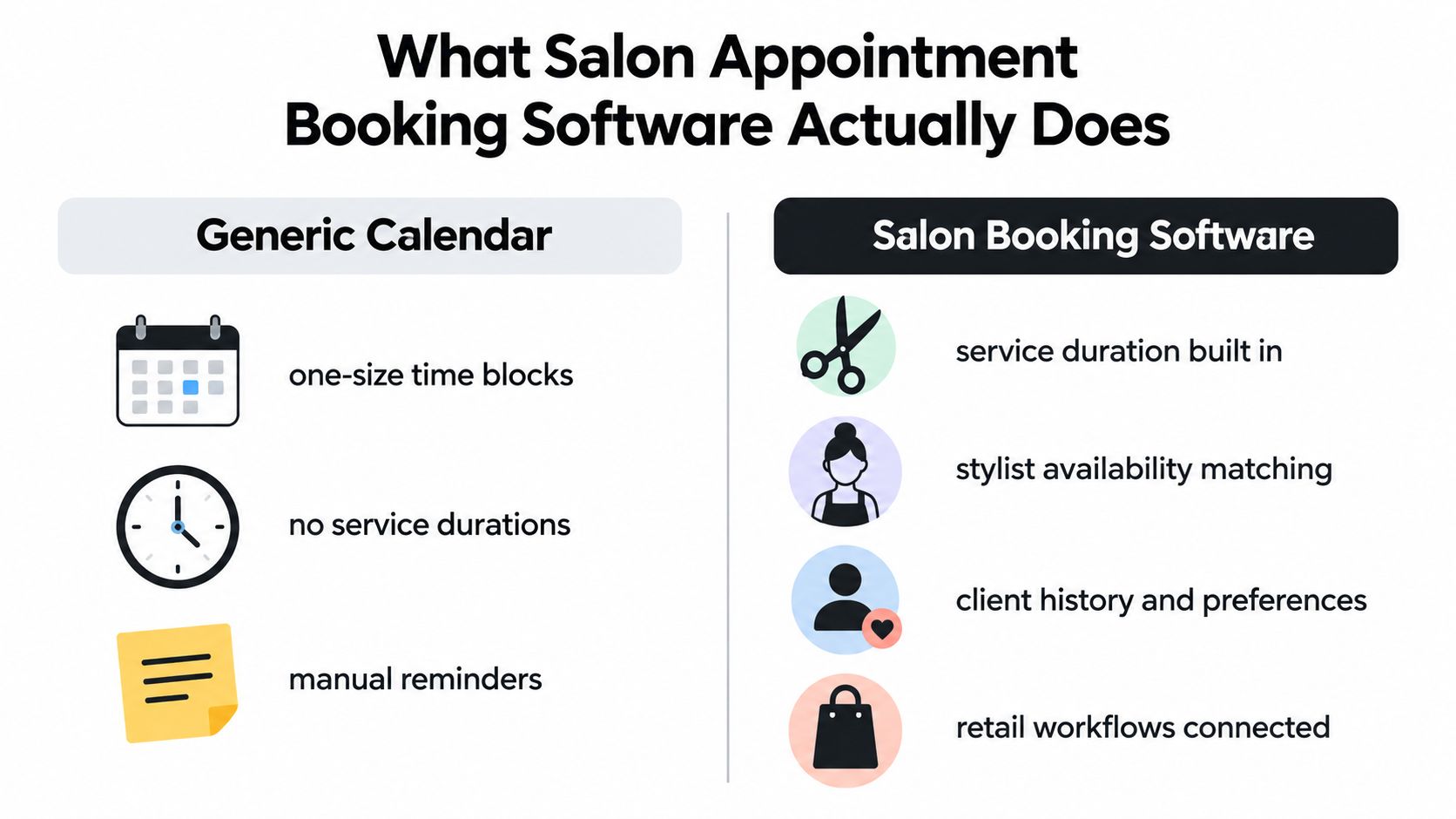
Salon appointment booking software is a specialized operating system for chair time, not a generic calendar with a booking button attached. It combines service duration, stylist availability, client history, processing time, payments, and follow-up actions in one workflow.
Google Calendar can record that someone has a 2 p.m. appointment. A paper book can show that a chair appears free. Neither tool reliably understands that a color service needs processing time, that a particular treatment requires a certified stylist, or that a returning client prefers a specific formula and retail product.
Consider a Tuesday schedule with a haircut at 9 a.m., a color appointment at 10 a.m., and a blowout at noon. A specialized system can allocate each service to the right provider, protect processing buffers, flag a conflict before confirmation, and attach the visit to the client's existing record. Staff can see prior services, preferences, notes, and purchase history without searching through messages or loose cards.
Two-way calendar sync is especially important when stylists add personal commitments from their phones. Guidance from Cal.com on online booking software emphasizes that calendar integrations should keep availability synchronized in both directions, rather than merely copying appointments into another view.
The difference between a time slot and a service
A salon sells outcomes delivered by people using limited physical resources. The booking system must therefore understand:
- Service duration: A bang trim, balayage, facial, and full color appointment shouldn't share the same default time block.
- Provider eligibility: The system should route a treatment only to staff who offer or are qualified for it.
- Resource availability: A free stylist doesn't help if every treatment room or chair is occupied.
- Client context: Formula notes, allergies, preferences, and prior purchases should follow the client into the next visit.
That operational depth also affects financial decisions. Owners reviewing software costs or tax implications may benefit from an independent resource such as reserving an advisory session with EndureGo Tax. The important question is not whether a platform has the longest feature list. It's whether the platform reflects how your salon delivers and collects revenue.
Must-Have Features and Why Each One Matters
Choose features based on the problems costing your salon time, capacity, or repeat business. A solo stylist does not need an enterprise dashboard immediately, but every salon needs reliable demand capture, accurate availability, client context, and a workflow that connects booking with phone handling, payments, and retention.
Online booking captures demand after hours
At 11 p.m., a client should be able to check availability and reserve a balayage without calling. The booking page must display the correct service length, provider availability, policies, and payment requirements. Avoid forcing account creation or manual confirmation unless the service requires it.
Online booking is now a standard operating capability. One industry summary reports that 71% of salons use digital booking and management software, while 61.3% of beauty appointments were booked online in 2025 (appointment scheduling statistics). Treat that as a reason to remove booking friction, not as a reason to copy every feature from a larger chain.
Your phone workflow matters too. Calls that arrive during services should reach a receptionist, voicemail workflow, or AI appointment scheduling for salon calls that can collect the client's details and booking intent. Otherwise, online availability improves while phone demand still disappears.
Calendar management protects the day
The calendar must prevent overlapping appointments, preserve processing buffers, and block unavailable chairs or rooms. A stylist adding a personal appointment from a phone should not remain bookable online.
Use smart scheduling to stop double bookings as a standard to evaluate two-way synchronization, resource rules, and service-specific availability. A polished calendar that still permits operational conflicts creates more work instead of removing it.
Reminders turn reservations into confirmations
Send an immediate confirmation, then schedule SMS or email reminders that let clients confirm or reschedule. Vendor-published benchmarks report that reminder workflows reduce no-shows by up to 30% within the first month (salon booking software guidance). Treat that figure as a benchmark, not a guarantee. The operational gain is clear: staff no longer track reminder calls manually.
Client records protect service quality
A useful profile stores formulas, allergies, preferences, notes, visit history, and retail purchases. That information lets the stylist begin with context and supports targeted rebooking or product follow-up after the visit.
Payments and reporting expose revenue leakage
Deposits, card-on-file policies, no-show fees, tips, retail, and service charges should flow into one ticket where possible. Required deposits can reduce no-shows by up to 65%, and bookings with deposits are reported to produce 49% fewer no-shows than phone or in-person bookings (salon revenue software guidance). Apply deposits selectively, explain the policy clearly, and connect payment status to reminders.
Staff scheduling, commission calculations, time-off rules, and reporting complete the foundation. Reports should identify profitable services, provider capacity, and returning clients. Choose a system that turns those findings into follow-up campaigns, not a dashboard nobody reviews.
Choosing the Right Fit for Small Salons and Solo Operators
The best system is the one your team will use correctly on a busy Saturday. A solo operator should not pay for multi-location permissions, complex payroll exports, or advanced inventory controls that add setup work without improving the booking experience.
A small studio needs more structure. Chair-level calendars, commission tracking, time-off controls, client records, and simple retention campaigns become valuable once several providers share the same space. A multi-chair salon or spa needs deeper staff scheduling, role-based permissions, retail inventory, payment controls, and reporting that owners can break down by provider or location.
Use this comparison before watching vendor demos:
| Salon Type | Essential Features | Skip Until You Grow |
|---|---|---|
| Solo operator | Online booking, SMS reminders, client profiles, simple POS, deposits, mobile access | Multi-location controls, advanced inventory, complex commission reporting |
| Small studio | Chair-level calendars, two-way calendar sync, client history, commission tracking, basic marketing automation | Enterprise permissions, extensive payroll tools, advanced resource planning |
| Multi-chair salon | Staff scheduling, service qualifications, POS integration, inventory, commissions, role-based access, reporting | Features unrelated to your current services or locations |
Score the workflow, not the demo
Ask each vendor to demonstrate your real Tuesday. Book a color service, add processing time, move it to another stylist, apply a deposit, send a reminder, check out the client, and rebook the next visit. If the representative only shows polished dashboards, you haven't tested the product.
Judge four filters:
- Core fit: Does it understand your services, providers, chairs, rooms, and policies?
- Onboarding effort: Can your team configure it without abandoning other work?
- Real monthly cost: What does it cost at your actual booking volume and team size?
- Mobile quality: Can you manage the business between clients from a phone?
Cloud deployment is already dominant in this category. One 2025 market estimate puts cloud-based systems at 78.5% of the market (salon booking software market analysis). That makes mobile access and dependable connectivity practical buying criteria, not optional polish.
Integrations That Make the Software Actually Work
A standalone booking calendar can create more administration if staff must copy every appointment into another system. Integrations matter because they move information between the tools your salon already uses.
Start with the calendar
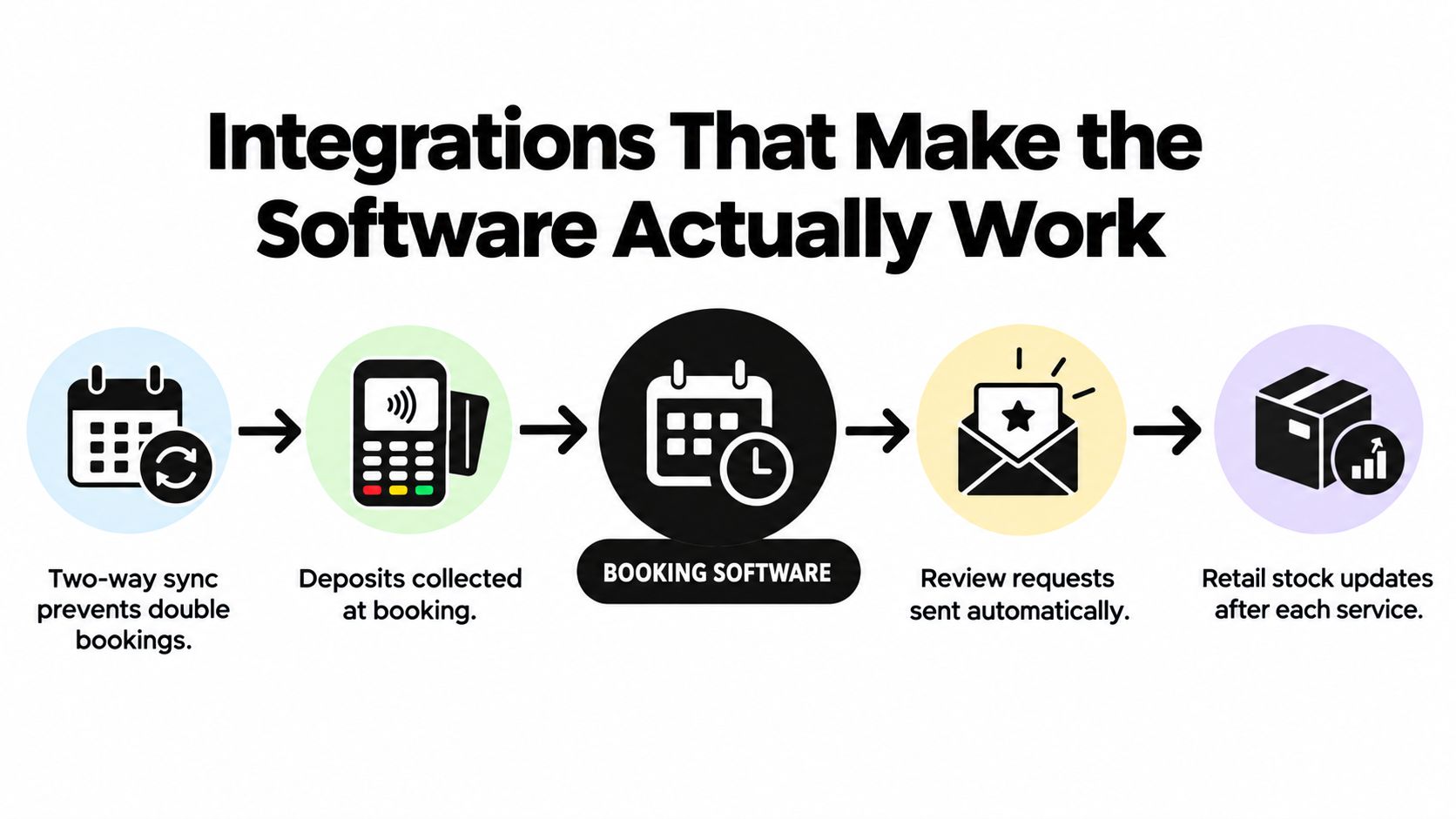
Connect the booking platform to Google, Microsoft, or iCloud calendars where supported. Confirm that the connection is two-way. A stylist's personal appointment should block availability in the booking system, and a salon booking should appear on the calendar the stylist regularly checks.
Test the integration with a real conflict. Add a personal event, refresh the booking page, and try to reserve the same time. If the slot remains open, the integration isn't protecting the schedule.
Connect payments at the booking stage
Payment integration should support deposits, card-on-file policies, no-show fees, tap-to-pay, tips, and retail without manual re-entry. Stripe, Square, or an integrated terminal can work, but check whether the payment data returns to the appointment record and reporting dashboard.
The market is moving beyond basic scheduling. Cloud systems represented 71.36% of the spa and salon software market in 2025, and appointment and CRM functions represented 36.46% of the market's functional modules, according to Mordor Intelligence's spa and salon software analysis. That shift reflects a buyer priority I agree with: capture the revenue after the booking, not merely the time slot.
Make CRM data useful
A cancellation, completed visit, purchase, or rebooking should update the client record automatically. CRM connections can use native integrations, no-code connectors, APIs, or webhooks, as described in this review of appointment scheduling tools and CRM connections.
That data can then trigger an appropriate follow-up, such as a rebooking message after a typical service interval, a review request after a completed appointment, or a product reminder based on a prior purchase. Don't send every client the same campaign.
Add the phone layer
Web booking misses clients who prefer to call. An AI receptionist can answer calls and texts, collect client details, qualify requests, and book into the salon calendar in real time. SkipCalls is a simple-to-set-up solution that works for customer support, lead qualification, appointment booking, and more. It handles voice and text, doesn't require you to change your phone number, and offers CRM and calendar integrations.
Business phone systems commonly support number portability, so salons can add a new call workflow without changing the number clients already know. GoTo Connect's business number guidance explains that businesses can port existing numbers from a current carrier. Test the phone integration after hours, during a busy period, and with a request that requires service duration or stylist availability.
Pricing Models and What They Really Cost
Salon software pricing usually falls into four structures.
- Per-user subscriptions: Often positioned for solo operators and small studios, these charge for each stylist or user.
- Flat-rate plans: These suit teams that want predictable monthly costs rather than a growing per-seat bill.
- Revenue-share plans: These tie fees to online bookings, which may appeal when volume changes but can become expensive as demand grows.
- Add-ons: SMS credits, payment processing, reminder bundles, extra locations, and advanced reporting can sit outside the advertised base price.
Ask for a written breakdown covering the base plan, each stylist, messages, payment processing, setup, contract length, cancellation terms, and data export. A low headline price means little if every practical workflow is an add-on.
The same discipline applies to adjacent retail and client-experience tools. If you're evaluating digital experiences such as how virtual try-on works for shoppers, treat it as a separate investment question rather than assuming it belongs in the booking platform.
For a phone and appointment workflow, compare the complete cost against the time and missed calls it replaces. Review SkipCalls pricing only after you've defined the call volume, booking requirements, and integrations you need.
Security, Compliance, and Your Selection Checklist
A salon stores more than names and appointment times. Client profiles may contain contact details, payment information, photos, allergies, health-adjacent notes, and marketing preferences. Your vendor must explain how it protects each category.
Verify these controls before signing:
- Payment security: Confirm that payment processing supports PCI-DSS obligations and that staff don't handle raw card details unnecessarily.
- Encryption: Ask whether client contact data and payment-related information are encrypted in transit and at rest.
- Role-based access: Front-desk staff should see what they need for booking and checkout without receiving full payment details or unnecessary owner reports.
- Backups: Confirm automatic backups, restoration procedures, and the provider's process during an outage.
- Consent controls: Check how the system records marketing consent and supports GDPR or CCPA requirements where they apply.
Photos and allergy notes deserve special attention. Limit access, document why the information is collected, and avoid placing sensitive details in open notes that every user can see. Use this customer data security guidance as a practical reference when reviewing access and retention policies.
Test before you commit
Use a simple scorecard:
- Book and reschedule from both iOS and Android.
- Test the calendar with real staff schedules, breaks, rooms, and processing buffers.
- Confirm SMS and email delivery, including replies and failed messages.
- Check POS hardware, deposits, refunds, tips, and retail.
- Read cancellation, refund, outage, and support policies.
- Require a written data export clause.
Plan the rollout
Train staff on the workflows they perform most. Migrate existing client records carefully, remove duplicates, and decide which notes should not be transferred. Run the old and new systems in parallel for 30 days, then review missed bookings, duplicate records, payment errors, and client feedback before retiring the old process.
Common Pitfalls and Answers to Late-Stage Questions
The most expensive mistake is choosing software by feature count. A solo stylist rarely needs multi-location reporting, while a four-chair salon can't run reliably without staff schedules, commissions, and permission controls.
Owners also underestimate onboarding. A new booking link can confuse regular clients, especially if service names, durations, policies, or payment requirements change. Publish the link across your website, social profiles, confirmation messages, and phone greeting, then have staff explain the change during checkout.
Test the phone workflow before launch. Call after hours, ask about a service with a longer duration, request a specific stylist, and try to reschedule. A system that handles web bookings but loses phone callers still leaves a major gap.
Questions owners ask before switching
How long does migration take? It depends on record quality, service complexity, and integrations. Clean the client list before import and test a small sample first.
What happens if the software shuts down? Ask about uptime communication, offline payment options, support escalation, and how quickly you can export records.
Can clients keep their booking history? Confirm which history fields transfer. Don't assume that names and phone numbers include formulas, notes, purchases, or consent records.
Are SMS reminders bundled? Check whether messages are included, metered, capped, or charged separately. A plan can look affordable until reminder volume is added.
A two-chair studio should pilot the system on its busiest service, such as color, before adding every treatment and retail item. A multi-stylist spa should test the most complicated day, including rooms, provider schedules, deposits, cancellations, and commission reporting. Both teams should fix workflow problems during the pilot instead of discovering them after a full launch.
SkipCalls answers calls and texts, captures customer details, and books appointments into your calendar, making it a practical phone layer for salons that can't staff a full-time receptionist. Visit SkipCalls to see how an AI receptionist can connect missed calls with your salon appointment booking workflow.



