Appointment and Scheduling Software: Complete Guide
Discover how appointment and scheduling software transforms local service businesses. Learn core features, benefits, selection criteria, and implementation
85% of people whose calls go unanswered don't call back, so online booking alone can't recover the revenue lost when a local business misses the phone. Appointment and scheduling software works best when it gives customers a self-service option while also making sure phone inquiries reach a calendar or a person.
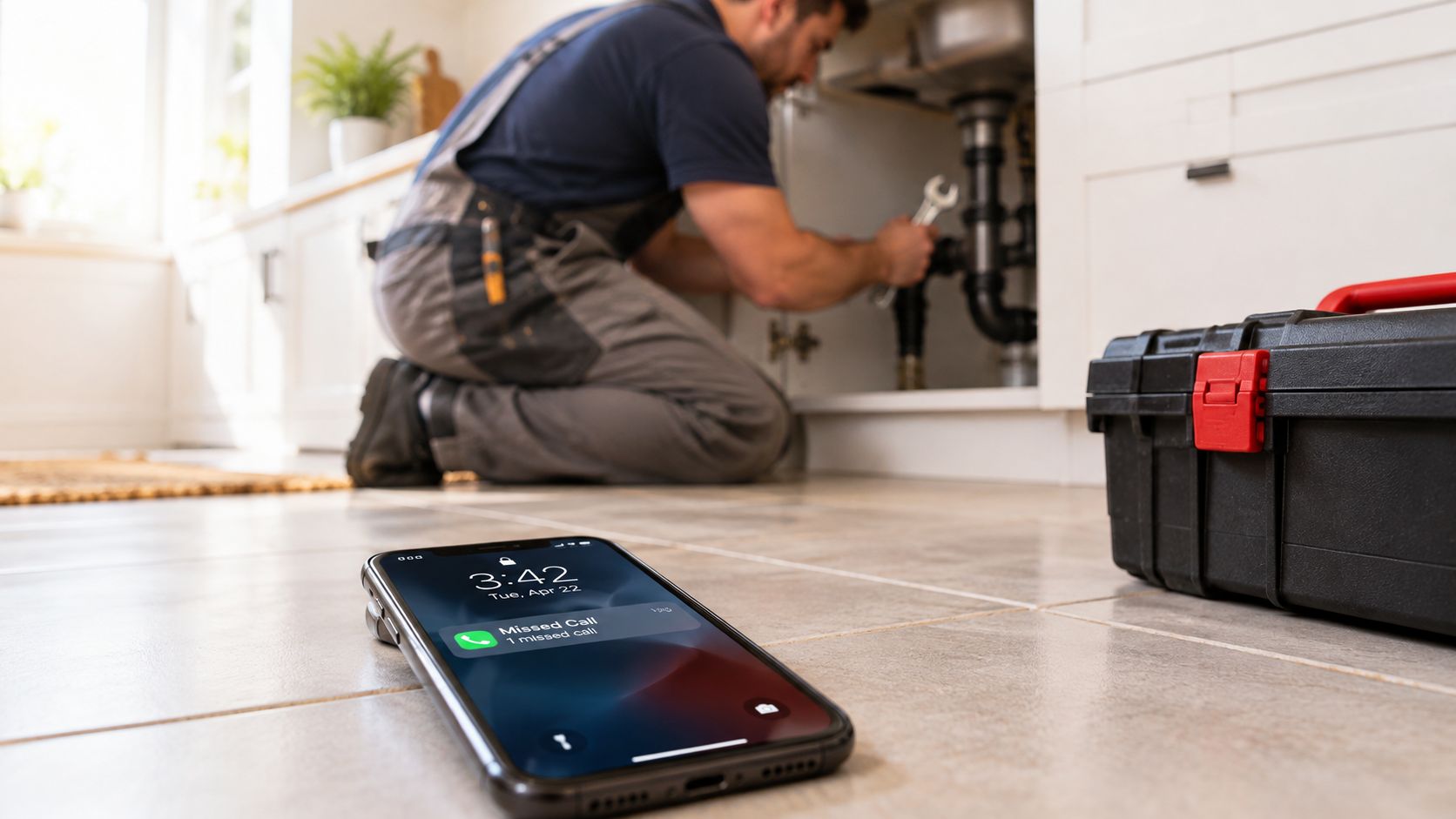
You're halfway through repairing a leaking sink when your phone rings. You can't stop safely, and by the time you check the missed call, the customer has already contacted another plumber. A booking page may be available on your website, but that doesn't help someone who wants to explain the problem, ask about availability, or speak with a real business before committing.
That gap shapes the practical value of scheduling technology. The strongest setup isn't “online booking instead of phone calls.” It's a connected workflow that captures both.
The Missed Call Problem Every Local Business Faces
Missed calls are especially expensive for businesses where the caller has urgent intent. A homeowner with a leak, a prospective client looking for legal advice, or a patient trying to arrange care may not wait for a callback. The first business to answer often gets the opportunity to qualify the need and schedule the next step.
A 2025 small-business report showed unanswered-call rates of 14% for home services, 28% for legal services, 32% for healthcare, and 9% for real estate. The same report claimed that as many as 85% of people whose calls go unanswered don't call back (small-business call-answering data). That makes answer rate a revenue metric, not merely a customer-service metric.
Why online booking doesn't close the gap
An online scheduler handles a customer who already knows what service they need and is comfortable choosing a time without assistance. That's useful for routine appointments, but local businesses also receive calls from people who need clarification. They may have a complicated request, want to compare options, or need an urgent response outside office hours.
A booking widget can't answer those questions unless the surrounding workflow gives customers another path. Sending every caller to a web page can reduce friction for some prospects while creating friction for others.
Practical rule: Measure the path from inquiry to scheduled appointment, not just the number of appointments booked online.
Track unanswered calls, after-hours inquiries, qualified callers, text follow-ups, and appointments created from phone conversations. A high booking-page conversion rate can still hide lost opportunities if valuable callers never reach the calendar.
The hybrid answer
The workable model combines a self-service booking page with phone and text handling. Customers who want speed can choose a time themselves. Customers who want a conversation can describe their situation, answer qualification questions, and receive an appointment without repeating the information to another employee.
That's where an AI receptionist becomes relevant. It can act as the front door for calls and texts, while the scheduling system remains the source of truth for availability. The technology doesn't replace every human interaction. It routes routine requests efficiently and escalates situations that need personal attention.
How Appointment Software Evolved
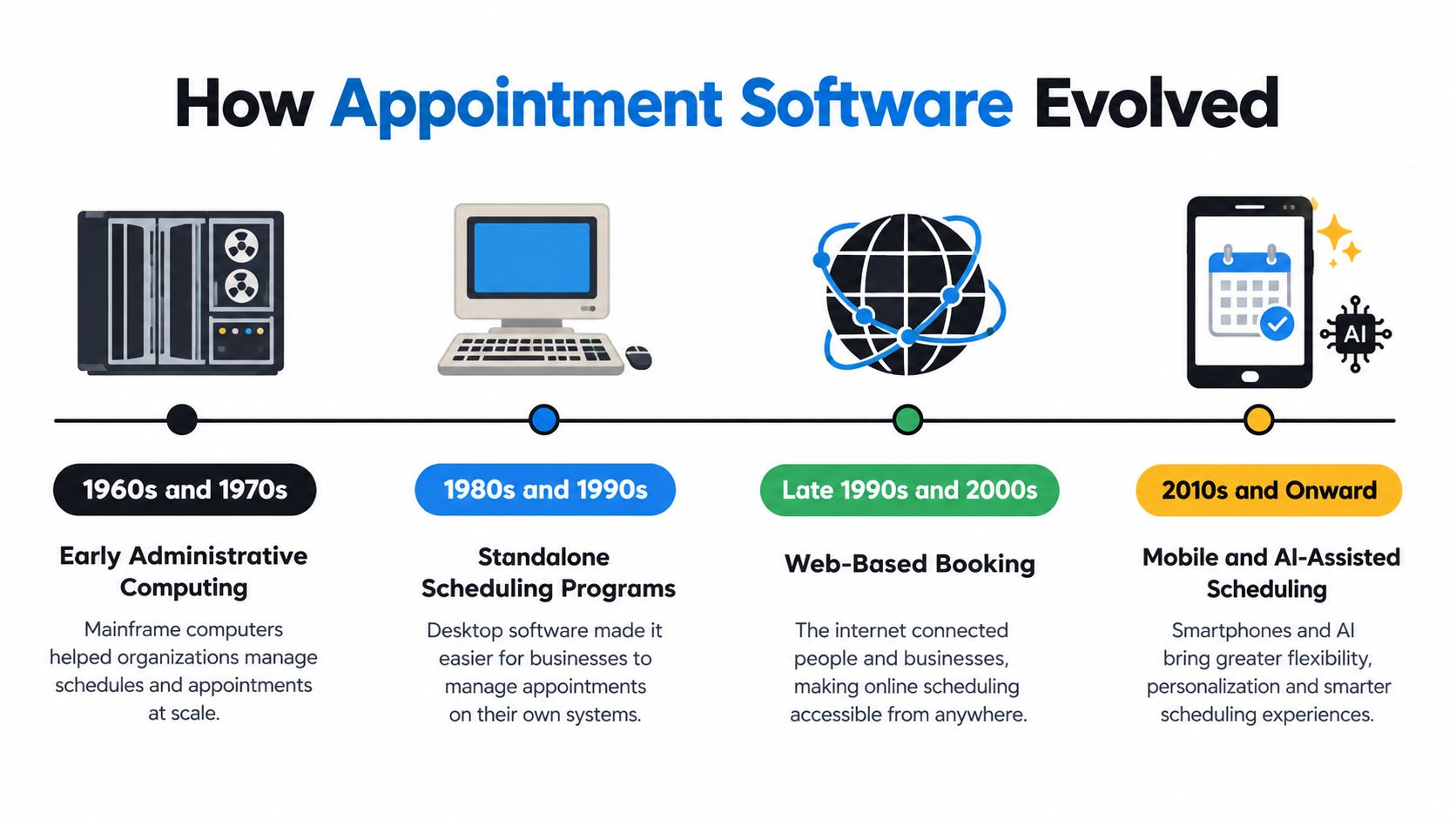
Appointment and scheduling software began as a digital version of a paper calendar, then grew into a system that manages availability, communication, customer information, and increasingly complex rules.
During the 1960s and 1970s, organizations started using computers for administrative work, but staff commonly continued to manage schedules on paper. In the 1980s, electronic databases and spreadsheet programs gave businesses a way to store and retrieve appointment information digitally. The change was organizational as much as technical, because staff could search and update records without rewriting an entire calendar.
From digital records to online access
The major transition came during the 1990s, when broader internet access supported dedicated web-based scheduling applications. These systems introduced features such as automated reminders, conflict detection, and calendar interoperability through standards including iCalendar (appointment scheduling software history).
During the 2000s, improving web technologies made online scheduling more practical for smaller organizations. Smartphones and mobile applications in the late 2000s and early 2010s then allowed customers to book, reschedule, and cancel appointments from almost anywhere.
The COVID-19 pandemic in 2020 increased demand for remote appointments, virtual consultations, and lower-contact workflows. More recent platforms use artificial intelligence and machine learning to help optimize time slots, identify conflicts, and improve appointment routing.
What changed for operators
The important shift wasn't from paper to software. Scheduling moved from internal recordkeeping toward customer self-service and automated coordination. A modern system may handle the booking page, reminders, calendar synchronization, intake questions, mobile access, and communication history in one workflow.
That evolution also explains why a calendar alone isn't enough for many local companies. The appointment record may begin with a web form, a text, or a phone conversation. Useful software needs to preserve the context regardless of how the customer starts.
Core Features That Matter for Local Services
Local service businesses need more than a calendar with shareable availability. The software has to protect the schedule, collect enough information to make each appointment useful, and support customers who don't follow the ideal booking path.
Start with scheduling rules
Availability should reflect how the business operates. Google Calendar's appointment-scheduling system lets businesses define general availability by date, time, and time zone, then set a scheduling window that determines how far in advance or how close to the appointment time a customer may book. Google states that the default minimum lead time is 4 hours, and the system can check calendars to help prevent double-booking (Google Calendar availability settings).
Capacity limits matter just as much. A business may need buffers between field visits, a maximum number of bookings per day, or different rules for different service types. If the software ignores those constraints, automation creates conflicts faster.
Google's booking pages also support custom questions, appointment durations, meeting locations, and automatic placement of confirmed appointments on the calendar (Google appointment scheduling features).
| Feature | Why It Matters | Best For |
|---|---|---|
| Real-time calendar sync | Keeps availability accurate and reduces double-booking risk | Teams sharing staff or resources |
| Booking forms with custom questions | Collects qualification details before the appointment | Home services and professional practices |
| SMS and email reminders | Gives customers a clear path to confirm, cancel, or reschedule | Businesses affected by missed appointments |
| Voice and text handling | Captures callers who won't use a booking page | High-intent and question-heavy services |
| Capacity and lead-time rules | Prevents bookings that the team can't fulfill | Field teams, clinics, and busy salons |
| CRM and calendar integrations | Keeps customer records and appointments connected | Growing businesses with existing systems |
Connect the tools customers already use
A strong platform should connect to the calendar, CRM, communication channels, and reporting tools already in the workflow. Replacing every existing system creates adoption problems and makes staff maintain duplicate records.
For businesses comparing specialized scheduling products, choosing the right fixture tool offers a useful reminder: the right choice depends on the operational problem, not the length of the feature list. A salon may prioritize service duration and staff availability, while a home repair company may need location details, buffers, and phone qualification.
For a closer look at a voice-and-calendar workflow, review SkipCalls appointment scheduling features. The evaluation should focus on whether the tool respects your rules and reduces manual work, not whether it has the most impressive dashboard.
The Business Case for Digital Scheduling
A customer remembers to book at 8:30 p.m., taps your site, and sees available times right away. If the only option is calling tomorrow, some of that demand waits. Some of it disappears.
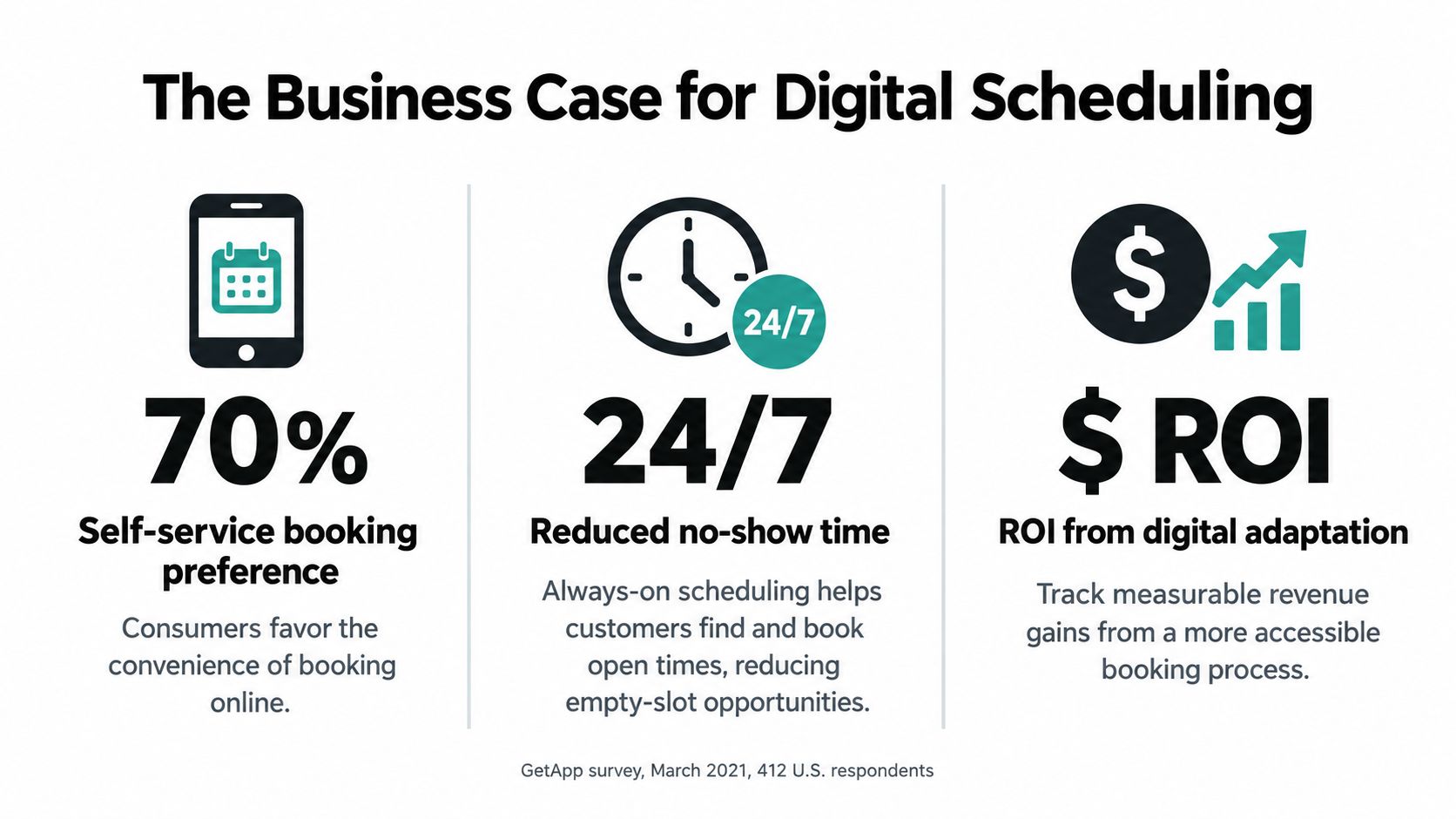
That is the practical case for digital scheduling. It gives customers a way to act when intent is high, instead of forcing every appointment through the few hours when someone can answer the phone. In a March 2021 GetApp survey, 412 U.S. respondents were questioned and 217 were screened as having relevant service-appointment experience. Nearly 70% of those screened respondents preferred online booking when multiple scheduling options were available (self-service booking research).
For local service businesses, convenience affects who books and who keeps looking. If a customer can book, reschedule, or cancel without waiting for the front desk, the business removes friction from a decision that is often simple. That matters in categories where the customer already knows what they need and mainly wants a time on the calendar.
Convenience influences selection
The gains are operational as much as customer-facing. A booking page lets people see open slots without repeated calls, cuts down on phone tag over basic scheduling questions, and creates a searchable record instead of relying on scraps of paper or memory. It also gives customers a defined way to make changes, which reduces manual cleanup for staff.
Still, online booking is not the whole answer. Many guides stop at conversion on the booking page, but local operators often have a bigger constraint first. If calls go unanswered, the business loses customers before they ever reach the calendar. Digital scheduling helps capture demand outside office hours and lowers admin time, but answering rate still matters more than widget conversion when callers want to ask questions before committing.
Digital scheduling does not create demand by itself. It makes existing demand easier to capture, easier to organize, and cheaper to serve. Businesses that want to work specifically on reducing no-shows at your course can apply the same logic to confirmations, reminders, and cancellation flows.
The commercial question is simple. How many appointments are delayed, lost, or made more expensive because booking still depends on reaching someone by phone during working hours?
The Phone-to-Calendar Gap and How AI Fills It
Online booking works well when the customer can identify the service, understand the options, and select a time without help. It works less well when the caller needs to explain a situation or decide which appointment type fits.
A legal consultation, insurance inquiry, property question, or home repair request may involve important details before anyone should offer a time slot. Forcing those interactions into a calendar widget can make the business look efficient while making the customer do too much work.
Treat the conversation as part of the booking
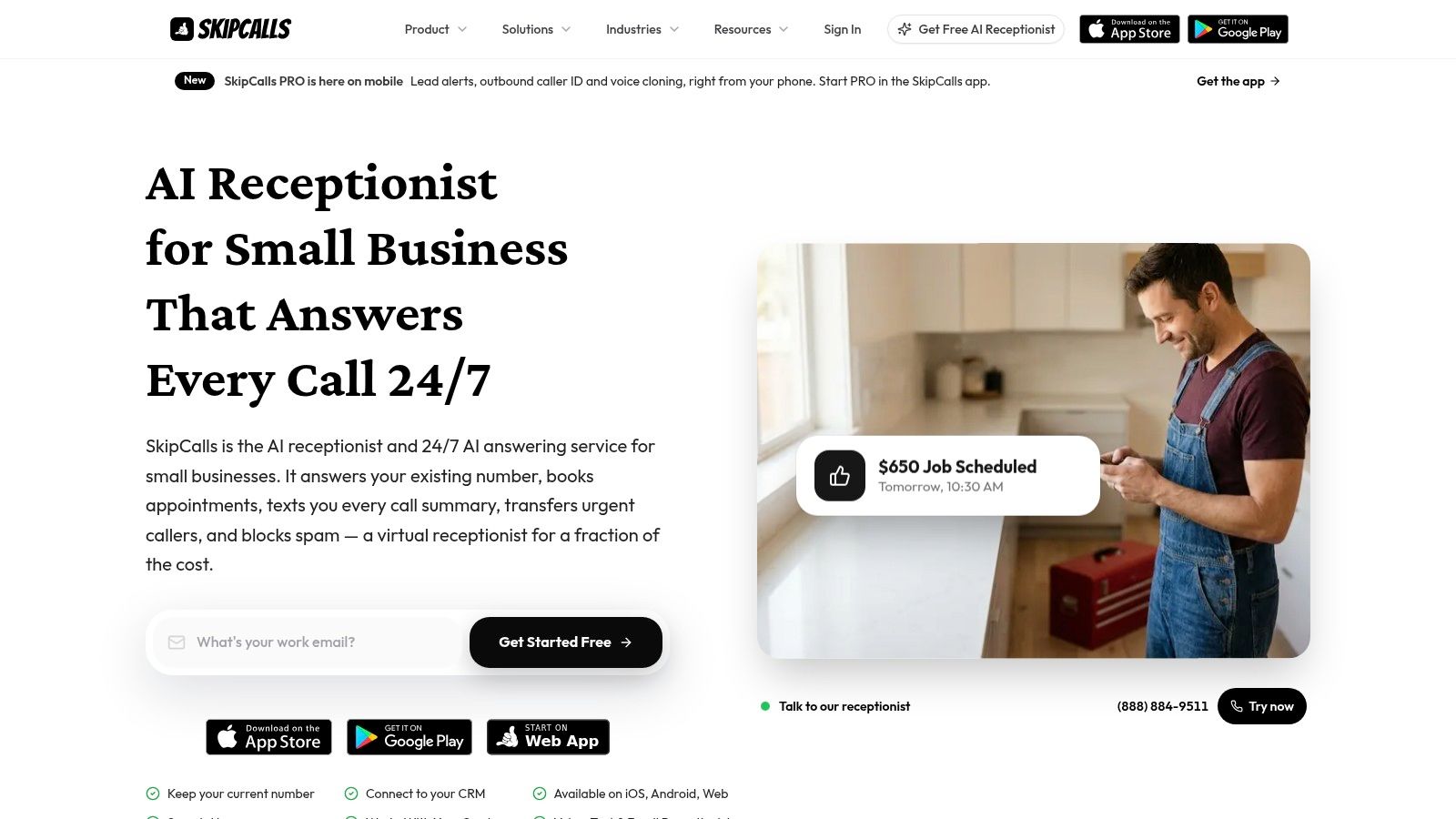
An AI receptionist can answer the call, gather customer details, identify the service need, and connect the conversation to the scheduling system. The customer doesn't have to hang up and find a booking link, while the business doesn't have to rely on someone noticing a voicemail several hours later.
SkipCalls is a simple-to-set-up solution that works for customer support, lead qualification, appointment booking, and other use cases. It handles voice and text, doesn't require a phone-number change to integrate into the workflow, and offers integrations with CRM and calendar systems (SkipCalls).
The useful distinction is between automation and abandonment. Automation answers routine inquiries and records structured information. Abandonment sends every customer to a form, even when a conversation would improve qualification or trust.
A hybrid workflow can look like this:
- A caller explains the request by phone.
- The assistant asks the qualification questions relevant to the service.
- The system checks calendar availability and offers appropriate times.
- The customer confirms the appointment.
- The business receives the appointment and captured details in its existing workflow.
This model keeps the booking page for customers who prefer self-service while preserving the phone for customers who need dialogue. The AI appointment booking system guide provides additional context for connecting those interactions.
The video below shows how an AI receptionist can fit into a scheduling workflow.
The right test isn't whether AI replaces staff. It's whether fewer qualified inquiries disappear before they become scheduled work.
Choosing the Right Combination of Tools
Choosing appointment and scheduling software starts with customer behavior, not vendor branding. A business whose customers mostly book routine services online has a different need from a law firm where every appointment begins with a detailed conversation.
Start by comparing the channels that already produce inquiries. Look at calls, texts, web forms, and direct booking activity. Then separate volume from value. A missed call from a ready-to-book customer deserves different treatment from an inquiry that needs extensive qualification.
Compare the operating model
| Criterion | What to Look For | Red Flag |
|---|---|---|
| Customer communication | Phone, text, and self-service options working together | A system that forces every lead into one channel |
| Calendar control | Real-time availability, buffers, capacity limits, and lead times | Staff must manually verify every booking |
| Qualification | Custom questions and service-specific routing | The system collects only a name and email |
| Integration | CRM, calendar, reminders, and reporting connections | Duplicate data entry between platforms |
| Escalation | Clear handoff for urgent or complex inquiries | Important callers receive only a generic message |
| Measurement | Answer rate, booking source, no-shows, and follow-up visibility | Reports show bookings but not lost opportunities |
Match the setup to the service
For a beauty salon, a booking page with service durations and automated reminders may handle much of the workload. A real estate agent may need the same booking page plus conversational intake, because the customer might want to discuss location, property type, or timing before selecting an appointment.
A home service business needs to consider travel time and job complexity. A law firm may need qualification and urgency routing before a calendar slot is offered. These differences make a universal “best scheduler” unrealistic.
Businesses using Calendly should also review Calendly integrations for appointment workflows against their actual process. The key question is whether the integration preserves the customer's details and applies the same availability rules across every channel.
Avoid choosing an AI receptionist solely because your team misses calls, and avoid choosing a booking page solely because customers say they want convenience. The strongest setup captures both behaviors and assigns each interaction to the simplest workflow that still protects service quality.
Implementing Your Scheduling System
A scheduling rollout succeeds when it reflects the business's real operating constraints. Start with an audit, not a software login.
Write down how customers currently request appointments, where staff record the information, and when the process breaks. Note missed calls, incomplete forms, double-bookings, late cancellations, and inquiries that require a callback. This gives you a baseline for deciding whether the main problem is availability, communication, qualification, or follow-through.
Build the workflow in stages
- Map the services. Define appointment types, realistic durations, locations, required questions, and which requests need a human review.
- Set availability rules. Configure working hours, time zones, buffers, booking windows, and daily capacity. Google notes that appointment pages can stop displaying times after a maximum daily booking limit is reached, and scheduling windows can hide slots that are too early or too close to the appointment (Google Calendar booking limits).
- Connect the calendar and CRM. Test new bookings, cancellations, rescheduling, and conflicting events before customers see the link.
- Add communication workflows. Use confirmations and reminders that give customers clear options rather than messages that only repeat the appointment time.
- Pilot one workflow. Start with one service or one team member, then expand after staff have handled real exceptions.
Online scheduling can reduce missed appointments, but the result depends on workflow context. In a 20-month study covering 16,894 practice appointments and 81,173 hospital appointments, online-booked practice appointments had a median no-show rate of 1.8% versus 5.9% for offline bookings, while the hospital showed the opposite pattern, 14.3% online versus 11.2% offline (appointment booking and no-show study).
That contrast is the operational lesson. Don't assume a booking page will improve attendance everywhere. Measure no-shows by service type, customer group, booking channel, and reminder design. For practical guidance on text-based follow-up, see text message appointment reminders.
Review the first weeks honestly
Monitor answer rate, booking completion by channel, rescheduling activity, no-shows, and customer feedback. If customers book the wrong service, improve the intake questions. If staff still spend time repairing calendar conflicts, fix the availability rules. If callers ask for a person, create an escalation path instead of hiding the phone number.
The first configuration is rarely the final one. Good scheduling systems improve through controlled adjustments based on actual customer behavior.
Beyond Self-Service When Conversations Win
Digital-first scheduling is useful, but it isn't always the best customer experience. A person comparing insurance options, discussing a property, seeking legal help, or describing a repair may need reassurance and clarification before a calendar slot makes sense.
Reminder research supports the value of targeted conversations. A systematic review found moderate-certainty evidence that predictive-model-based phone reminders reduced no-shows, with a median relative risk of 0.61 across three randomized controlled trials. Patient-navigator calls produced a relative risk of 0.55 in the reviewed evidence (systematic review of reminder interventions).
The lesson isn't that every business should replace SMS with phone calls. It's that identical reminders sent to every customer waste opportunities to adapt communication to behavior.
Route customers by interaction type
Use self-service for straightforward appointments where the customer already understands the service. Use a conversational workflow when the request needs qualification, urgency assessment, or trust-building. Escalate high-risk or unusual cases to a staff member when the assistant can't safely determine the next step.
Maintain structured data such as:
- Appointment history: Previous cancellations, no-shows, and completed visits.
- Lead context: Time from inquiry to booking and the original communication channel.
- Service details: The appointment category, expected duration, and complexity.
- Contact preference: Whether the customer responds to SMS, email, or calls.
- Escalation signals: Urgent requests, incomplete answers, or repeated rescheduling.
That information lets the system move from a routine message to a more personal phone follow-up when appropriate. It also helps the owner distinguish a scheduling problem from a lead-quality problem.
The best scheduling workflow doesn't make every customer behave the same way. It gives each customer a practical path to the right next action.
Measure more than booking-page conversion. Include answer rate, caller qualification, after-hours capture, text follow-up, escalation speed, and the number of appointments created from conversations. Those measures show whether the system is recovering demand that a calendar widget would miss.
SkipCalls handles voice and text for customer support, lead qualification, and appointment booking, while connecting with existing calendars and CRM workflows without requiring a phone-number change. Visit SkipCalls to see how an AI receptionist can help your local business answer more inquiries and turn the right conversations into scheduled appointments.