
Why "Press 1 for Sales" Is Killing Your Contractor Business (And What to Do Instead)
Think a "Press 1" menu makes your small business look professional? It's actually driving customers to your competitors. Here's why natural AI wins.
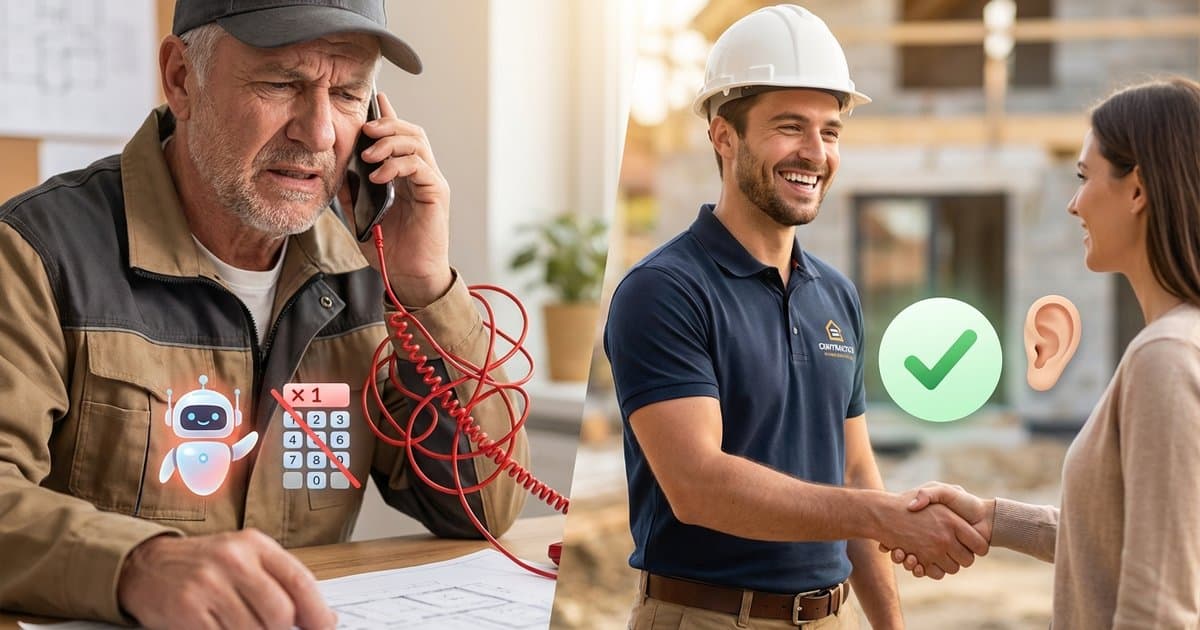
Imagine this scenario: It’s 7:30 AM on a Tuesday. A homeowner discovers a burst pipe in their basement. Panic sets in. They frantically search Google for "plumber near me" and call the first number with good reviews.
They hear: "Thank you for calling Elite Plumbing. Please listen closely as our menu options have changed. Press 1 for residential services. Press 2 for commercial. Press 3 for billing..."
Click.
They hang up and call the next plumber on the list. That plumber’s phone is answered instantly: "Thanks for calling Mike's Plumbing, this is Sarah. How can I help you?"
Mike gets the $800 job. Elite Plumbing gets a "missed call" notification and a prospect who will never call back.
For years, small business owners have been told that setting up an automated phone menu (also known as an Auto-Attendant or IVR) makes them look "professional" and "established."
In the trades and home services industry, this is a dangerous myth. In 2025, a phone menu doesn't signal professionalism—it signals friction. And friction kills leads.
Here is why ditching the robot menu for a natural AI receptionist is the smartest move you can make for your business growth.
The "Professional" Trap
When you upgrade to a VoIP phone system (like RingCentral, Grasshopper, or Dialpad), one of the first features they push is the Auto-Attendant. It’s tempting to turn it on. You think:
- "It makes me look like a big corporation."
- "It filters out spam calls."
- "It directs people to the right place so I don't have to deal with billing questions."
But you are looking at it from your perspective, not your customer's.
When a customer calls a contractor—whether for HVAC, roofing, electrical, or plumbing—they usually have an immediate problem. They are often stressed, in a hurry, or juggling their own work schedule.
They don't want to navigate a maze. They want to know one thing: "Can you help me, and how soon can you get here?"
Putting a barrier between their problem and your solution is the fastest way to lose them.
The High Cost of Friction
Let’s look at the numbers. Industry data on call abandonment rates (people hanging up before speaking to a human) paints a grim picture for phone menus:
- 30-50% of callers hang up when they encounter an IVR menu in a small business setting.
- 80% of callers will not leave a voicemail if they don't reach a human.
- 5 Minutes is the maximum window you have to respond to a lead before your odds of qualifying them drop by 400%.
If your phone menu takes 45 seconds to recite options, you have already wasted 15% of your critical "speed-to-lead" window.
The "Commodity" Problem
Unlike a specialized heart surgeon, general contractors are often viewed as commodities by homeowners in an emergency. If you don't answer, there are 10 other electricians who will. The business that removes the most friction wins the job.
The New Standard: Natural AI Receptionists
So, if you can't answer the phone yourself because you're on a ladder or under a sink, and a phone menu drives customers away, what is the solution?
Until recently, the only option was hiring a human receptionist ($40,000/year) or a call center service ($300-$500/month). Both are expensive for a solo operator or small team.
Enter the AI Receptionist.
Unlike a "dumb" phone menu that requires button presses, an AI Receptionist (like SkipCalls) uses natural language processing to hold a real conversation.
How It's Different
The Old Way (Phone Menu):
Robot Voice: "Press 1 for new service. Press 2 for existing appointments." Customer: (Frustrated, pressing buttons) Robot Voice: "Please wait while we connect you..." Result: Customer hangs up.
The New Way (SkipCalls AI):
AI Voice (Sounding Human): "Thanks for calling Elite Plumbing, I'm your virtual assistant. How can I help you today?" Customer: "Yeah, I have a leak under my sink." AI Voice: "I can help with that. Can I get your name and address to see if we have a technician available?" Result: Job booked.
It sounds subtle, but the psychological difference is massive. The customer feels heard immediately, rather than processed.
Why Natural AI Wins More Jobs
1. It Filters Spam Without Annoying Customers
One valid reason contractors use phone menus is to stop robocalls. "Press 1 to speak to a human" effectively blocks bots.
However, SkipCalls handles this intelligently. Our AI answers every call, but it recognizes spam patterns instantly. If it's a robocall, the AI hangs up or filters it out. If it's a human, the conversation starts immediately. You get the protection without the friction.
2. It Handles "Tier 1" Support
Phone menus are often used to route billing questions away from the owner. An AI receptionist can do this better.
Instead of "Press 3 for Billing," the customer just asks, "Hey, I have a question about my invoice." The AI can take a detailed message, flag it as "Billing," and send you a summary. You can then email them back later, keeping your phone line clear for new revenue-generating leads.
3. It Books Appointments 24/7
A static phone menu can't check your calendar. SkipCalls can. If a customer calls at 8 PM on a Friday wanting an estimate, the AI can check your availability and book the slot right then and there.
A phone menu would just send them to a voicemail box they likely wouldn't use.
Customer Experience: Phone Menu vs. AI
- Generic robot greeting
- Customer must press buttons
- 30-50% hang up immediately
- Voicemail black hole
- Natural human voice
- Instant conversation
- 0% friction
- Appointment booked instantly
Tap to switch between views
When Is a Phone Menu Actually Useful?
To be fair, are there times when a phone menu is appropriate? Yes.
- Large Enterprises: If you have 50+ employees and distinct departments (HR, Legal, Sales, Support), a menu is necessary.
- Medical Offices: HIPAA regulations and triage often require strict routing.
But for home service businesses—plumbers, roofers, landscapers, cleaners—where the primary goal is booking the job, a phone menu is an obstacle, not a tool.
How to Transition from "Press 1" to AI
If you're currently using a phone tree, switching is easier than you think.
- Audit Your Calls: Look at your VoIP logs. How many people hang up within 10 seconds of the menu starting? That number represents lost revenue.
- Simplify Your Flow: Your goal should be 100% answer rate, 0% menu navigation.
- Deploy SkipCalls:
- Download the app.
- Choose a voice that matches your brand (professional, friendly, authoritative).
- Set your "Call Forwarding" to send unanswered calls to SkipCalls.
Now, when you're busy, the AI picks up. No menus. No buttons. Just service.
The Bottom Line
Your phone is the lifeline of your business. Don't strangle it with a robot menu that treats your customers like ticket numbers.
In an age where everyone wants instant gratification, the business that answers the phone simply and humanly is the business that grows.
Stop making your customers work to hire you.
Ready to Ditch the Robot?
See the difference for yourself. Try SkipCalls free for 7 days and listen to the recordings of happy customers who didn't have to press a single button to give you their money.



![SkipCalls vs Dialzara: Current Plan Comparison [2026]](/_next/image?url=%2Fblog%2Fskipcalls-vs-dialzara-cover.jpeg&w=3840&q=75)