Stop Wasting Time on Price Shoppers: How to Automate Lead Screening for Contractors
Tired of wasting time on price shoppers? Learn how to use AI to screen and qualify leads automatically, so you only talk to serious customers.

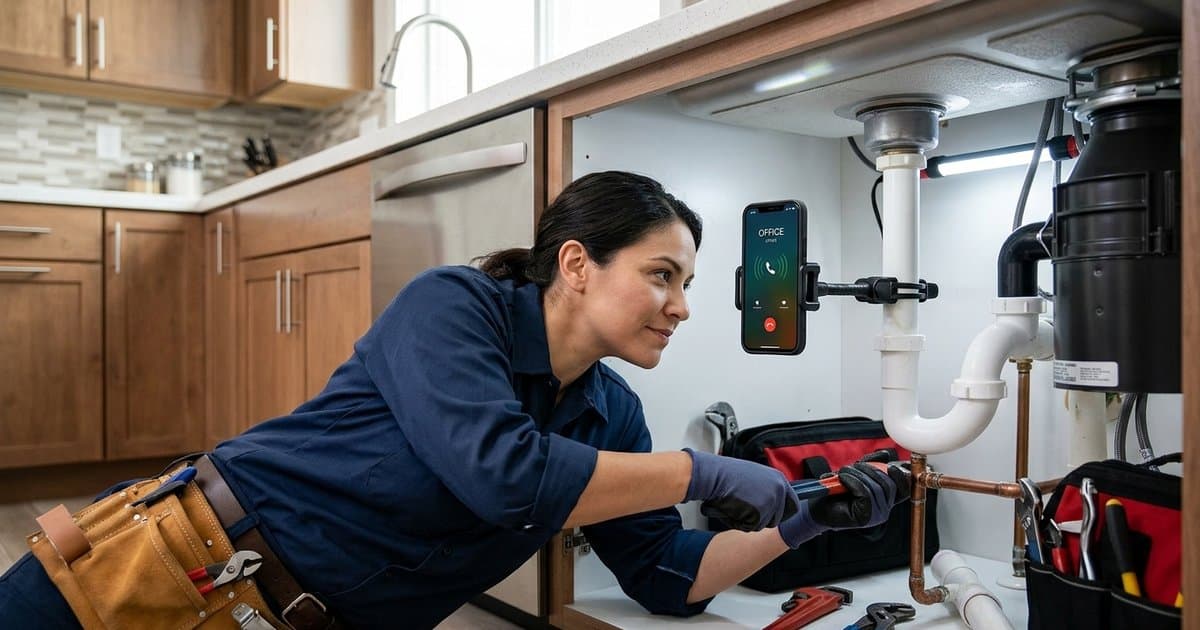
It’s 10:30 AM. You’re on a job site, midway through a complex installation. Your phone buzzes. You wipe your hands, step away from the work, and answer.
Fifteen minutes later, you hang up, frustrated. The caller wasn't ready to book; they were just "fishing for a price" or looking for a service you don't even offer.
You just lost 15 minutes of billable time, broke your focus, and gained absolutely nothing.
If you’re a plumber, electrician, or HVAC technician, you know this pain well. The problem isn't just missing calls—it's answering the wrong ones.
"Price shoppers" and "tire kickers" are a drain on your most valuable resource: your time. But what if you could filter them out before you ever picked up the phone?
Here is how you can automate lead screening and ensure you only speak to serious, ready-to-buy customers.
The Real Cost of Bad Leads
Most contractors focus heavily on getting more leads. But experienced business owners know that lead quality matters just as much as quantity.
When you answer every call yourself, you are acting as your own secretary. While that might seem free, it actually costs you expensive billable hours.
Consider the math:
- Average duration of a "bad lead" call: 5–10 minutes.
- Context switching cost: It takes an average of 23 minutes to regain full focus after an interruption.
- Daily impact: If you field just three of these calls a day, you are losing over 90 minutes of productive work time daily. That’s nearly 8 hours a week—a full workday lost to bad leads.
Beyond the time, there is the mental toll. Answering questions about services you don't offer (like a plumber getting calls for septic pumping) or haggling with callers who have zero budget leads to burnout.
Why You Feel Forced to Answer
The dilemma is simple: You answer the phone because you’re afraid of missing a "good" job. You know that if you let it go to voicemail, that high-value client will likely call your competitor.
So, you play Russian Roulette with your phone, hoping the next ring is a $5,000 install and not a $50 waste of time.
But there is a third option between "answer everything" and "answer nothing."
The Solution: Automated Lead Qualification
Lead qualification is simply the process of determining if a potential customer is a good fit for your business before you invest time in them. Large companies have sales teams to do this. You have technology.
By using an AI phone answering service like SkipCalls, you can create a buffer that filters calls for you. The AI acts as your front desk, asking the necessary questions to separate the serious buyers from the window shoppers.
How It Works in Practice
Instead of a generic voicemail, the caller speaks to an intelligent AI agent that sounds just like a human. You can train the AI to ask specific "knockout" questions based on your trade.
For a Roofer:
- "Are you looking for a repair or a full replacement?"
- "Is this for a residential home or a commercial building?"
- "Do you have an active leak right now?"
For a Plumber:
- "Is this an emergency?"
- "What type of property is this?"
- "Are you the homeowner?"
Based on the answers, the AI can either book the appointment directly into your calendar or simply take a message for you to review later.
How SkipCalls Screens Leads For You
SkipCalls isn't just a voicemail replacement; it's an intelligent gatekeeper for your business. Here is how you can use it to stop wasting time on bad leads:
1. Custom Instructions
You can tell SkipCalls exactly how to handle different types of inquiries. For example, you can give it a instruction: "If a customer asks for a quote over the phone, tell them we need to see the job first, but our service call fee is $89."
This instantly filters out price shoppers who aren't willing to pay for your expertise.
2. Service Filtering
Do you only do residential work? Tell SkipCalls: "If a caller asks for commercial work, politely tell them we specialize in residential homes and take a message."
Now, you don't have to interrupt your day to tell someone "no."
3. Priority Notifications
When SkipCalls finishes a call, it sends you an instant summary. You can see at a glance: "John Doe - Water Heater Burst - Emergency." You know to call that person back immediately.
If the summary says: "Caller asking about rough price for bathroom remodel next year," you can safely leave that for the evening.
3 Scripts to Filter "Tire Kickers"
Ready to set up your automated screening? Here are three approaches you can use with your AI agent instructions.
The "Service Fee" Filter
Best for: Filtering out people looking for the cheapest option.
Instruction to AI: "If a caller wants to book a repair, inform them that there is a standard dispatch fee of $XX which is waived if they proceed with the work. Ask if they would like to proceed with booking."
The "Scope" Filter
Best for: Avoiding jobs that are too small or outside your niche.
Instruction to AI: "Ask the caller to describe the issue. If it involves [Service You Don't Do, e.g., Drain Cleaning], let them know we don't offer that service but can recommend someone who does. Otherwise, proceed with booking."
The "Timeline" Filter
Best for: Managing expectations during busy seasons.
Instruction to AI: "Inform the caller that our current booking lead time is approximately 2 weeks. Ask if this timeline works for them before scheduling."
Implementation Tips
Setting up automated screening requires a delicate balance. You want to filter out bad leads without scaring away good ones.
- Keep it friendly. Your AI voice should sound helpful, not bureaucratic. SkipCalls' voice cloning technology ensures your AI sounds warm and professional, not robotic.
- Don't ask too much. Stick to 2-3 qualifying questions max. If you interrogate the caller, they will hang up.
- Always offer a path forward. Even if they aren't a fit, have the AI offer to take a message. You never know when a "bad lead" might refer a "good lead" later.
Take Back Your Day
You started your business to be a master of your trade, not a call center operator. Every minute you spend explaining to a price shopper why you can't install a water heater for $200 is a minute you aren't earning money.
By automating your lead screening, you protect your time, your focus, and your profitability. You ensure that when your phone does ring through to you (or when you check your call summaries), it's money in the bank.
Ready to stop talking to tire kickers? Try SkipCalls free for 7 days and let our AI handle the screening for you. Set it up in 5 minutes and watch your productivity soar.