
Speed to Lead: Your Receptionist Texts Every New Lead in Seconds
A lead from Angi, Thumbtack or your website gets a text from your business number within seconds. Your receptionist answers their questions, books the job by text, and calls only if they ask.
Connect a lead source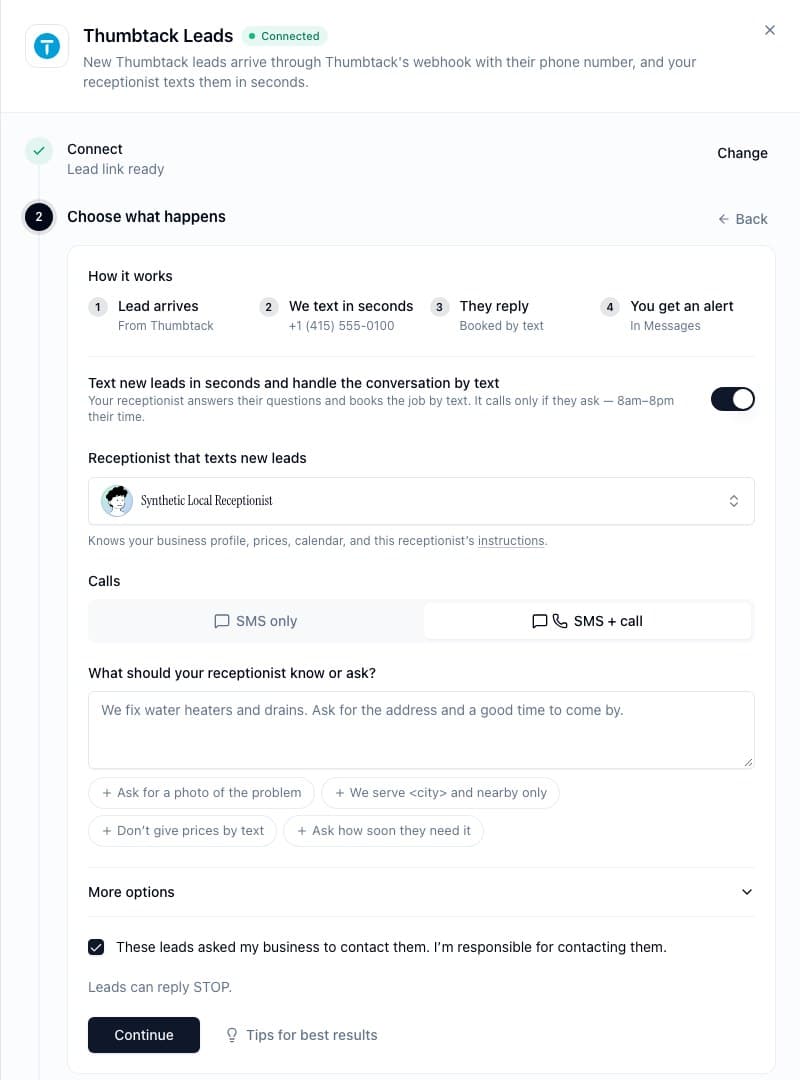
How to Set Up Speed to Lead
A few minutes on the web dashboard. Full guide with screenshots
Connect a lead source
Open Integrations on the web dashboard and pick the Leads filter. Angi Leads and Thumbtack Leads each give you a link to paste into that platform. Lead emails & forms gives you an address to forward lead emails to, and a link for Zapier.
Choose what happens
Turn on Text new leads in seconds, pick the receptionist, and choose SMS only or SMS + call. Write what it should ask, for example a photo of the problem or the address.
Send a test lead
A sample lead lands in your contacts marked (test), so you see exactly what gets saved. No text goes out.
A real lead comes in
It is saved to your contacts, you get an alert, and the lead gets a text from your SkipCalls number that says who you are and which request it is about.
Text First, Call Only When They Ask
People who fill out a quote form often ignore unknown calls but answer a text.
A text in seconds, inside 8am to 8pm
The first text goes out within seconds of the lead. A lead that arrives at 11pm gets it at 8am their time, not at midnight.
It knows your business
Your receptionist answers by text from your business profile, your prices and your instructions, and books a real free time when your calendar is connected.
Calls only when they ask
If the lead says call me, or call me at 3, the receptionist calls between 8am and 8pm their time. Choose SMS only and it never calls.
Reminders, then it stops
No reply? Up to three short reminders: two hours later, the next morning and on day three. Reminders stop on any reply, a booking, STOP, or a message you send yourself.
Which Lead Sources Work
A text needs a phone number, so each source connects the way that carries one.
Angi Leads
- Angi sends each lead to your SkipCalls link
- One email to Angi to turn it on
- Angi and HomeAdvisor lead emails also work by forwarding
Thumbtack Leads
- Thumbtack’s webhook sends the lead with the customer’s Thumbtack number
- Add your receptionist’s number under Registered phone numbers in Thumbtack
Lead emails & forms
- Website form emails: Wix, Squarespace, WordPress, Jotform, Typeform
- Google Local Services, Houzz and Networx lead emails
- Facebook Lead Ads and Yelp Leads through Zapier
Thumbtack and Yelp emails don't include the customer's phone number, so forwarding them doesn't work. Use the Thumbtack webhook and Zapier instead.
Frequently Asked Questions
What is speed to lead?
It is the time between a new lead and your first reply. Lead platforms send the same request to several pros, and the first one to reply often gets the job. SkipCalls gets that first reply out in seconds, even when you are on a job.
Which lead sources work?
Angi through the Angi Leads integration, Thumbtack through its webhook, and lead emails you forward: website forms, Angi and HomeAdvisor, Google Local Services, Houzz and Networx. Facebook Lead Ads and Yelp Leads connect through Zapier.
Will the AI call my leads?
Only if the lead asks for a call, and only between 8am and 8pm their time. Choose SMS only and it never calls.
Can I take over the conversation?
Yes. Every text is in Messages on the web and in the app. Reply yourself and the receptionist steps back.
Which plan includes it?
Texting new leads is part of PRO and higher. On Starter, leads are still saved to your contacts with an alert, so nothing is lost.