Best Virtual Receptionist App for Contractors 2026: 5 Options Tested on Real Job Sites
We tested 5 virtual receptionist apps on real job sites. See which tool helps contractors stop missing calls and book more jobs in 2026.

Best Virtual Receptionist App for Contractors 2026: 5 Options Tested on Real Job Sites
You know the sound. You’re on a ladder, both hands deep in a junction box or holding a pipe, and your pocket starts vibrating. It’s a call.
It could be a spammer trying to sell you car insurance. Or it could be a homeowner with a flooded basement and a credit card ready to go.
You have two choices:
- Stop working, wipe your hands, climb down, and answer—only to find out it’s a robocall.
- Ignore it, let it go to voicemail, and pray they leave a message (spoiler: they won’t).
If you’re like most contractors, you choose option 2. And it’s costing you a fortune. Recent data shows that 62% of calls to contractors go unanswered, and less than 3% of those callers leave a voicemail.
The solution isn't hiring a $45,000/year office manager before you're ready. It's using a virtual receptionist app. But which one actually works when you're on a noisy job site?
We tested 5 popular options—from premium human services to AI apps—to find the best virtual receptionist for contractors in 2026.
TL;DR for contractors in a rush: The SkipCalls virtual receptionist app scored highest on the job-site test. $199/year, 60-second setup, sounds human. See pricing or try the live demo on the landing page.
The "Job Site Test" Criteria
Software reviews usually happen in quiet offices. That’s not your reality. To find the best tool for tradespeople, we evaluated these services based on:
- Speed: Does it pick up fast enough to stop the lead from calling your competitor?
- Accuracy: Can it handle background noise and understand trade terms (like "rough-in" or "breaker panel")?
- Cost: Is it affordable for a solo operator or small crew?
- Setup: Can you get it running in 5 minutes from your truck?
Here are the results.
1. SkipCalls (Best Overall Value & Performance)
The Verdict: The smartest, most affordable AI option for contractors who need 24/7 coverage without the overhead.
SkipCalls was built specifically for small business owners who work with their hands. Unlike generic answering services, it uses advanced AI to clone your voice (optional) and sound exactly like a helpful member of your team. Full overview: SkipCalls Virtual Receptionist App →
How It Performed:
- Setup: Took 4 minutes. We downloaded the app, recorded a quick greeting, and set up call forwarding.
- The Test: We called while a circular saw was running in the background. The AI filtered out the noise, understood the customer wanted a quote for a "panel upgrade," and booked the appointment directly into the calendar.
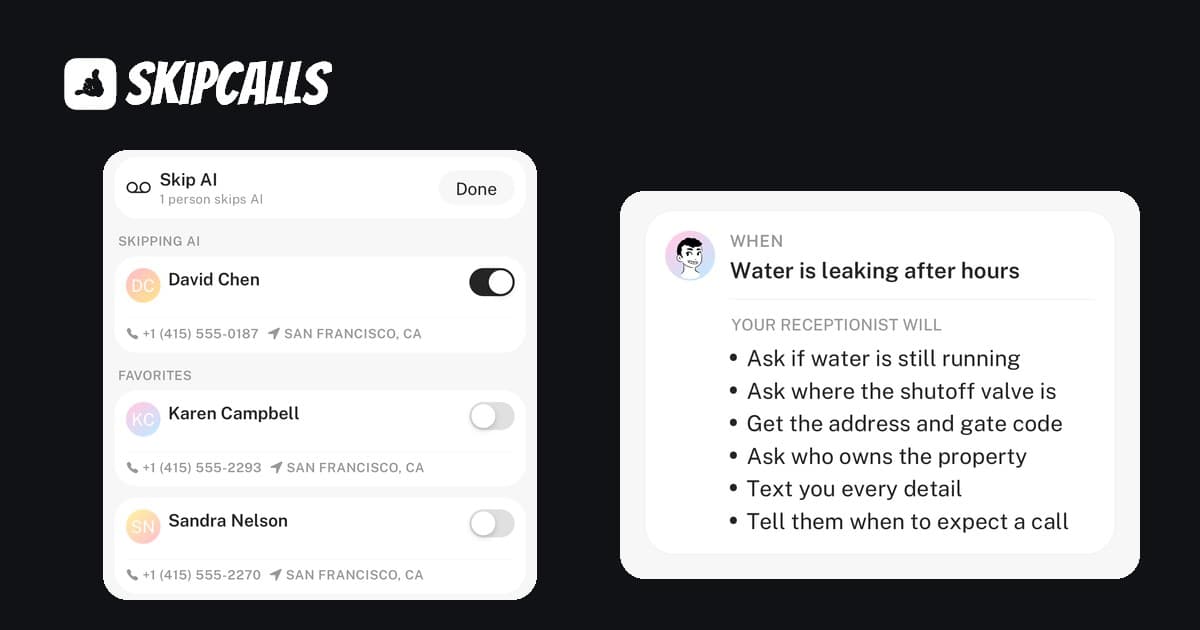
- Spam Handling: This was the standout feature. The AI screened out three robocalls during our test period, saving us from stopping work unnecessarily.
Pros:
- Unbeatable Price: At $199/year, it costs less than one week of a human service.
- 24/7 Availability: Answers nights, weekends, and holidays at no extra cost.
- Spam Blocking: Aggressively filters junk calls.
- Instant Summaries: Sends a text recap immediately after the call so you know if it's urgent.
Cons:
- It's AI, not a human (though most callers couldn't tell).
Best For: Solo contractors (plumbers, electricians, HVAC) and small crews who want to stop missing jobs but can't justify a $500/month bill.
Annual Cost Breakdown
2. Ruby (Best Premium Human Service)
The Verdict: The gold standard for human receptionists, if you have the budget.
If you absolutely need a real live human to answer every call, Ruby is the industry leader. They are friendly, professional, and great at handling irate customers.
How It Performed:
- The Test: The receptionist was polite and sounded professional. However, we were put on hold for about 30 seconds before a human picked up, which might be long enough for an impatient lead to hang up.
- Cost Shock: The service starts around $230/month for a very limited number of receptionist minutes. If you get a lot of spam calls, you pay for those minutes too.
Pros:
- Real human empathy for sensitive situations.
- Great mobile app.
Cons:
- Extremely Expensive: Costs $2,700+ per year for basic plans.
- Not Truly 24/7: Overnight answering often costs extra or uses a different call center.
Best For: Established law firms or high-end design-build firms where a $3k annual bill is a drop in the bucket.
3. Smith.ai (Best Hybrid Option)
The Verdict: A solid middle ground that uses AI to screen calls before passing them to humans.
Smith.ai tries to balance cost and quality by using technology to assist their human agents. They are popular with professional services but are aggressively targeting home services.
How It Performed:
- The Test: They handled the "schedule a quote" request well. The integration with CRM software is strong, meaning the lead details went straight into our database.
- Pricing: Starts at $95/month, which is better than Ruby but still a significant monthly commitment for a solo operator.
Pros:
- Good CRM integrations.
- Filters spam better than pure human services.
Cons:
- Still costs $1,000+ per year.
- Per-call pricing can get unpredictable during busy seasons.
Best For: Mid-sized contractors with a marketing budget who need CRM integration.
4. Google Voice (The "Free" Trap)
The Verdict: You get what you pay for—which is a second phone number that you still have to answer yourself.
Many contractors start here because it's free (or very cheap for the business version). But it doesn't solve the core problem: You still have to answer the phone.
How It Performed:
- The Test: We called. The phone rang. We didn't pick up (because we were working). It went to voicemail.
- The Result: The "customer" hung up and called the next plumber on the list.
Pros:
- Free/Cheap.
- Keeps your personal number private.
Cons:
- Does not answer calls for you.
- Zero spam protection (Google Voice numbers are spam magnets).
- Makes you look small/unprofessional.
Best For: Hobbyists who don't care about missing revenue.
5. Cheap AI Clones (The "Robot" Risk)
The Verdict: Beware of generic AI tools that sound like 1990s GPS navigation.
We tested a generic "AI voice bot" (we won't name names, but they are all over the app store).
How It Performed:
- The Test: The voice latency was bad. There was a 3-second awkward silence after we said "Hello?"
- The Result: The caller said "Hello? Is anyone there?" and hung up before the AI could explain it was a virtual assistant.
Pros:
- Cheap.
Cons:
- Sounds robotic: Kills trust immediately.
- Bad latency: Makes conversation impossible.
- Confused by accents/noise: Failed to understand "HVAC" when pronounced quickly.
Why SkipCalls Won the "Job Site Test"
For 90% of contractors, the goal is simple: Capture the lead, book the appointment, and get back to work.
You don't need a receptionist to have a 10-minute chat about the weather. You need someone to say, "Thanks for calling BrightSpark Electric, are you looking for a residential or commercial quote? Great, let's get you on the schedule."
SkipCalls won because:
- It handled the noise. Job sites are loud. SkipCalls didn't struggle with background noise.
- It filtered the spam. If you're an electrician or plumber, you know spam calls are a plague. SkipCalls blocked them.
- It paid for itself in one call. The annual cost ($199) is less than the profit from a single small service call.
The Cost of Doing Nothing
Let's look at the math. If you miss 5 calls a week (a conservative estimate for most trades):
- That's 260 missed opportunities a year.
- If only 10% of those were real jobs worth $500...
- You just lost $13,000 in revenue.
Calculate Your Missed Call Cost
Step 1 of 3 • Takes 30 seconds
On a typical busy day, how often does your phone ring when you can't pick up?
When you're with a customer, under a house, on a ladder...
Don't stress about the exact number – a rough guess is perfect
Calculate Your Missed Call Cost
Calculate how much revenue your business loses from missed phone calls. Most contractors lose $800-$1,500 per month from unanswered calls. SkipCalls AI phone answering costs only $199/year and captures every lead.
- Calculate how much money you lose from missed calls
- Average contractor loses $800-$1,500/month to unanswered calls
- SkipCalls AI answering costs only $199/year
- One captured job pays for 5+ years of service
Tips for Contractors Setting Up a Virtual Receptionist
Whichever option you choose, follow these best practices to ensure you don't lose leads:
- Keep the Greeting Short: Don't make people listen to a 30-second menu. "Thanks for calling [Company Name]. I'm on a job site right now, but my AI assistant can book your appointment or take a message."
- Enable "Find Me/Follow Me": Set the app to ring your phone first, then forward to the AI if you don't pick up after 3 rings. This gives you control.
- Test It Yourself: Call your own number from a friend's phone. If it's annoying to you, it's annoying to your customers.
- Use After-Hours Answering: Emergencies happen at night. Make sure your system can handle 2 a.m. calls without waking you up unless it's a true emergency.
Conclusion: Stop Answering the Phone on the Ladder
Your expertise is in your trade, not in answering phones. But in 2026, customers demand instant responses. If you don't pick up, they call the next guy.
For contractors who want to look professional, capture every lead, and save thousands of dollars compared to human services, SkipCalls is the clear winner. It's the only tool tested that offered the robustness of a human receptionist with the pricing of a software tool.
Ready to stop missing jobs? Start your free 7-day trial of SkipCalls today and see how many leads you've been missing.