What Is Appointment Setting? the Small Business Guide
What Is Appointment Setting. Learn what appointment setting is, how it differs from simple booking, and why speed matters. A practical guide
You're under a sink, on a roof, with wet hands, or halfway through a client consultation when the phone rings. You can't answer it, so you let it go to voicemail. By the time you call back, the caller has already contacted another provider, forgotten why they called, or decided that your business is too difficult to reach.
That's the practical answer to what is appointment setting. It's the structured process of turning interest into a confirmed conversation, visit, consultation, or service slot with the right person. The difference between a calendar entry and a real opportunity is what happens before and after the booking.
The Missed Call Reality
A missed call isn't just a missed conversation. For a small business, it can be a missed plumbing job, property viewing, insurance consultation, legal intake, or salon visit. The owner may be doing the work that generates revenue, which creates an awkward conflict: answering the phone can interrupt today's job, but ignoring it can remove tomorrow's job from the pipeline.

Appointment setting provides the bridge between a random inquiry and a confirmed, commercially useful next step. It usually involves receiving or identifying an inquiry, understanding what the person needs, collecting contact details, checking whether the request fits the business, finding availability, booking the time, and confirming what happens next.
The weakness in many businesses isn't a lack of demand. It's the gap between interest and ownership. An audit of 2,241 U.S. companies found that only 37% responded to an online inquiry within one hour, while 24% took more than 24 hours and 23% never responded. The same figures are reported in Harvard Business Review lead-response research.
Practical rule: A lead has little commercial value until someone creates a reliable next action.
That action might be a site visit, a discovery call, a quote appointment, or an intake with a qualified professional. The important point is that appointment setting doesn't mean answering every call and filling every open space. It means making sure the interaction has enough structure to become revenue rather than another name in a call log.
The Appointment Setting Workflow
A dependable workflow moves in a clear sequence. Each stage protects the next one, so skipping a question early can create a bad appointment later.
Inquiry reception: Capture the missed call, live call, web request, text, social message, or referral. Record the time, source, and available contact details. If the business doesn't know where the inquiry came from, it will struggle to measure which channels produce useful opportunities.
Needs verification: Ask what the person needs, where they're located, how urgent the request is, and whether the service is appropriate. A plumber may need to distinguish a leaking tap from a burst pipe. A law firm may need to route a family matter differently from a commercial dispute.
Contact capture: Confirm the customer's name, phone number, email address, location, preferred time, and consent for follow-up. For a service business, the address may determine whether the job is even eligible. For an insurer, the type of policy or claim may determine who should handle the conversation.
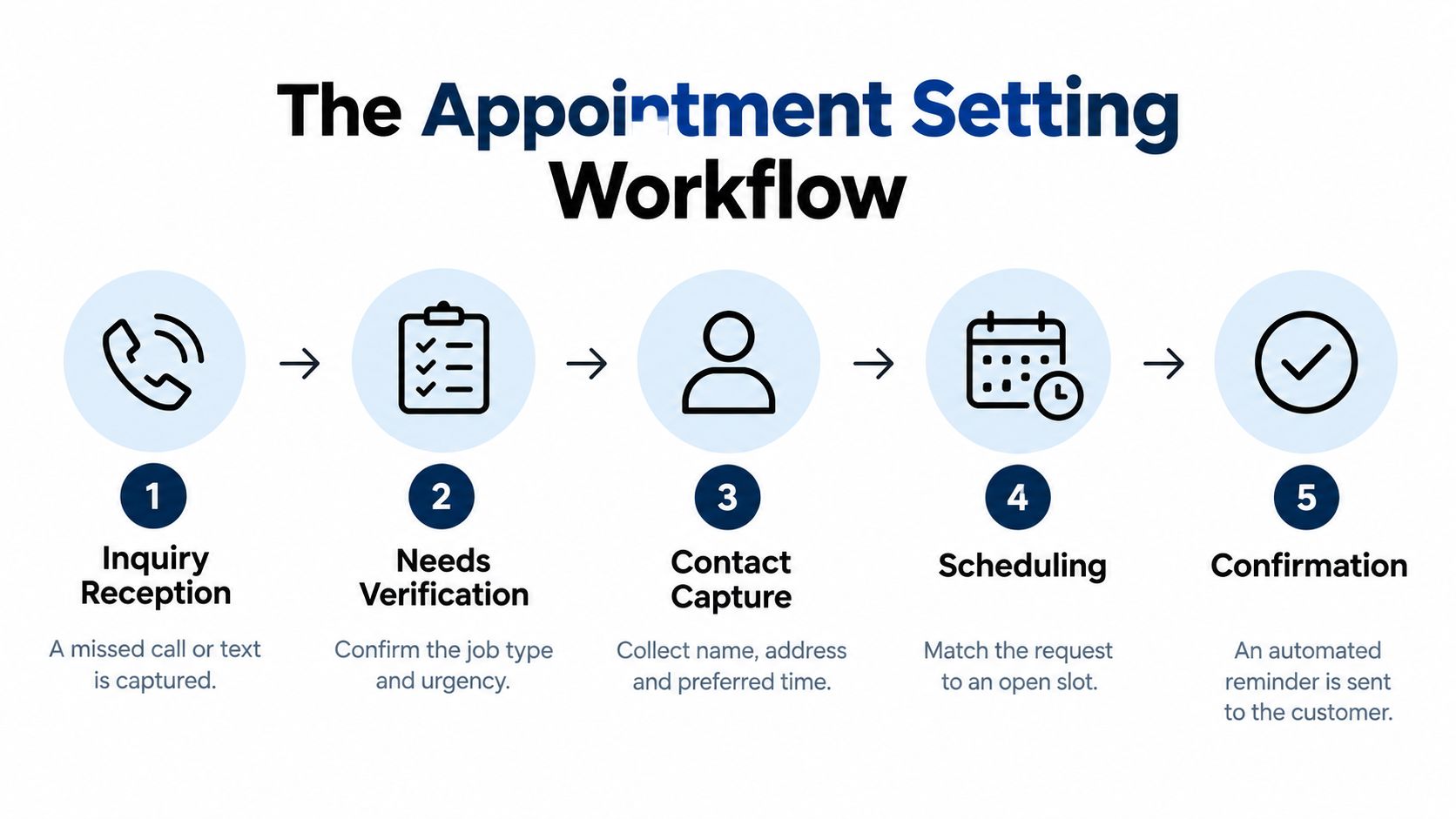
Scheduling: Match the request with the correct staff member, service area, equipment, and available time. Don't treat an empty calendar slot as automatically suitable. The slot must belong to someone who can handle the need.
Confirmation: Send the date, time, location, expectations, and contact instructions. A reminder workflow should also make rescheduling easy when plans change.
A systematic review and meta-analysis of 61 studies found that reminders delivered by SMS, telephone, or mail can reduce non-attendance. The review evaluated SMS reminders in 26 studies and telephone reminders in 13 studies, as documented in the systematic review of appointment reminder interventions.
A calendar event without this information is merely an administrative record. A qualified appointment has a reason, an owner, a time, a customer need, and enough context for the person taking the meeting to do useful work. Businesses building this function internally can also review practical role expectations through a resource such as Hire Appointment Setter. For teams using scheduling software, the workflow should connect directly with appointment scheduling tools, rather than forcing staff to copy details between systems.
The Speed-Conversion Relationship
A homeowner who requests help at 10:00 a.m. may still be comparing providers at 10:05. By the afternoon, the urgency may have faded, a competitor may have answered, or the prospect may decide to postpone the problem. Speed matters because the first response helps determine whether the inquiry becomes a real conversation.
Research associated with MIT and InsideSales.com found that contacting an inbound lead within five minutes made the lead 21 times more likely to be qualified than contacting it after 30 minutes. The findings are summarized in lead-response-time research from Rework. Here, qualification means reaching a meaningful conversation with a decision-maker, not just placing a call.
A callback scheduled for later may look organized from the owner's perspective, while still arriving too late for the prospect. The business needs a process that produces a useful first response while the inquiry is active. The scheduling tool supports that process. It does not replace it.
Why a callback queue fails
A traditional process often follows this pattern:
- A caller leaves a voicemail.
- Someone writes down the name.
- The owner finishes the current job.
- The owner remembers the call later.
- The callback reaches voicemail.
- Nobody can confirm whether the lead was contacted, qualified, or lost.
The weakness is not merely a slow calendar. The process depends on memory during the busiest part of the day and provides no consistent way to distinguish urgent requests from routine questions.
A better workflow captures the inquiry immediately, asks a few useful questions, offers appropriate availability, and routes exceptions to a person. Automation can handle the first response and collect context. Staff still need to judge whether the request fits the service, timing, and team capacity.
The cost of waiting
The same research reported that firms attempting contact within one hour were nearly seven times more likely to qualify a lead than firms waiting an additional hour. Businesses waiting at least 24 hours were more than 60 times less likely to qualify the lead, according to the same lead-response analysis.
Fast contact does not guarantee a customer. A vague answer, poor routing, or unsuitable appointment can still waste the opportunity. The data shows that response time affects the chance of having a productive conversation at all. The process must therefore optimize for both speed and relevance.
Track time to first response, contact rate, qualification rate, booking rate, show rate, and revenue per booked appointment. Fast bookings alone can hide a serious problem. If the team receives unqualified or impossible jobs, the business has only accelerated the transfer of bad information.
Booking Versus Setting Apart
A simple booking places a name and time on a calendar. Appointment setting decides whether that time should exist, who should own it, and what needs to happen during it.
Consider a homeowner requesting same-day help outside the company's service area. A basic booking process may find an open slot and confirm the visit. A proper appointment-setting process checks the address, understands the issue, verifies urgency, confirms service coverage, and either routes the request correctly or declines to create a false promise.
| Feature | Simple Booking | Appointment Setting |
|---|---|---|
| Customer information | Name and contact details | Name, contact details, location, need, urgency, and relevant context |
| Calendar decision | Uses any apparently open slot | Matches the request to the right person, service, and availability |
| Qualification | Assumes interest is enough | Checks fit, scope, timing, and practical eligibility |
| Staff preparation | Sends a calendar event | Sends a useful summary and clear expectations |
| Exceptions | Often handled manually later | Escalates urgent, sensitive, or ambiguous requests immediately |
| Success measure | Appointment created | Qualified appointment that can be attended and acted on |
The distinction matters for salons, real estate agents, insurance agencies, law firms, and home-service operators. A slot can be technically occupied while still being commercially useless. The employee may lack the required expertise, the customer may be outside the service area, or the appointment may omit information needed to prepare.
A booking is an event. A qualified appointment is an operational commitment.
Before confirming, ask whether the business can deliver the requested service, whether the customer has provided enough detail, whether the timing is realistic, and whether the right person has been assigned. If the answer is no, the correct outcome may be a transfer, a callback, a different appointment type, or no booking at all.
This is also why appointment setting differs from just collecting leads. A lead record says someone expressed interest. A qualified appointment says the business has identified a plausible need and created a specific next step with an accountable owner.
SkipCalls in Practice
A small roofing company illustrates the problem well. The owner may be on a roof, the office assistant may be handling supplier calls, and a potential customer may be calling about storm damage. The business needs more than a message that says, “Call back when free.” It needs the customer's location, the type of damage, the urgency, and a reasonable path to an inspection.
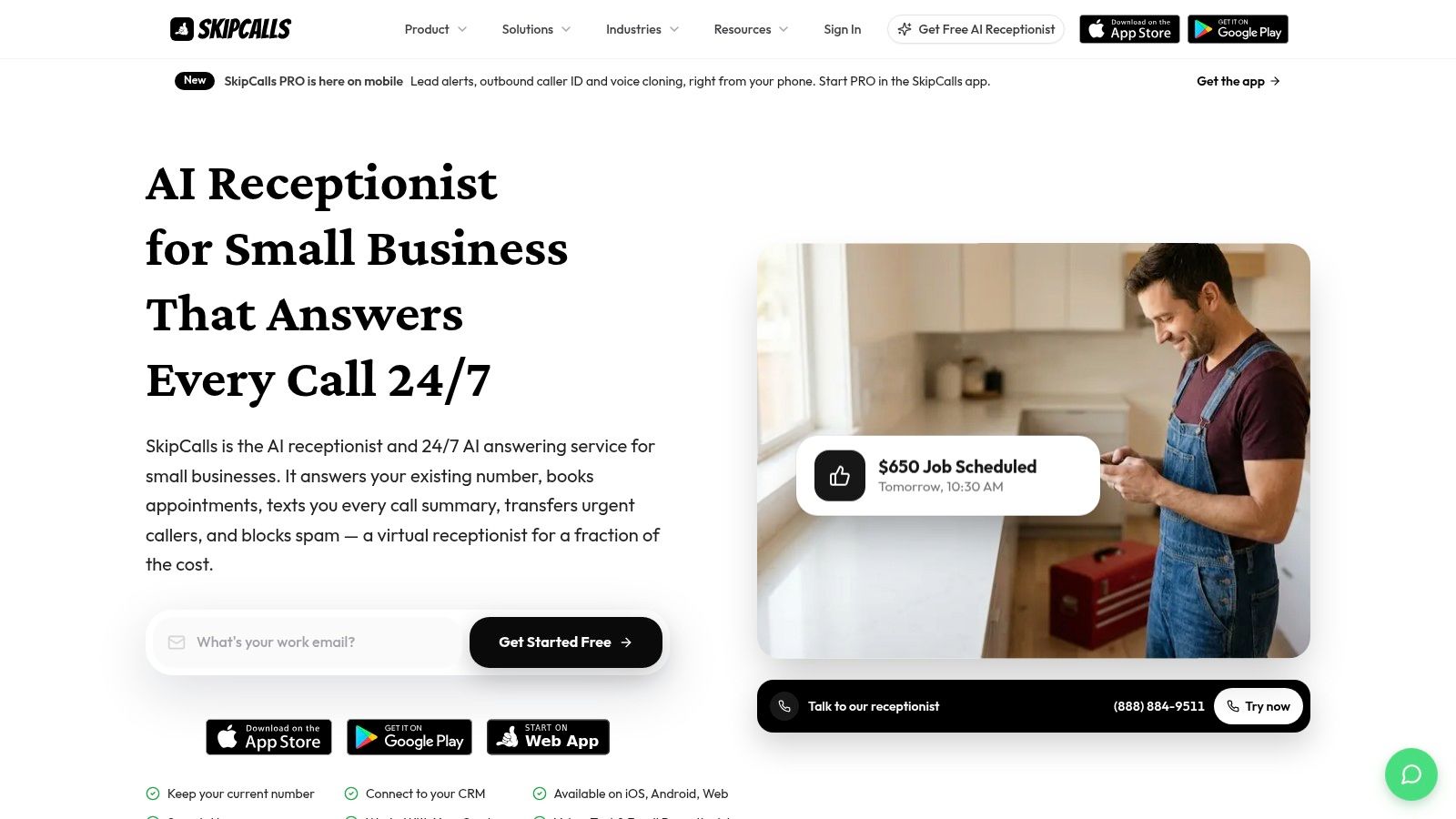
SkipCalls is a simple-to-set-up solution that works for customer support, lead qualification, appointment booking, and other workflows. It handles voice and text and doesn't require a business to change its phone number to integrate into its existing workflow. It also offers integrations with CRMs and calendars, so appointment details can move into the systems the team already uses.
For a solo operator, that can mean capturing a request while working instead of relying on memory. For a local team, it can mean asking qualifying questions before offering availability. For a business with several staff members, calendar and CRM connections help preserve ownership and context after the initial interaction.
The practical use case is described through appointment-booking workflows. The important question isn't whether software can place a calendar event. It's whether the workflow captures enough information to make that event useful.
A voice-and-text system can also send the customer a clear confirmation and notify the business when a request needs attention. That removes some routine coordination, but the team still needs to define which inquiries can be handled automatically and which require a person.
The technology is most useful when it fits the operation rather than forcing the operation to change around it. A plumber can keep the existing number, a salon can protect its appointment book, and a legal practice can require a human review before accepting a sensitive consultation.
Retention and No-Show Management
The booking isn't the finish line. A customer can agree to a time and still forget, misunderstand the location, become unavailable, or assume the business will remind them later. Appointment setting includes the follow-up that protects the commitment.
A systematic review published in BMJ Open found that digital appointment notifications increased attendance from 54% to 67% and reduced pooled no-show rates from 21% to 15%. The findings are available in the BMJ Open review of digital appointment notifications.
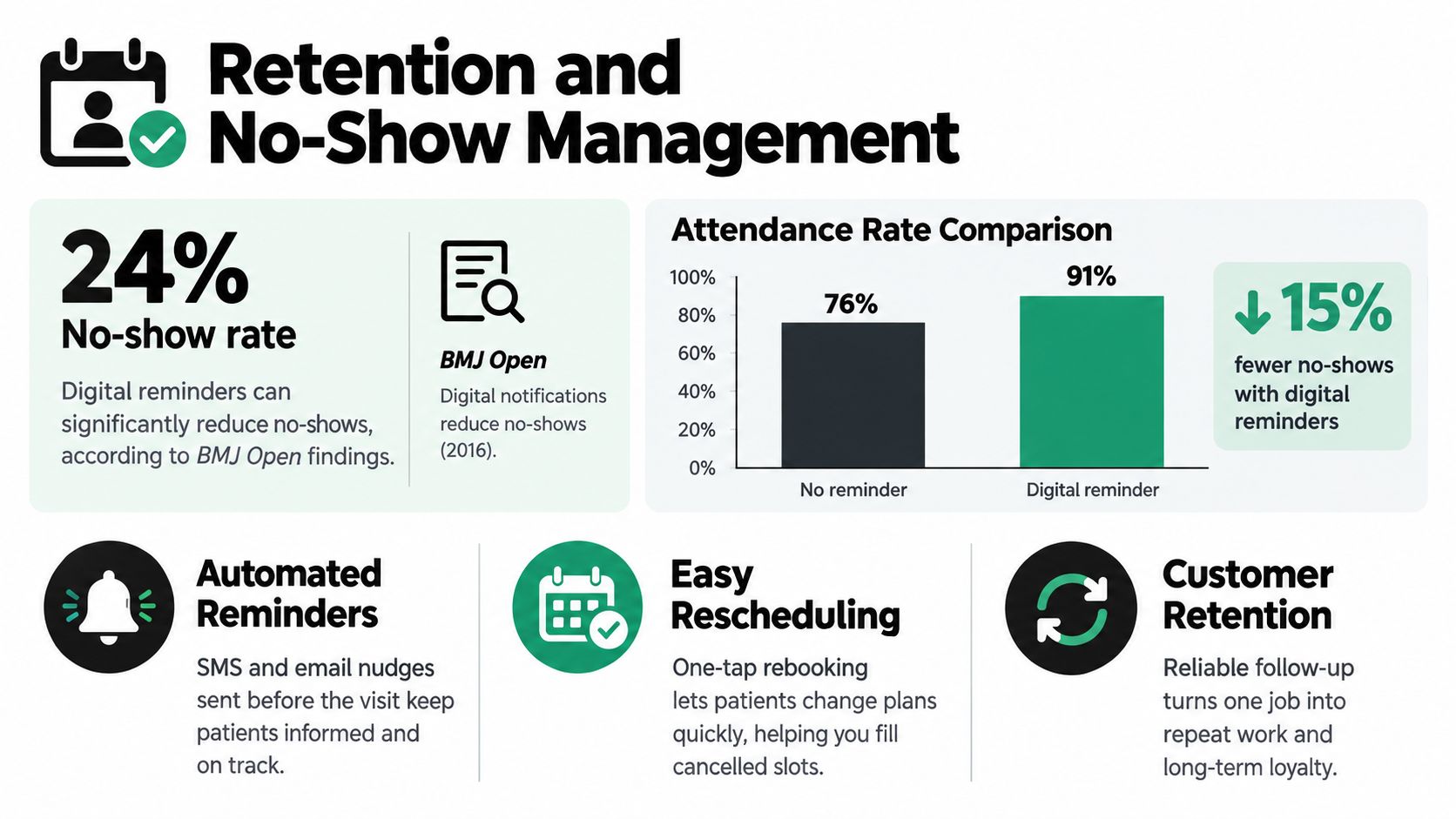
The lesson isn't to send the same reminder to everyone without thinking. The message should confirm the practical details and make it easy for the customer to respond. A reminder that includes the wrong address or an unclear service description may create more confusion than reassurance.
Build the follow-up around customer effort
A useful reminder sequence should answer four questions:
- What is booked: State the service, consultation, or visit in plain language.
- When is it happening: Include the date, time, and relevant time-zone information where necessary.
- What should the customer prepare: Request documents, access instructions, photos, or other details only when they're genuinely needed.
- What happens if plans change: Provide a clear route to cancel or reschedule instead of forcing the customer to start from the beginning.
The appointment record should also preserve the customer's response and any changes. That helps the team distinguish a confirmed visit from an unanswered reminder and gives staff context before they make a follow-up call.
Text reminders can be especially useful for short operational messages, while voice follow-up has a role when the appointment is complex, urgent, or sensitive. The right mix depends on the customer and the service, not on a blanket preference for automation. More practical examples are available in this guide to text message appointment reminders.
A no-show is not always a bad lead. Sometimes it signals weak confirmation, excessive delay between booking and service, unclear expectations, or a customer who needed an easier rescheduling path. Good appointment setting uses that outcome to improve the workflow rather than blaming the customer.
Beyond Automation
Automation is valuable when the request is clear, the service is available, and the customer can make an informed booking without assistance. It becomes risky when the system lacks enough information to distinguish a routine request from an urgent or sensitive one.
An emergency home-service call may require immediate human escalation. A legal inquiry may involve confidential facts that shouldn't be reduced to a generic form. An insurance customer may need help explaining a claim. An older caller, a person with a disability, or someone facing a language barrier may prefer a person even when online scheduling is available.
Define the handoff rules
A responsible appointment-setting system should transfer, call back, or pause booking when:
- The request is ambiguous: The system can't identify the service, matter type, or intended outcome.
- The situation may be urgent: The customer describes danger, active damage, or a time-critical issue.
- The information is sensitive: The conversation involves details that require trained staff or controlled handling.
- Availability is uncertain: The calendar doesn't show whether the right person, equipment, or location is suitable.
- The customer asks for a person: A request for human assistance is itself a valid routing signal.
The system should also detect duplicate bookings, cancellations, no-shows, and conflicting calendar states. A fast incorrect confirmation damages trust more quickly than a slower honest callback.
The useful measure isn't how much of the workflow runs without people. It's whether the handoff gives the person enough accurate context to act.
That requires a summary containing the customer's request, contact details, location where relevant, urgency, preferred time, and any unanswered questions. It also requires consent and an audit trail, especially when several employees share responsibility for the same inquiry.
Businesses evaluating an AI appointment booking system should ask what happens when confidence is low. The answer should include a human fallback, not just another automated message. Automation should coordinate routine work and protect response speed, while people handle judgment, exceptions, and trust.
Essential Elements for Small Businesses
Small businesses don't need a complicated sales department to set appointments properly. They need a workflow that responds quickly, asks the right questions, preserves context, and follows through after the calendar event is created.
Immediate response capability
Give every inquiry an owner as soon as it arrives. That may be a receptionist, an on-call employee, a trained assistant, or an automated voice-and-text workflow. The important point is that the customer shouldn't have to guess whether anyone received the request.
Structured qualification criteria
Write down what makes a request suitable for booking. Include the service or matter type, location, urgency, preferred time, availability requirements, relevant budget or insurance context, and consent for follow-up. Keep the questions short enough for a real conversation.
Connected records
A booking shouldn't disappear into a separate scheduling tool. Connect the workflow to the CRM and calendar where the team manages customers, assignments, and outcomes. Record the source, timestamp, intent, appointment status, and disposition so the owner can see which opportunities became real conversations.
Reliable reminders
Confirm the appointment immediately, explain what the customer should expect, and offer a simple way to reschedule. Use the customer's preferred channel where possible, but preserve a phone option for people who need clarification or can't complete the process digitally.
Finally, review the results regularly. Look for unanswered inquiries, incomplete customer details, bookings assigned to the wrong person, cancellations, no-shows, and appointments that sales or service staff consider unqualified. Those failure points tell you where the process needs adjustment.
A calendar full of names can create false confidence. A smaller set of well-qualified, properly confirmed appointments gives a small team something more valuable, dependable work that people can actually perform.
SkipCalls handles voice and text inquiries, captures customer details, qualifies requests, and books appointments without requiring you to change your existing phone number. Visit SkipCalls to see how its CRM and calendar integrations can help turn missed calls into organized, actionable opportunities.