How To Set Up an AI Receptionist in 5 Minutes: Step-by-Step Guide for Any Small Business (No Tech Skills Required)
Stop missing calls today. Follow this 5-minute guide to set up an AI receptionist that answers 24/7, books jobs, and sounds just like you. No tech skills needed.

Picture this: You’re up on a ladder, under a sink, or in the middle of a client meeting. Your phone buzzes in your pocket. You check the screen—it’s an unknown number.
You have two choices. One, you stop what you’re doing, apologize to your current client, and take the call (which is probably spam anyway). Or two, you let it go to voicemail.
Most of us choose option two. But here is the brutal truth: 85% of callers who hit voicemail hang up and call your competitor.
That silence isn't just annoying; it's expensive. For the average contractor or small business owner, missed calls bleed thousands of dollars in revenue every month. But you can't be in two places at once. You can't answer the phone 24/7 while actually doing the work that pays the bills.
Five years ago, the solution was hiring a receptionist for $40,000 a year. Today, you can solve this problem in literally five minutes for less than the cost of a coffee a week.
Here is how to set up an AI receptionist that answers calls, books jobs, and sounds exactly like you—no IT degree required.
The "Missed Call Math" That Kills Small Businesses
Before we dive into the setup, let's look at why this matters. It’s easy to think, "I'll just call them back later." I used to think that too.
But speed is everything. Data shows that responding to a lead within 5 minutes increases your chances of converting them by 100x. Wait just 30 minutes, and that lead is likely gone.
If you miss just three calls a week, and one of them was a $500 job, you are losing $26,000 a year. If you're a roofer or HVAC tech where jobs are $5,000+, the losses are terrifying.
This is why an AI receptionist for small business isn't a luxury anymore—it's a survival tool.
Step-by-Step: Setting Up Your AI Receptionist
We are going to use SkipCalls for this guide because it’s built specifically for trades and service businesses, and it’s arguably the easiest to set up. The process is similar for other apps, but SkipCalls strips away the complex "call flow" diagrams that confuse most people.
Time required: 5 minutes Tools needed: Your smartphone
Step 1: Download and Create Your Account (1 Minute)
First, grab your phone. Go to the App Store or Google Play and download SkipCalls.
Open the app and sign up. You’ll enter your basic business info—name, industry, and email. This is important because the AI uses this data to build its initial knowledge base about your company.
Step 2: Choose Your Number Strategy (1 Minute)
This is where most people get stuck, but it’s actually simple. You have two main options:
- Keep Your Current Number (Call Forwarding): This is what 95% of users do. You keep your existing business number on your website and truck. You simply tell your carrier (Verizon, T-Mobile, etc.) to forward calls to SkipCalls when you don't answer, or when your line is busy.
- Get a New Business Number: If you’re using your personal cell for business and want to stop, you can pick a new local number directly in the app.
Pro Tip: Start with Call Forwarding. It’s invisible to your customers. They call the number they know; if you can't pick up, the AI handles it seamlessly.
Step 3: Train Your AI (2 Minutes)
This is the cool part. You don't need to write code. You just answer a few questions about your business.
- What is your business name?
- What services do you offer? (e.g., "Emergency plumbing, drain cleaning, water heater repair")
- What is your service area? (e.g., "Tallahassee and surrounding 20 miles")
- What are your hours?
The AI reads this and instantly "learns" how to be your receptionist. It knows not to book a job in a city you don't serve. It knows to tell people you’re closed on Sundays (unless it’s an emergency—you can toggle that too).
Your Business: Before vs After AI
- Missed calls go to voicemail
- Lose leads to competitors
- Work interruptions
- Every call answered 24/7
- Leads captured instantly
- Focus on the job
Tap to switch between views
Step 4: Voice Cloning (Optional but Recommended)
Standard robocalls sound... well, robotic. They annoy customers.
SkipCalls allows you to record a 15-second sample of your own voice. The AI then clones your tone and cadence. When a customer calls, they hear you (or a very professional version of you) greeting them.
If you prefer not to use your voice, you can choose from several professional pre-set voices. But cloning adds that personal touch that builds trust instantly.
Step 5: Connect Your Calendar (1 Minute)
Do you want the AI to just take messages, or do you want it to make you money?
Link your Google Calendar or Outlook within the app. Now, when a customer asks, "Can you come out Tuesday morning?", the AI checks your real-time availability. If you're free, it books the slot and adds it to your schedule. If you're busy, it offers the next available time.
You are done.
Testing It Out
Once you've finished the setup, call your business number from a friend's phone. Don't answer. Watch what happens.
- The call forwards to SkipCalls.
- The AI picks up immediately.
- "Thanks for calling [Your Business]. How can I help you today?"
- Ask it a question: "Do you give free estimates?"
- Watch it answer correctly based on the info you entered.
It’s a little magical the first time you see it work. You’ll get a notification on your phone instantly with a summary of the call and the recording.
Why This Beats the "Old Way"
I talk to business owners who are hesitant. They worry about losing the "personal touch." But let's be honest: is sending a customer to voicemail "personal"? Is playing phone tag for three days professional?
Here is how the options stack up:
- You Answering: Free, but you miss calls when working/sleeping. High stress.
- Human Receptionist: Great service, but costs $35k-$50k/year. limited to 9-5 hours. See our AI vs Human Receptionist comparison.
- Call Centers: Expensive ($200+/mo), often impersonal, agents don't know your business.
- AI Receptionist: Costs ~$200/year, answers 24/7, instant setup, infinite scale.
For a solo operator or small team, the ROI is impossible to ignore. One saved job often pays for the entire year of service.
Advanced Tips to Get the Most Out of It
Now that you are set up, here are three quick tips to maximize your results:
1. Enable Spam Blocking Nothing kills your focus like stopping work to answer a "Car Warranty" call. SkipCalls has a built-in spam blocking feature that screens these out automatically. It saves the average contractor about an hour a week.
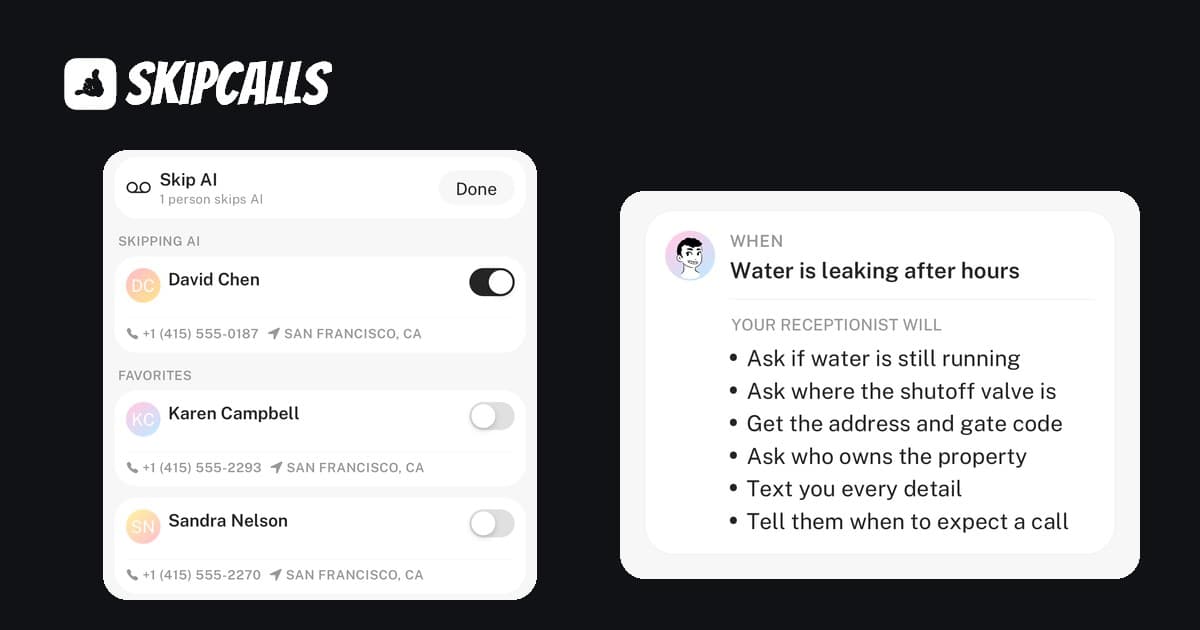
2. Customize Your After-Hours Script You might want a different behavior at night. Maybe during the day, you want to book appointments, but at 2 AM, you only want to be disturbed for true emergencies. You can configure the AI to screen for urgency before patching a call through to your bedside.
3. Use the "Bilingual" Feature If you work in an area with a large Spanish-speaking population, like many of our users in Florida or Texas, turn on bilingual support. The AI detects the language the caller is speaking and switches instantly. It opens up a whole new market of customers you might have been missing.
Common Questions
"Will my customers know it's AI?" With voice cloning, most won't realize immediately. However, the goal isn't to trick them—it's to help them. If the AI solves their problem (books the appointment, answers the question), they don't care. They are just happy a human-sounding voice answered instead of a beep.
"What if the caller asks something complex?" If the AI gets stumped, it takes a detailed message and flags it for you. You get the transcript and can call them back personally. You’re only dealing with the complex stuff, not the routine "are you open?" questions.
"Is it hard to cancel?" Most legacy auto attendant contracts lock you in. Modern apps like SkipCalls are monthly or annual with no contracts. You can try the free trial, see if it books you a job, and decide from there.
The Verdict
Setting up an AI receptionist isn't a massive tech project anymore. It’s a 5-minute task that you can do from your truck in the parking lot of a supply house.
The market has shifted. Customers expect instant responses. The businesses that pick up the phone win the work. The ones that send people to voicemail lose.
If you have five minutes right now, you can fix your missed call problem forever.
Try SkipCalls free for 7 days and watch your calendar fill up while you focus on the work you do best.